
Adventure Team Introduction
The Adventure Team workspace brings hero roster planning, loadout tuning, and scenario progress into one surface. This page stays with the basics readers need first: what the workspace does, how the flow works, and where it fits in day-to-day use.
Overview
- The workspace combines “who should execute the task,” “which configuration they should use,” and “which scenario is moving right now” into one place.
- The current screenshot set focuses on two responsibilities: the member / roster surface and the collaboration flow between scenario cards and roster editing.
- It works best during proposal execution, batch task coordination, and hero-role switching before a run continues.
- This is not a battle replay page; it is a control room for connecting scenario intent with the roster that will execute it.
Member and roster workspace

This screenshot is the best anchor for explaining the roster workspace itself. The roster grid on the left helps users scan available heroes, the center detail panel shows the currently selected member, and the right-side settings focus on battle readiness plus profession / loadout adjustments.
In practice, users usually move through the panel in this order:
- Select the heroes who should participate in the current run.
- Confirm the selected member’s state, role, and readiness before continuing.
- Tune profession or loadout details so the chosen hero enters the next workflow with the right defaults.
In a real delivery team, this is the “staffing plus equipment check” step before a mission starts.
Collaboration flow and scenario planning

This screenshot shows how scenario intent and member assignment stay connected in the same workflow. The scenario proposal cards on the left represent the missions that can be advanced, while the roster editor on the right binds actual executors to the selected scenario context.
You can read it as a three-step collaboration loop:
- Pick the scenario or mission card that should move next.
- Adjust participating members, status indicators, and assigned heroes in the roster editor.
- Continue into Proposal, AutoTask, or Prompt-related execution with the lineup already prepared.
That is why the Adventure Team feature matters: it does not just display heroes, it keeps task context, assignment, and execution readiness connected in one readable handoff.
Scope and practical scenes
What this workspace solves
- It reduces context switching by showing scenario intent and the execution roster together.
- It creates a checkpoint for member review and configuration tuning before automation continues.
- It gives teams a visual answer to “who owns this mission right now and why.”
Related reading
HagiCode
HagiCode is an agentic coding workspace. Rich, convenient UI interactions make planning, agent execution, and project work approachable and easy to navigate, creating an engaging development experience.
Explore an engaging development experience through rich, convenient UI interactions.
- SmartOpenSpec workflows turn intent into an executable path, from proposal to design, tasks, and a shipped change.
- EfficientMulti-agent execution keeps research, implementation, and review moving in parallel, across several repositories and the Agent CLIs you already use.
- InterestingRich, convenient UI interactions make planning, agent execution, and project work approachable and easy to navigate.
HagiCode at a glance
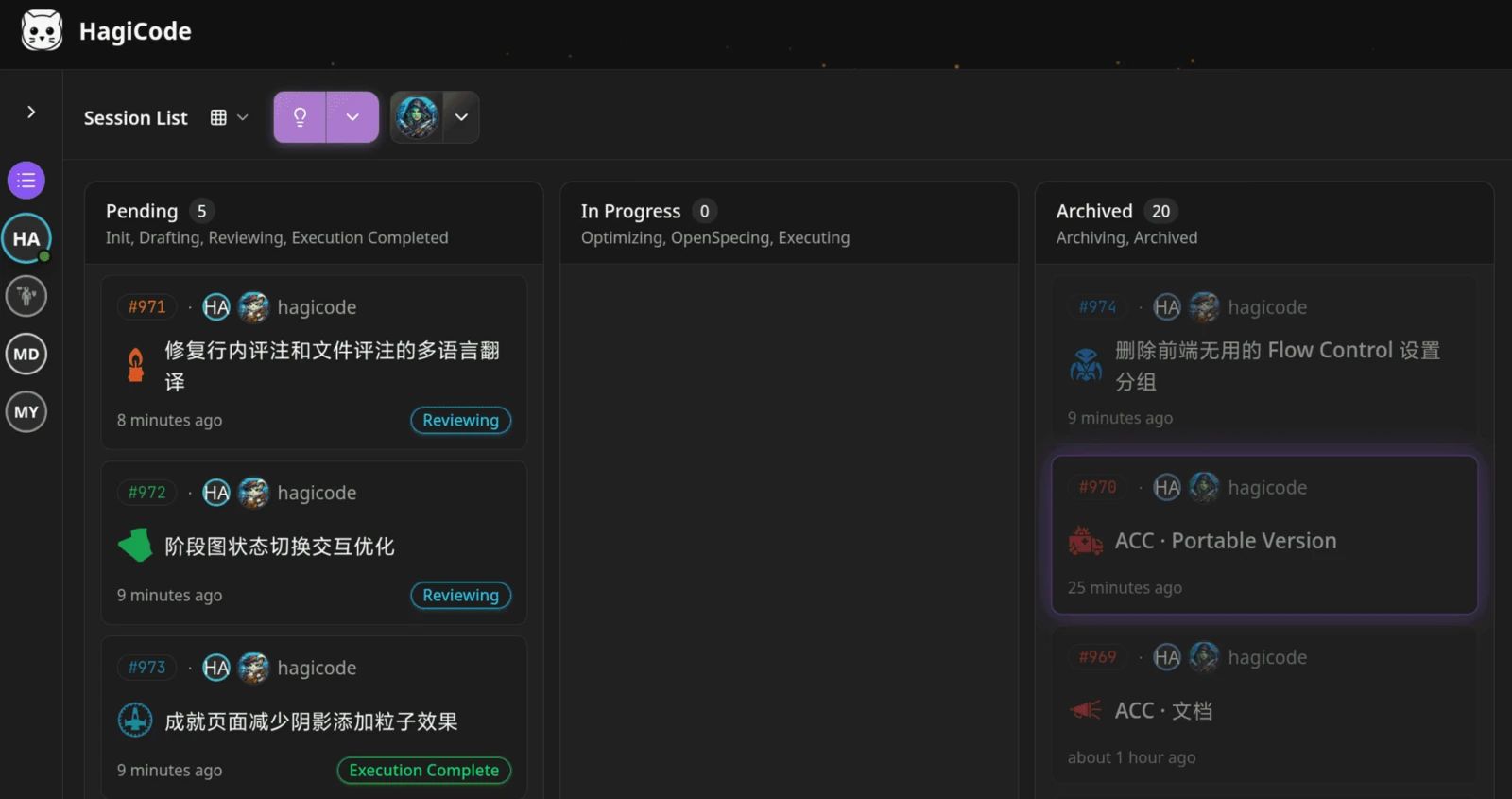
The workbench: every session on one kanban board. 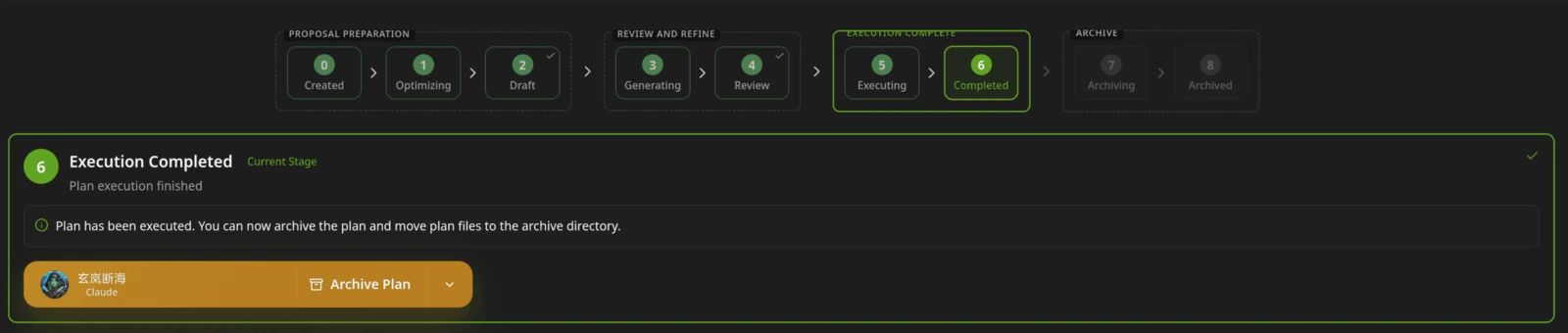
A proposal moves from created to drafted, reviewed, executed, and archived. 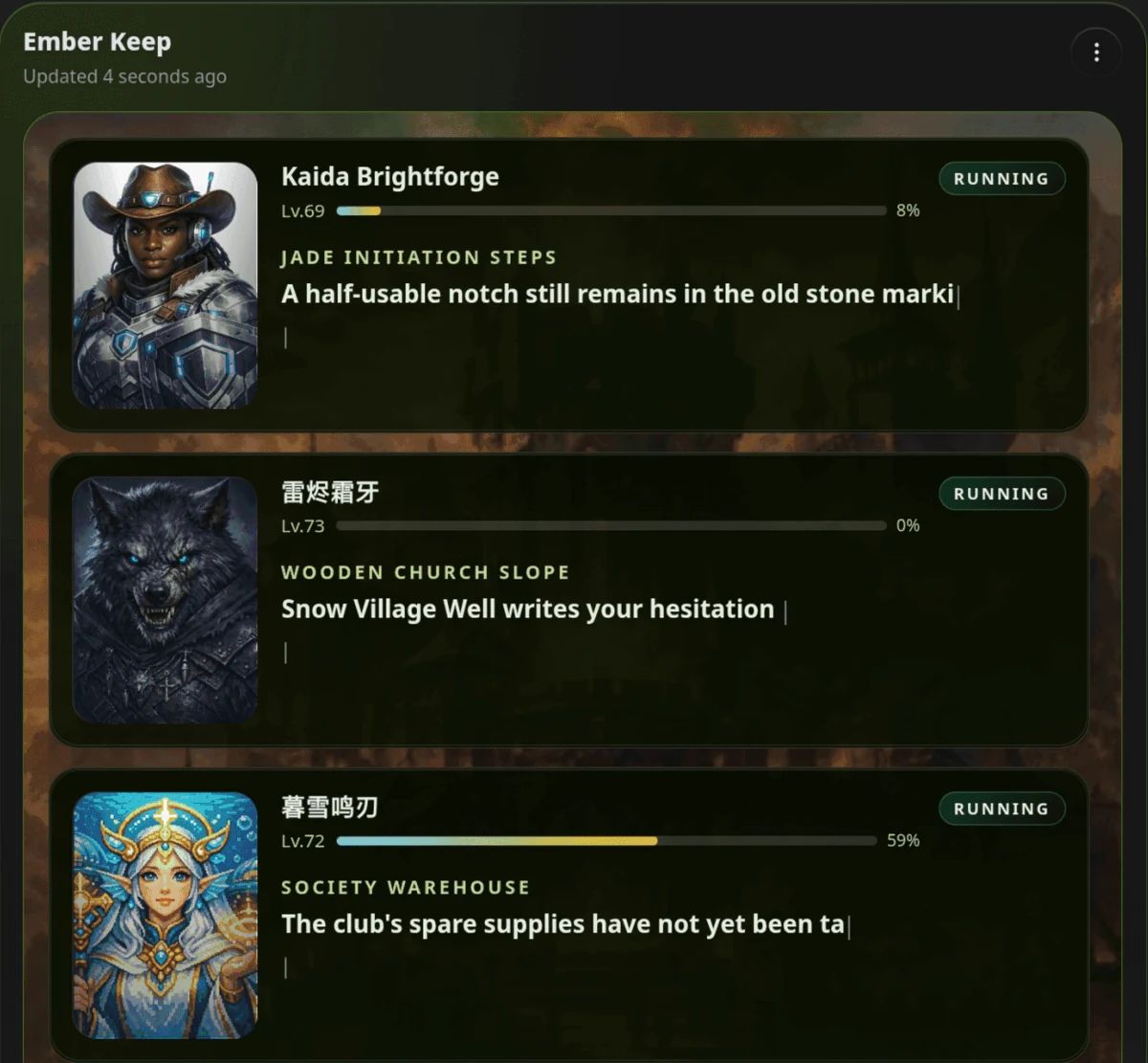
Hero Scenario: heroes run the work while you follow progress, levels, and story. 
Illustration: a cat-head portrait from the HagiCode illustration set, one of many that change between visits.
Download for Windows
Share HagiCode

Turn ideas into shipped software.
HagiCode is an agentic coding workspace. OpenSpec workflows plan the change, multi-agent execution carries it out, and Hero Scenario makes the long run visible, so ideas become shipped software.
- Smart
- OpenSpec workflows turn intent into a path from proposal to shipped change.
- Efficient
- Multi-agent execution runs research, build, and review in parallel.
- Fun
- Rich UI interactions make planning, agent work, and projects easier to follow.
Ecosystem Sites
Quick Links
Community
© 2026 HagiCode | Powered By hagilight-starlight@0.15.1 | Branch: main | Commit: 86228e2 | Built: