
Sessions
A session is one unit of work with an Agent. The session board is the center of the workbench: it shows where every session stands and holds the buttons that start new ones.
The session board
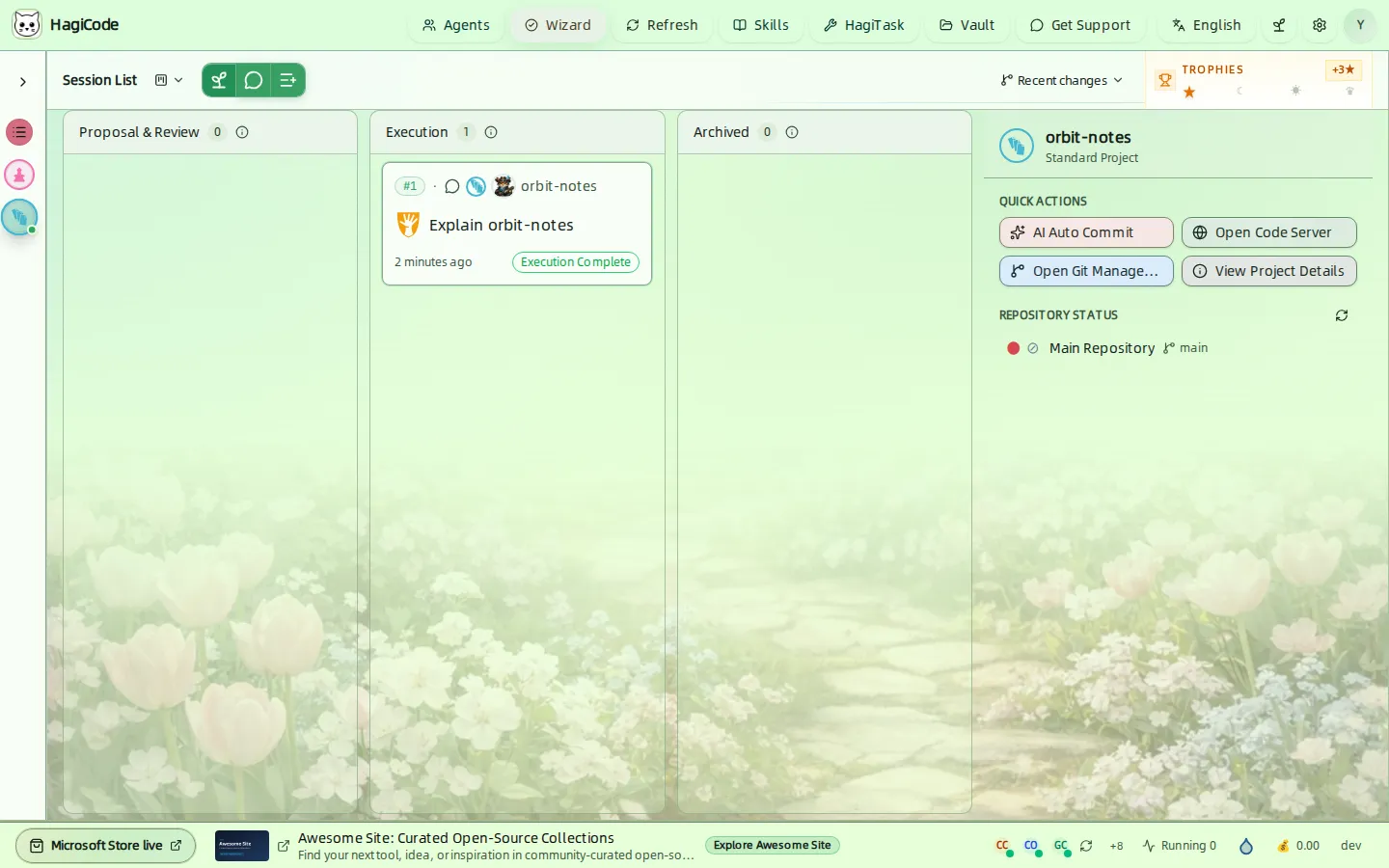
The board has three lanes:
| Lane | What lands here |
|---|---|
| Proposal & Review | Ideas that are being drafted, generated, and reviewed as proposals. |
| Execution | Sessions that are running or finished, including normal sessions. |
| Archived | Sessions you archived. They stay available for review. |
Each card shows the session number, its project, an icon for its type, the title, when it last changed, and a status badge such as Executing or Execution Complete. Click a card to open the session. The counter beside each lane title shows how many sessions it holds, and the arrow on a lane header collapses that lane.
Toolbar
The toolbar above the lanes has four controls:
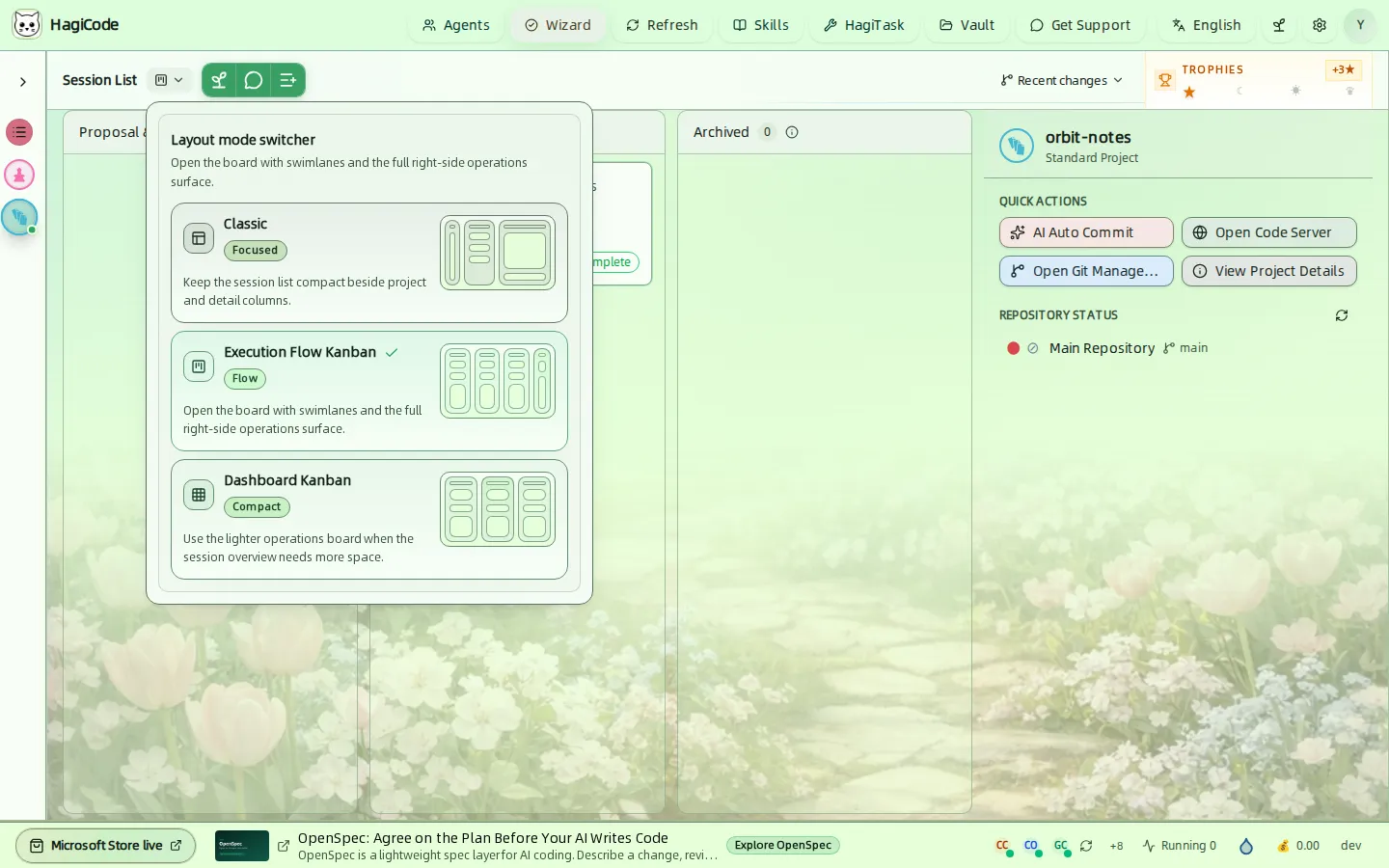
- Layout mode switcher (the small board icon next to Session List) changes how the board is laid out.
- New Idea (sprout icon) starts a proposal.
- Create Normal Session (speech-bubble icon) starts a conversation.
- More HagiTasks (list icon) opens the HagiTask workspace for other task presets. See Skills and HagiTask.
The Recent changes menu and the Trophies widget sit at the right end of the toolbar. See Projects and Status bar and progress.
Layout modes
| Mode | Badge | Best for |
|---|---|---|
| Classic | Focused | A compact session list beside the project and detail columns. |
| Execution Flow Kanban | Flow | Swimlanes plus the full operations surface on the right. This is the layout used in this guide. |
| Dashboard Kanban | Compact | A lighter board when you need more room for the session overview. |
Create an idea (proposal)
Click New Idea to open the Create Proposal drawer. Use it for changes that deserve a plan: you describe what you want, HagiCode drafts a proposal, and you review it before execution. The Create a Proposal Session walkthrough follows a whole proposal from start to archive.
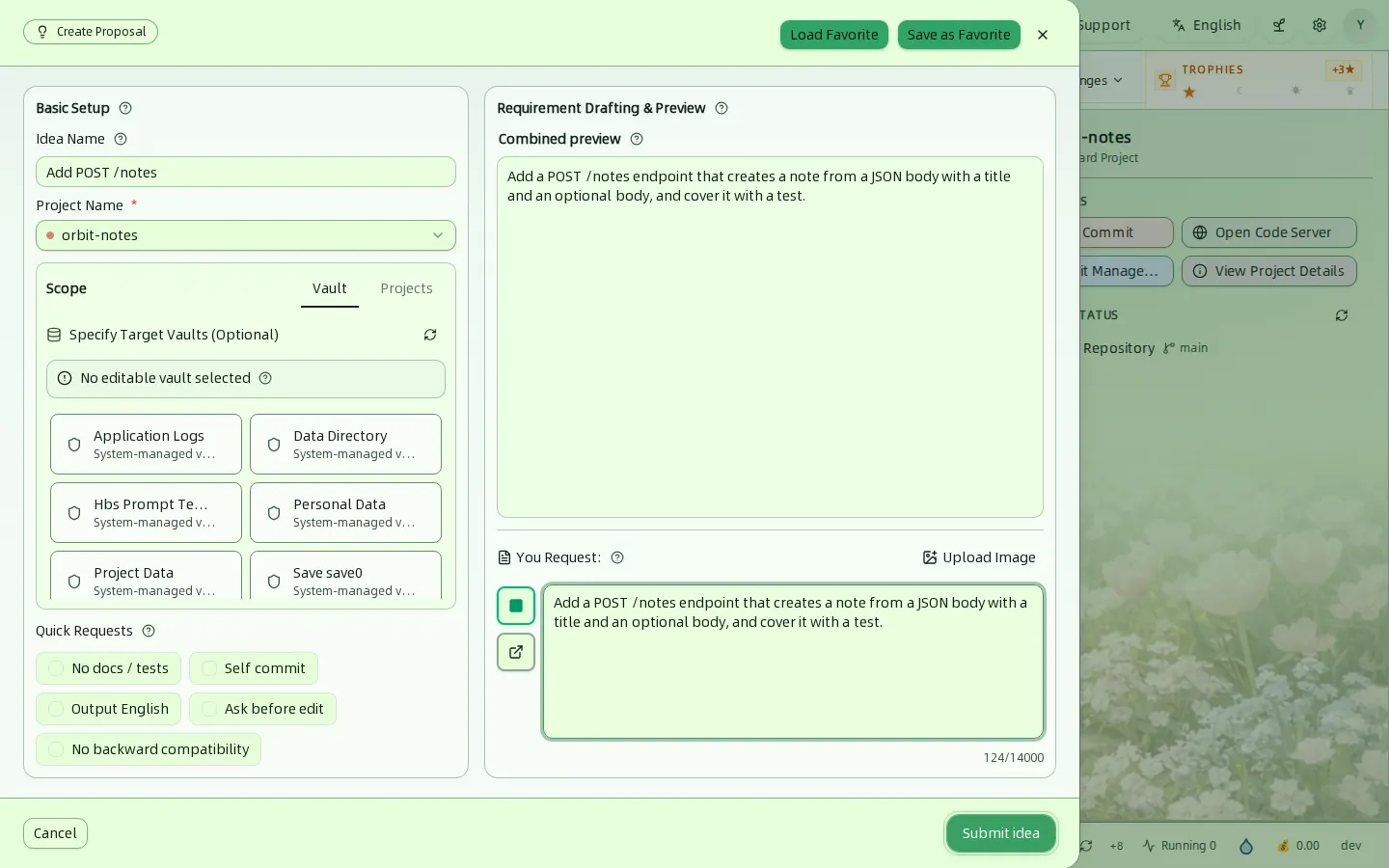
Left column: Basic Setup
- Idea Name and Project Name (required).
- Scope has two tabs. Vault lets you Specify Target Vaults (Optional): mark the vaults the AI may edit. System-managed vaults are reference-only. Projects lets you add other projects as context.
- Quick Requests are one-click additions to your request: No docs / tests, Self commit, Output English, Ask before edit, and No backward compatibility.
Right column: Requirement Drafting & Preview
- You Request is where you describe the change, up to 14,000 characters. Upload Image attaches a picture.
- Combined preview shows the full text that will be sent to the AI, so you can review it before you submit.
- Submit idea creates the proposal session. Load Favorite and Save as Favorite reuse a saved setup.
Create a normal session
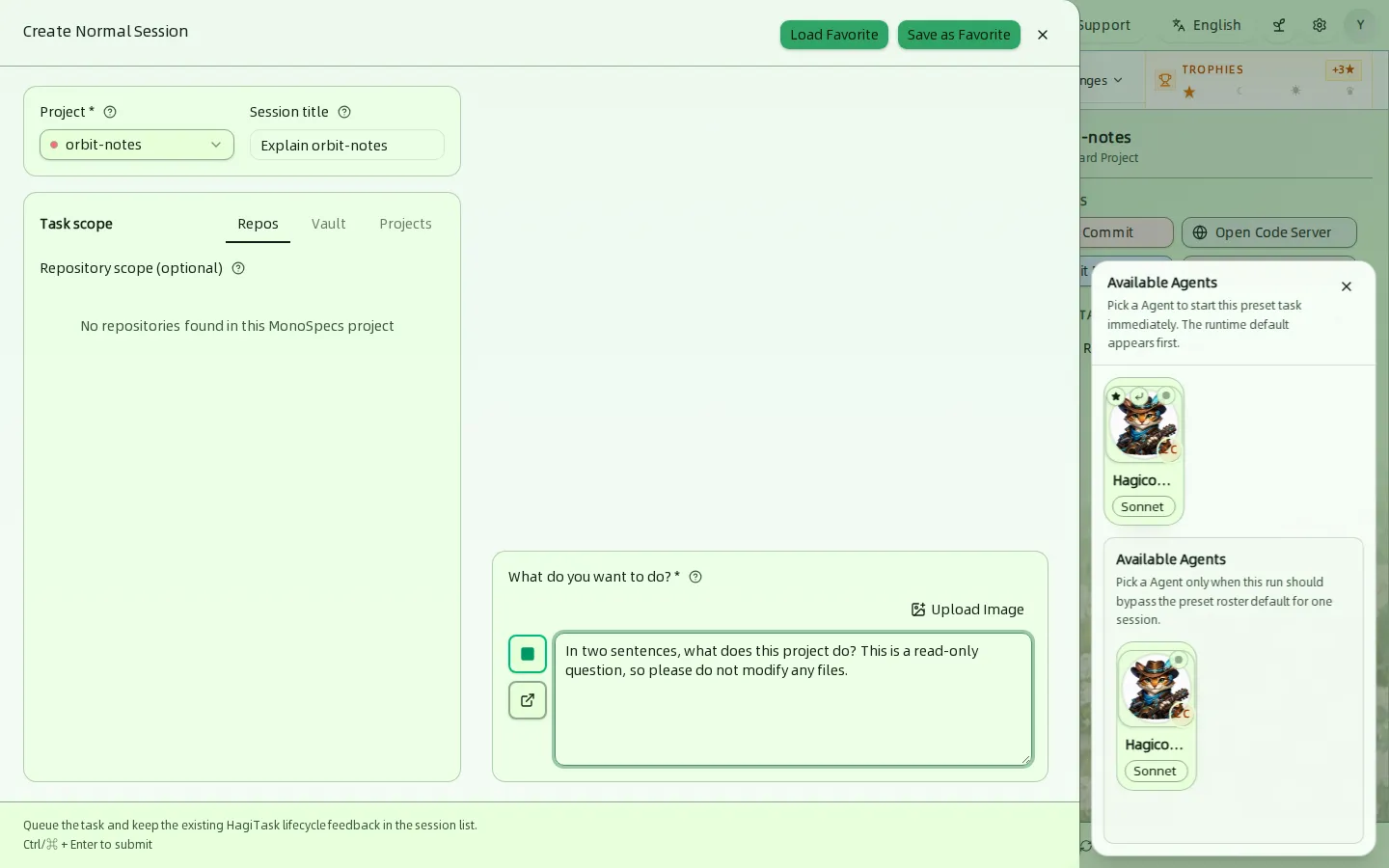
Click Create Normal Session for a plain conversation with an Agent. Use it to understand a repository, ask a question, or make a small change without a proposal.
| Field | Notes |
|---|---|
| Project | Required. Defaults to the selected project. |
| Session title | Optional label shown on the card. |
| Task scope | Repos narrows the session to repositories of a MonoSpecs project. Vault and Projects attach extra reference material. |
| What do you want to do? | Required. The first message of the session. Upload Image attaches a picture. |
The Available Agents panel lists your Agents. Pick one and the session starts immediately; the first entry is the runtime default. A second list lets you pick a different Agent only for this run. If no Agent is listed, set one up first in Agents. Press Ctrl/⌘ + Enter to submit from the keyboard.
Start with a read-only question
The sample session in this guide asked a read-only question about the demo project. It finished in about 23 seconds and changed no files. Edit mode is controlled per session, see below.
Work inside a session
Click a card to open the session drawer.
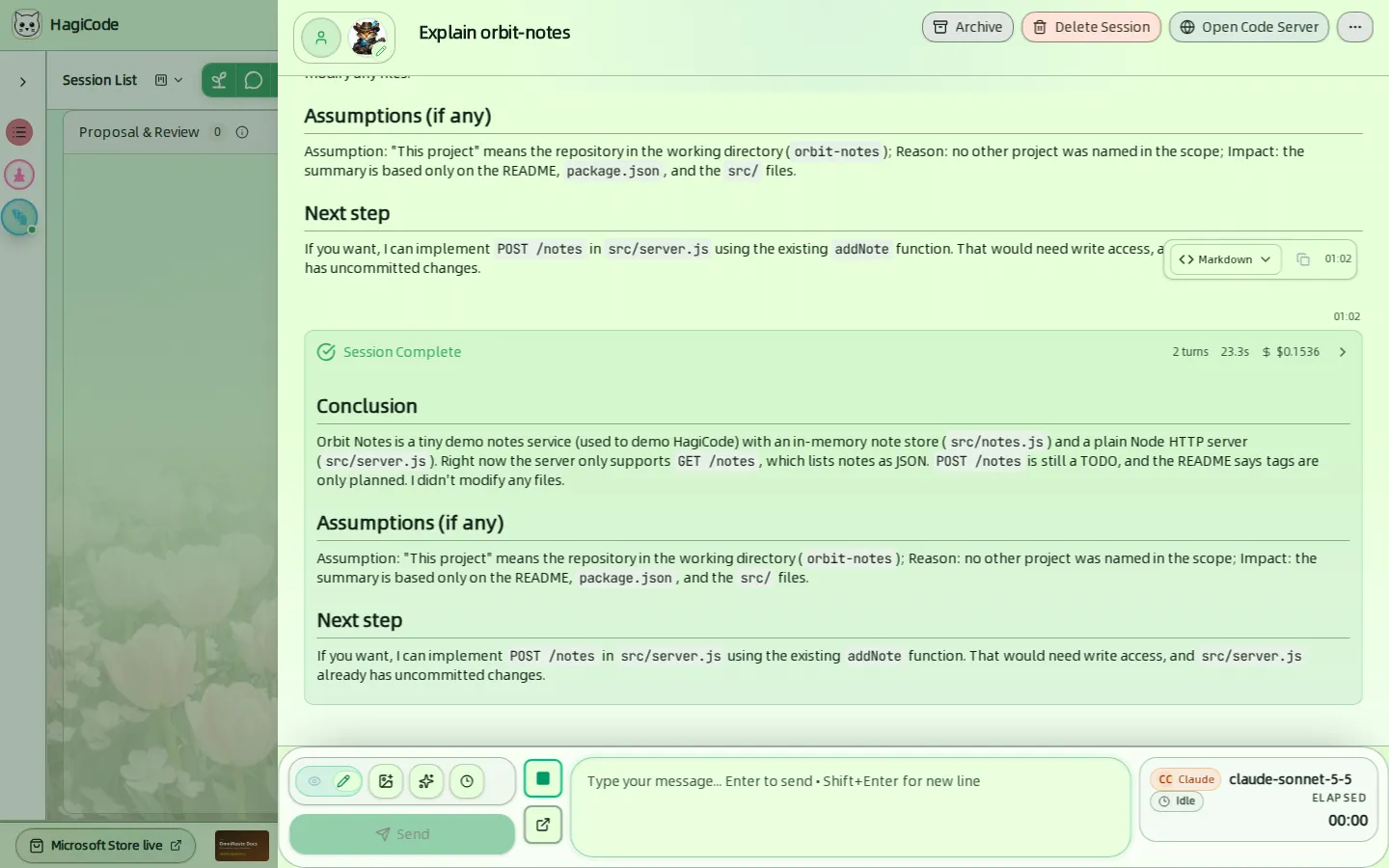
Header – the title, the Agent’s avatar, and the buttons Archive (moves the session to the Archived lane), Delete Session, Open Code Server, and a … menu with more actions.
Conversation – messages from you and the Agent in order. While the Agent works you can follow what it does: tool calls appear as cards.
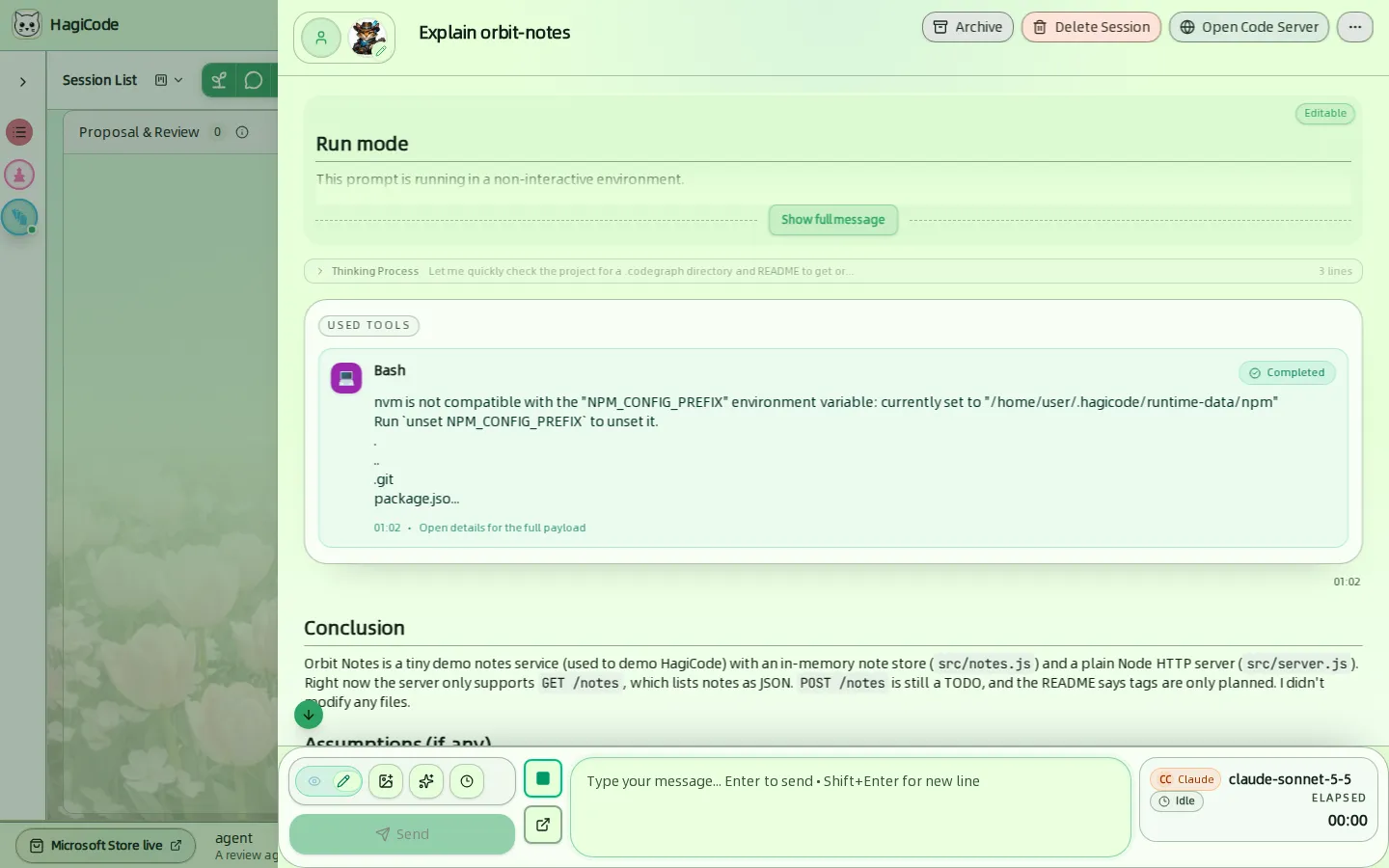
When the run ends, a Session Complete card summarizes the number of turns, the elapsed time, and the cost of the run. Click it to expand the details.
Message box – at the bottom:
- The Edit / Readonly switch turns edit mode on or off. With edit mode on, new messages are more likely to modify files. Whether new normal sessions start in edit mode is set in Settings → Process & Interaction → Chat View.
- Buttons for images, Standard Phrases (the
@picker), and Import Recent History. - Send submits the message. Press
Enterto send andShift + Enterfor a new line.
Agent status card – on the right of the message box: the Agent CLI and model (for example claude-sonnet-5-5), its current state such as Idle, and the elapsed time.
HagiCode
HagiCode is an agentic coding workspace. OpenSpec workflows plan the change, multi-agent execution carries it out, and Hero Dungeon makes the long run visible, so ideas become shipped software.
Turn ideas into polished, usable software with a smarter, faster, and more enjoyable agentic coding workflow.
- SmartOpenSpec workflows turn intent into an executable path, from proposal to design, tasks, and a shipped change.
- EfficientMulti-agent execution keeps research, implementation, and review moving in parallel, across several repositories and the Agent CLIs you already use.
- FunHero Dungeon turns long coding sessions into a visible, collaborative adventure with heroes, progress, and achievements.
HagiCode at a glance
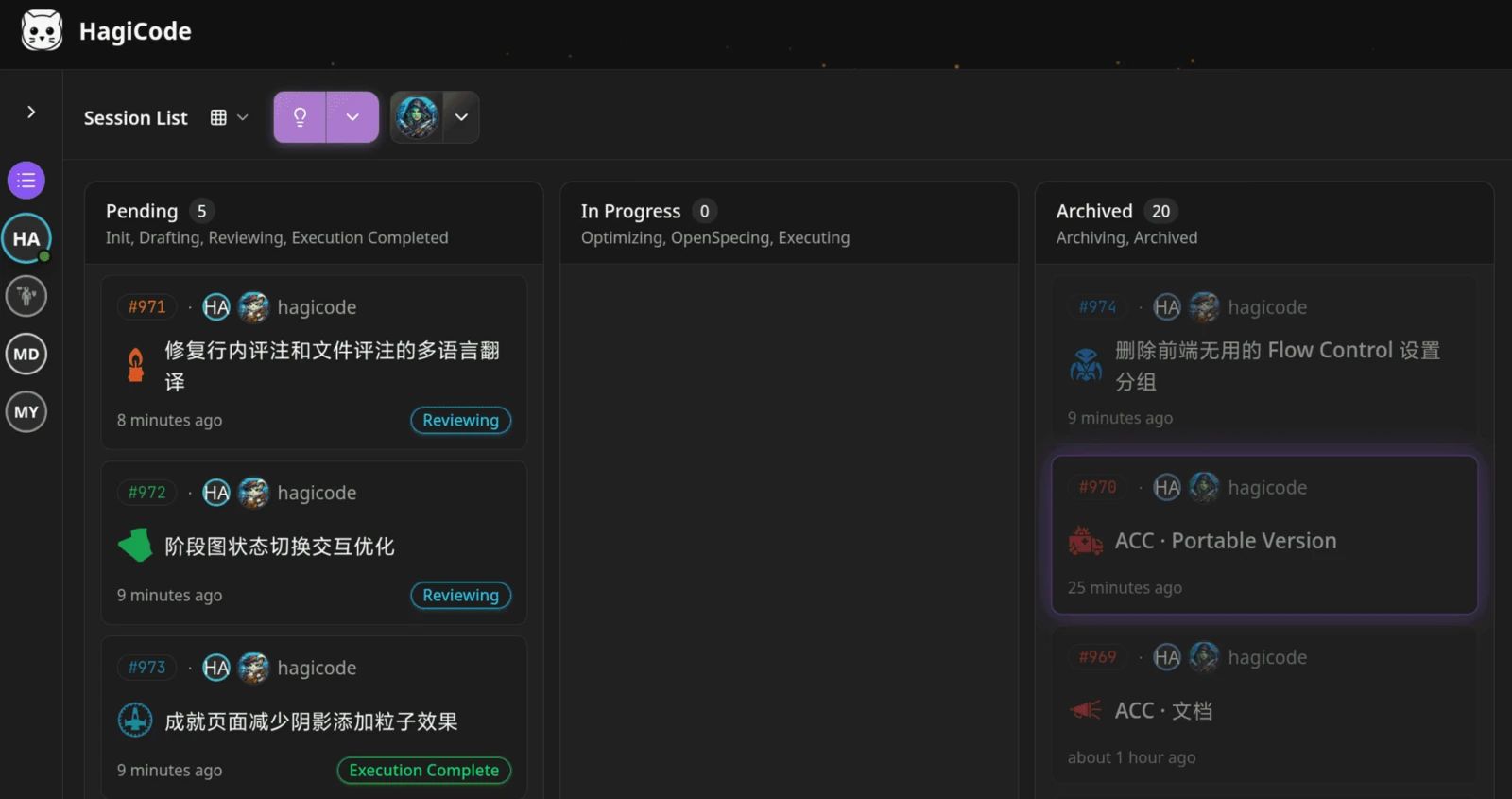
The workbench: every session on one kanban board. 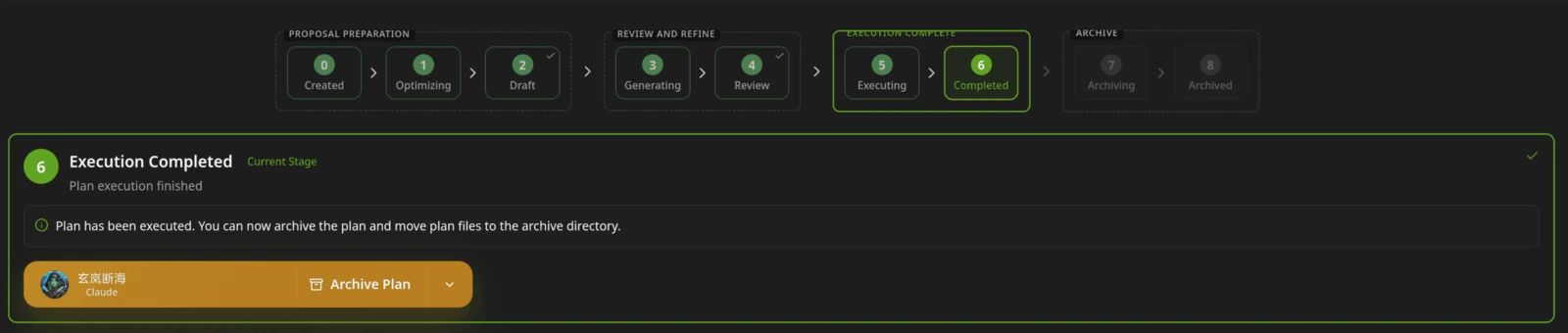
A proposal moves from created to drafted, reviewed, executed, and archived. 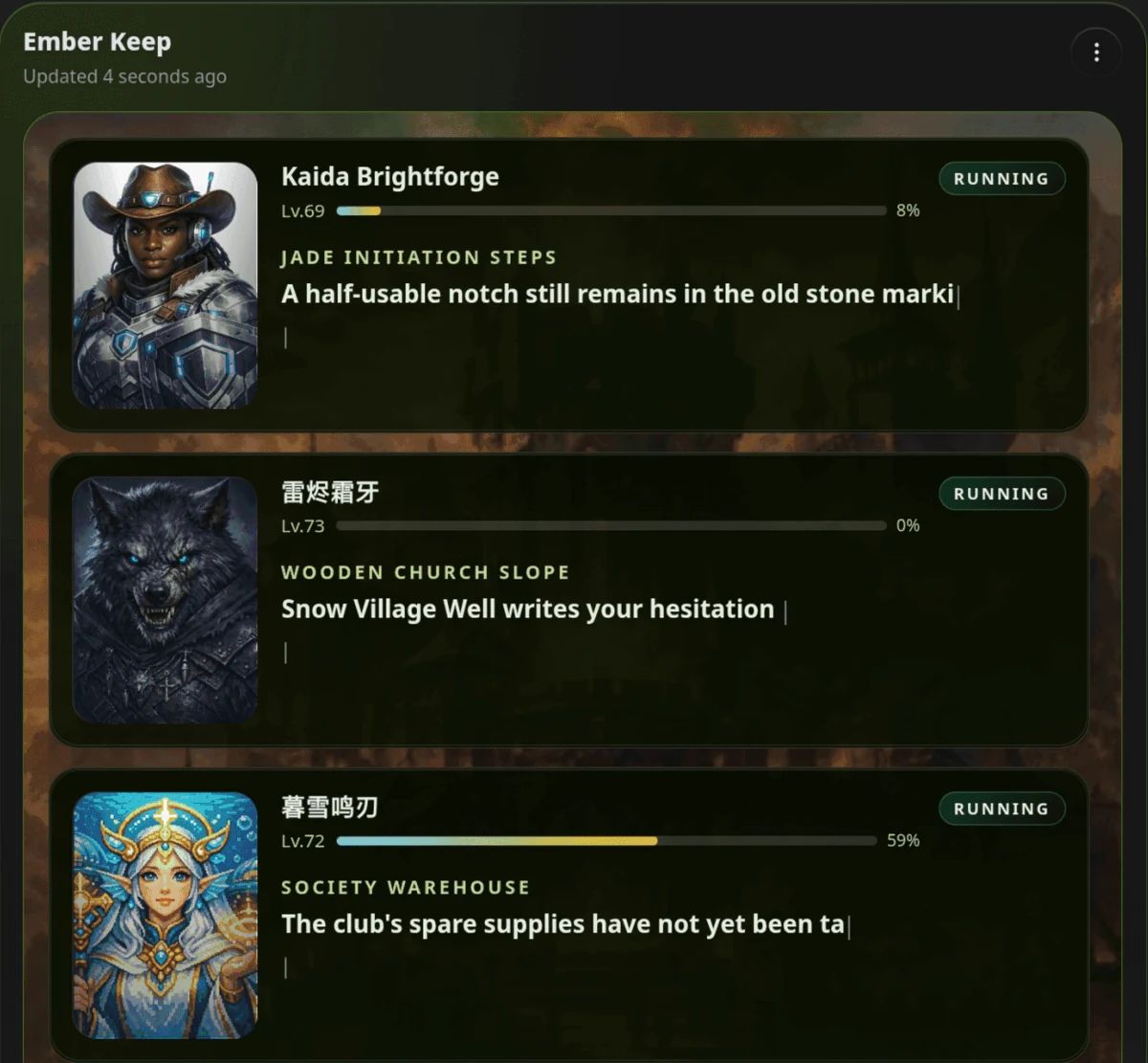
Hero Dungeon: heroes run the work while you follow progress, levels, and story.
Download for Windows
Share HagiCode
Turn ideas into shipped software.
HagiCode is an agentic coding workspace. OpenSpec workflows plan the change, multi-agent execution carries it out, and Hero Dungeon makes the long run visible, so ideas become shipped software.
- Smart
- OpenSpec workflows turn intent into a path from proposal to shipped change.
- Efficient
- Multi-agent execution runs research, build, and review in parallel.
- Fun
- Hero Dungeon makes long sessions visible, with heroes, progress, and achievements.
Ecosystem Sites
Quick Links
Community
© 2026 HagiCode | Powered By hagilight-starlight@0.11.0 | Branch: main | Commit: 934740d | Built: