
Skills and HagiTask
Skills and HagiTasks both extend what your Agents can do, and both open from the header.
- Skills are reusable instruction packages that Agent CLIs load, such as design guidelines or framework best practices.
- HagiTasks are task presets that HagiCode runs through its session flow, such as Normal Session or Research Investigation.
Skills
Click Skills in the header. The drawer has three tabs. For a longer walkthrough, see the Skills Guide.
Local Skills
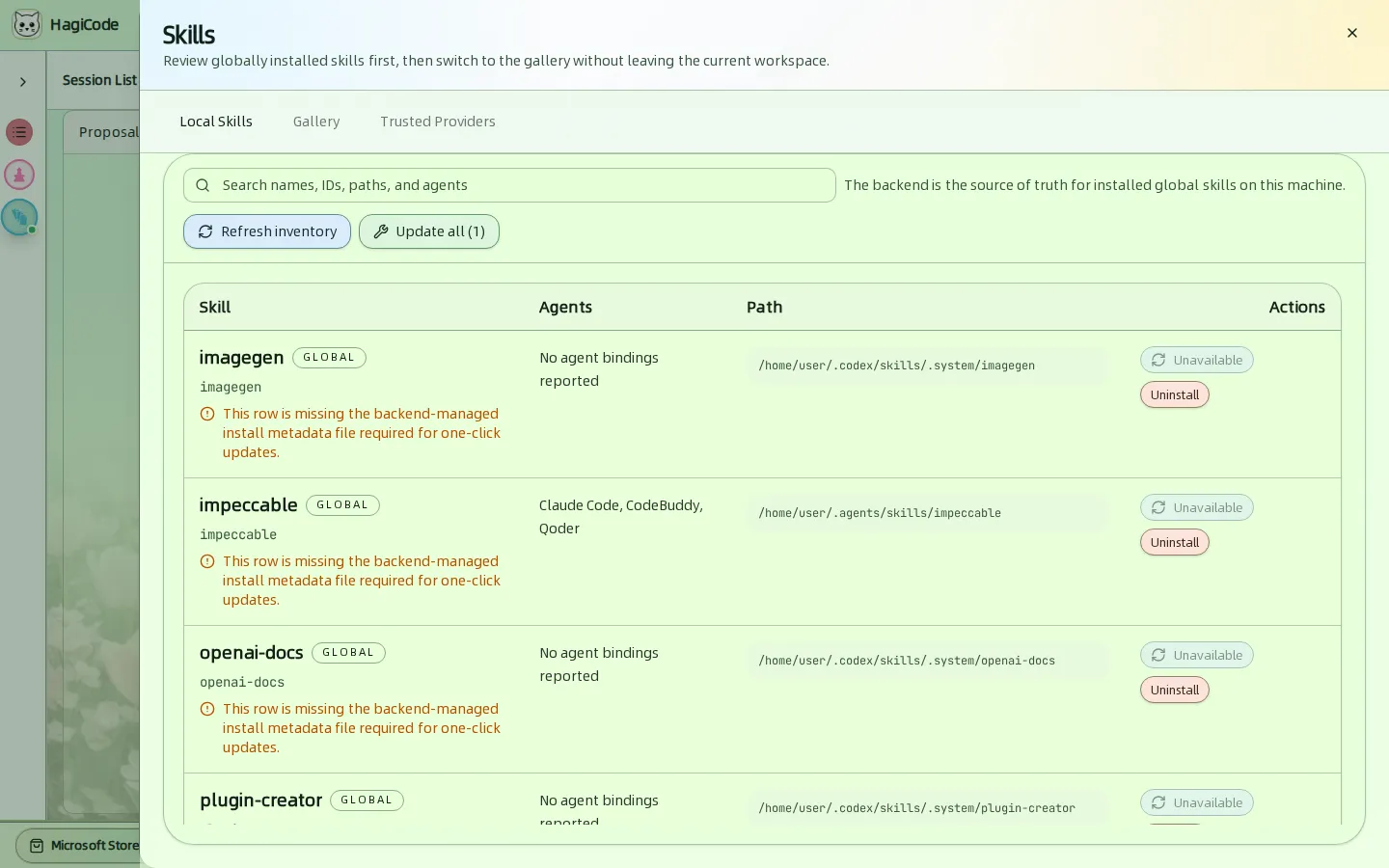
The backend is the source of truth for the global skills installed on this machine.
- Refresh inventory re-scans the machine. Update all updates every skill that can be updated.
- The table shows each Skill, which Agents it is bound to, its Path, and the available Actions: update and Uninstall.
- A row with a warning is missing the install metadata file that one-click updates need, so its update action shows Unavailable.
Gallery
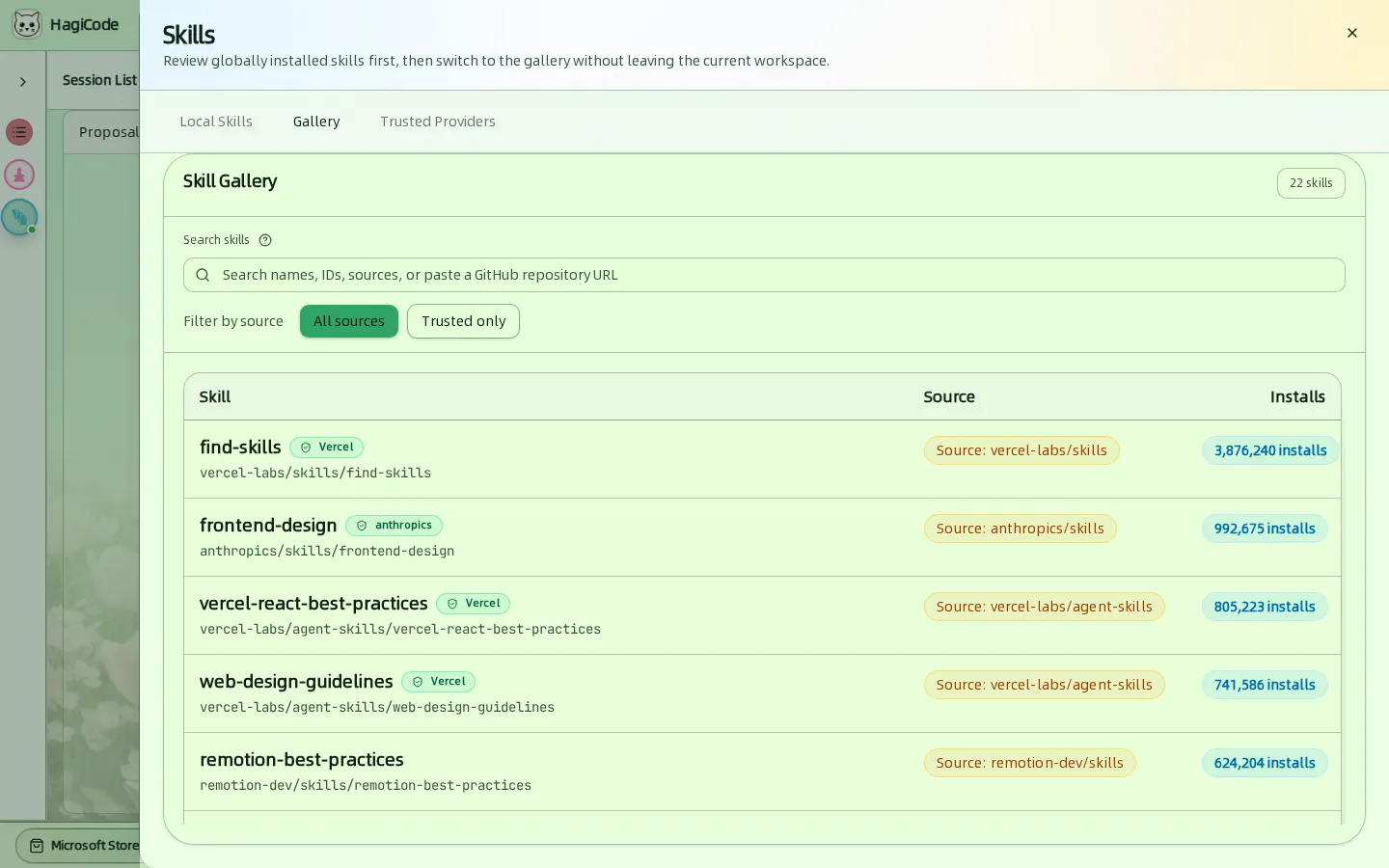
Search the skill library by name, ID, source, or paste a GitHub repository URL. Trusted only limits the list to skills from providers you trust. Each row shows the skill, its source, and how often it was installed. Open a row to review the exact install command before you install.
Trusted Providers
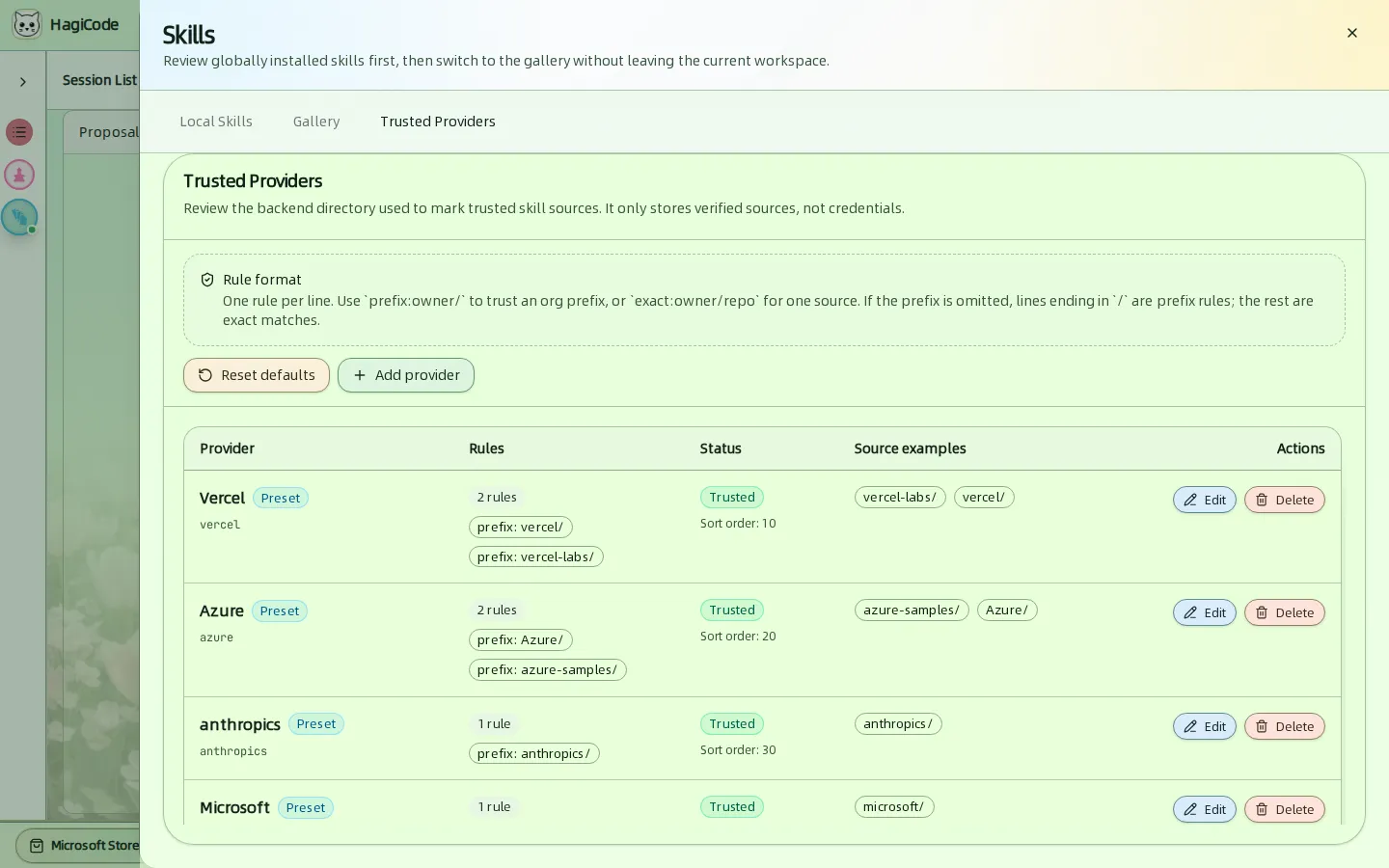
Trusted providers decide which sources get the Trusted label. The directory only stores verified sources, never credentials. Write one rule per line:
prefix:owner/trusts every repository of an owner.exact:owner/repotrusts one repository.
Presets such as Vercel, Azure, anthropics, and Microsoft are included. Use Add provider, Edit, Delete, or Reset defaults to change them.
HagiTask
Click HagiTask in the header, or More HagiTasks on the session board, to open the HagiTask workspace. It also has three tabs.
Package management
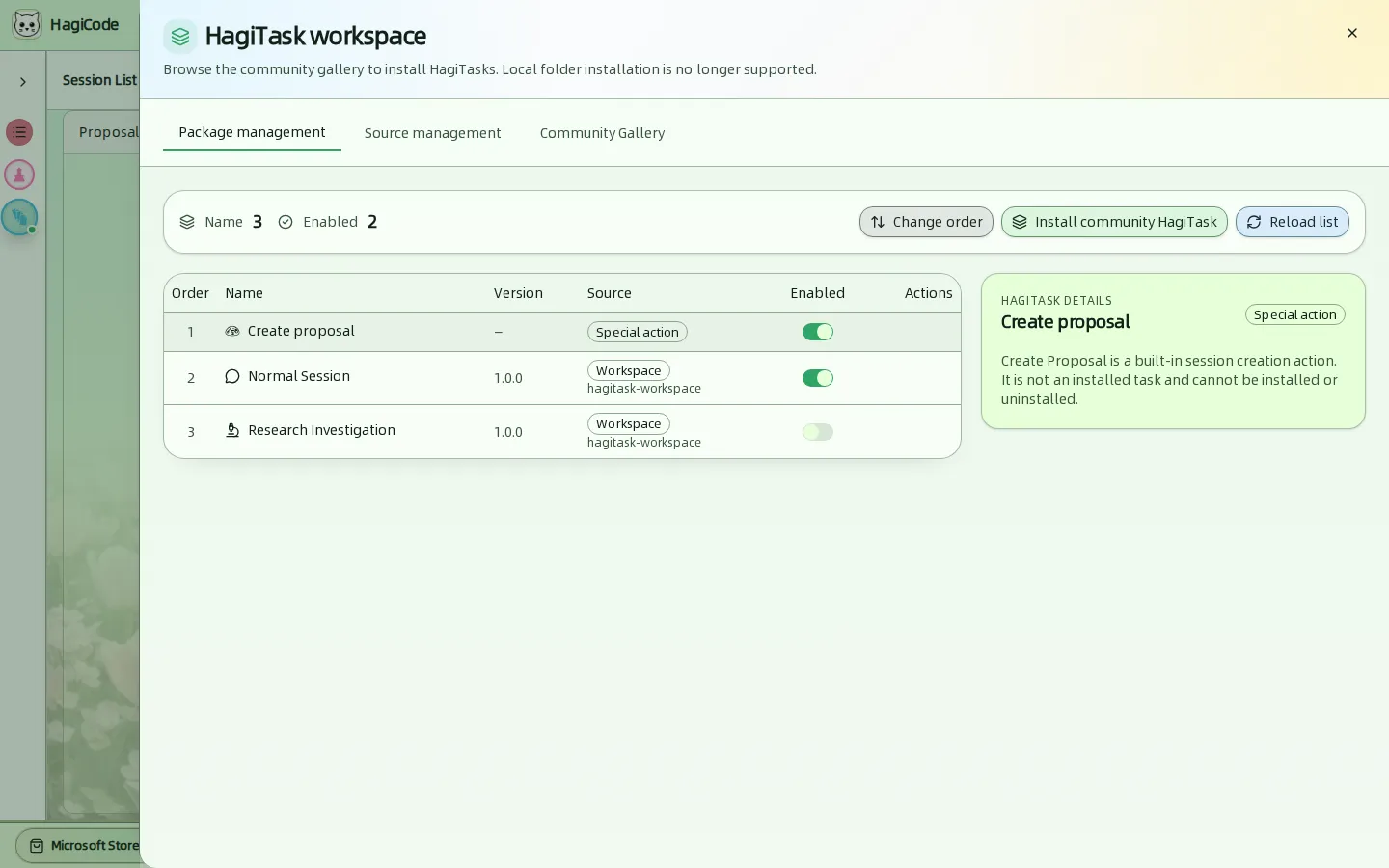
The list shows every installed preset with its Order, Name, Version, Source, and an Enabled switch. Use the switch to turn a preset on or off.
- Create proposal is a built-in special action. It is always present and cannot be installed or uninstalled.
- Normal Session and Research Investigation are workspace presets.
- Change order reorders the list. Install community HagiTask jumps to the gallery. Reload list re-reads the sources.
Click a row to see its details on the right.
Community Gallery
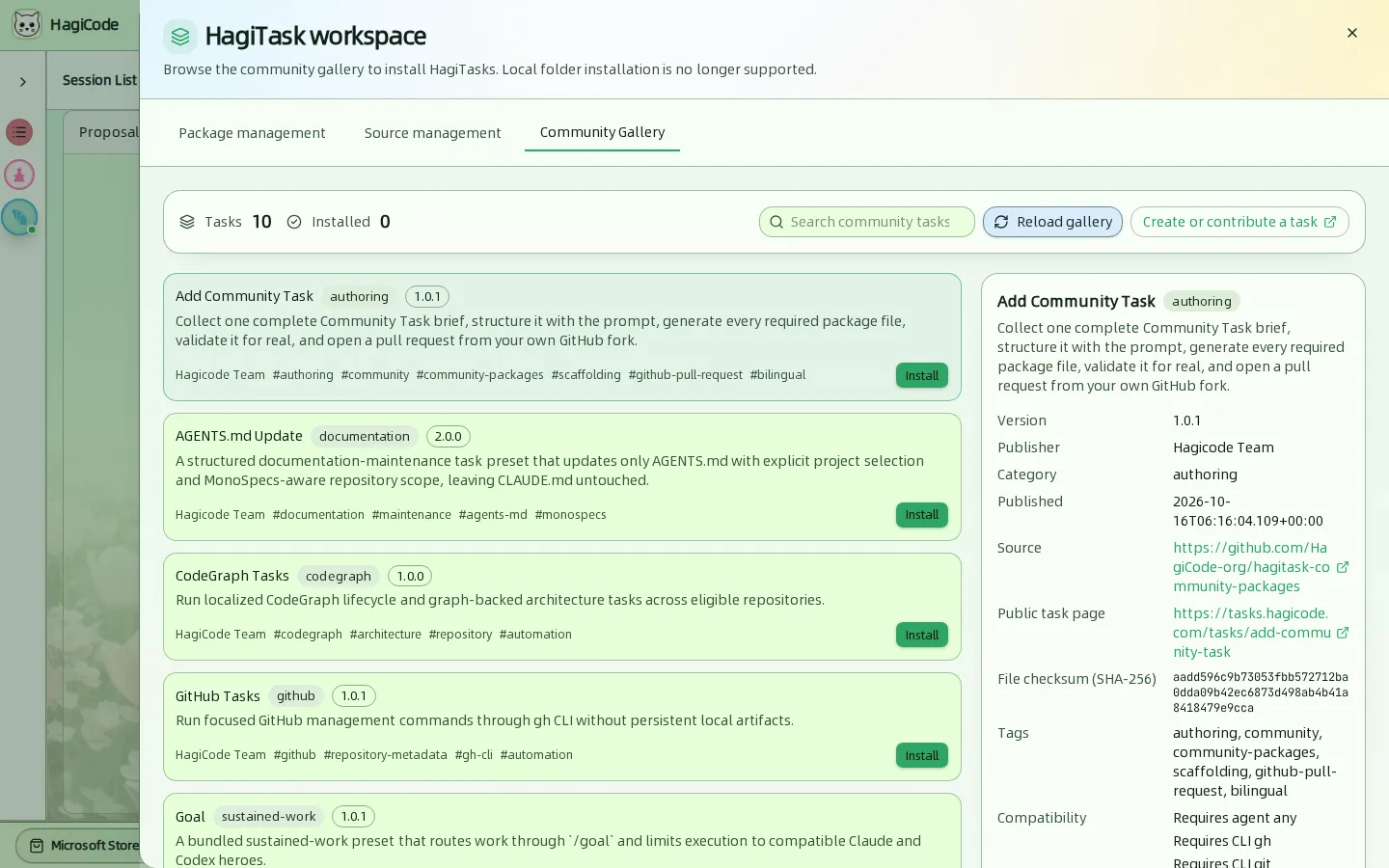
Browse presets published by the HagiCode team and the community, such as CodeGraph Tasks, GitHub Tasks, and AGENTS.md Update. Each entry shows its category, version, tags, and the CLI tools it requires. Click Install to add it. Create or contribute a task opens the contribution guide, and the Add Community Task preset walks you through authoring one.
Source management
The Source management tab shows where presets are loaded from: the built-in presets and the community folder. Add folder source registers another folder, and Reload sources rescans them. Local folder installation of single tasks is no longer supported; install from the community gallery instead.
HagiCode
HagiCode is an agentic coding workspace. OpenSpec workflows plan the change, multi-agent execution carries it out, and Hero Dungeon makes the long run visible, so ideas become shipped software.
Turn ideas into polished, usable software with a smarter, faster, and more enjoyable agentic coding workflow.
- SmartOpenSpec workflows turn intent into an executable path, from proposal to design, tasks, and a shipped change.
- EfficientMulti-agent execution keeps research, implementation, and review moving in parallel, across several repositories and the Agent CLIs you already use.
- FunHero Dungeon turns long coding sessions into a visible, collaborative adventure with heroes, progress, and achievements.
HagiCode at a glance
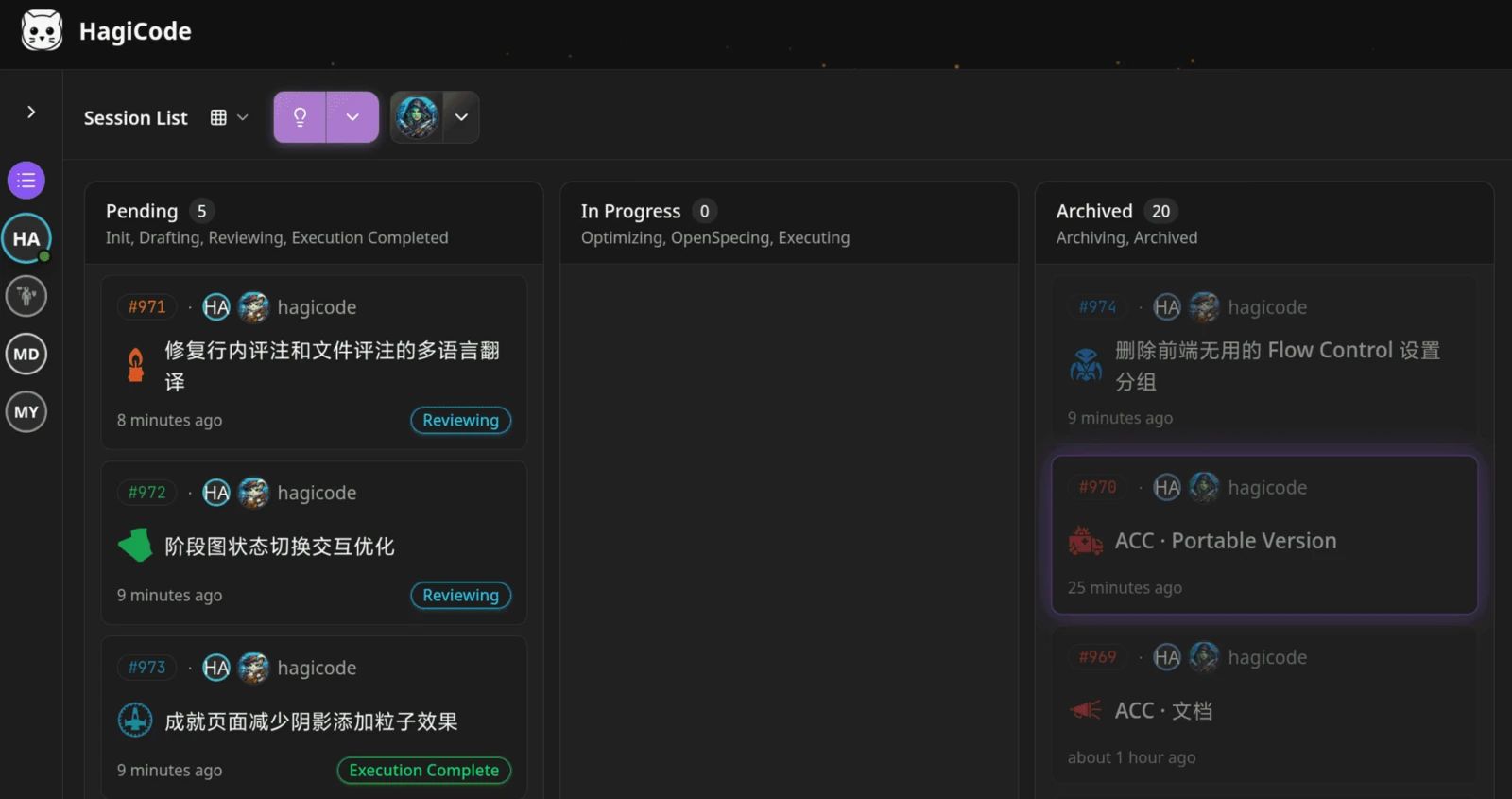
The workbench: every session on one kanban board. 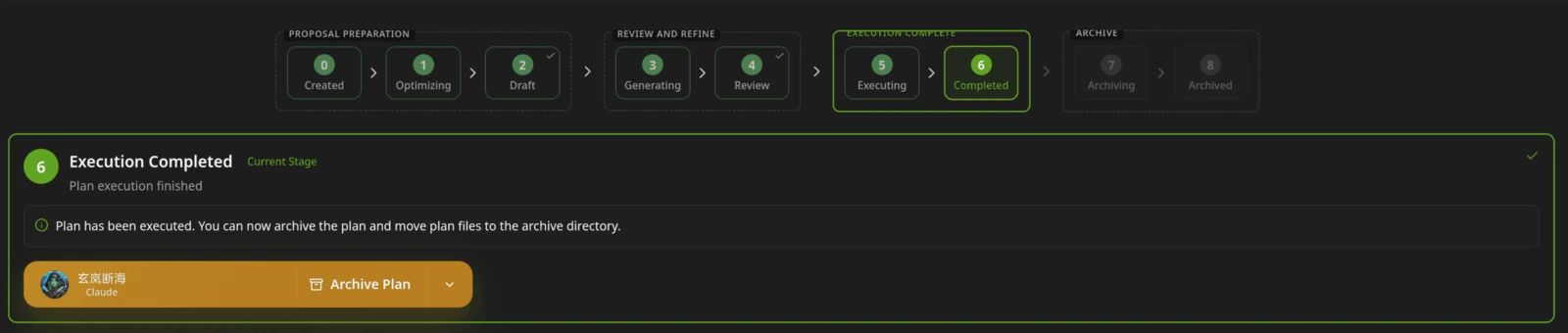
A proposal moves from created to drafted, reviewed, executed, and archived. 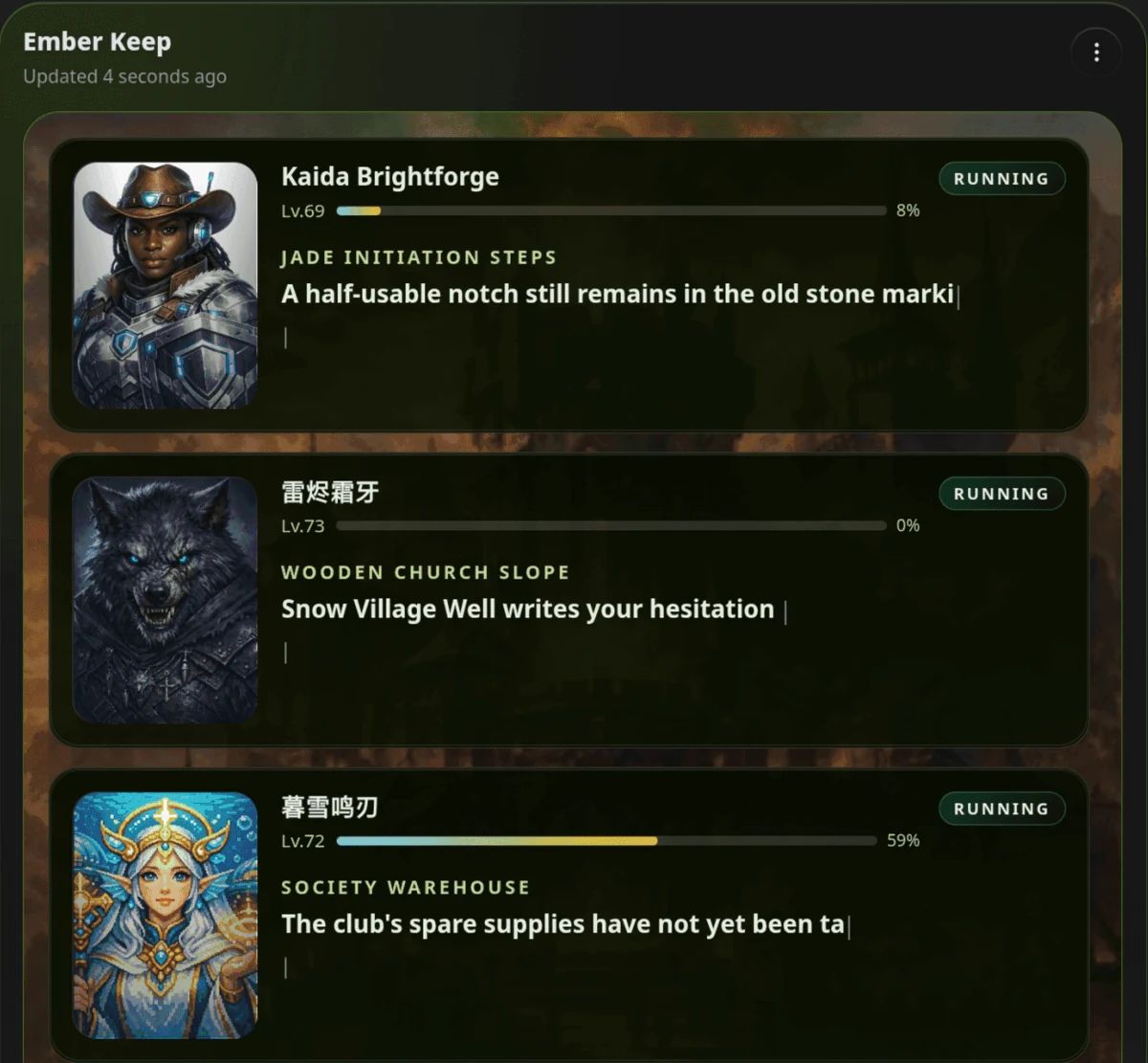
Hero Dungeon: heroes run the work while you follow progress, levels, and story.
Download for Windows
Share HagiCode
Turn ideas into shipped software.
HagiCode is an agentic coding workspace. OpenSpec workflows plan the change, multi-agent execution carries it out, and Hero Dungeon makes the long run visible, so ideas become shipped software.
- Smart
- OpenSpec workflows turn intent into a path from proposal to shipped change.
- Efficient
- Multi-agent execution runs research, build, and review in parallel.
- Fun
- Hero Dungeon makes long sessions visible, with heroes, progress, and achievements.
Ecosystem Sites
Quick Links
Community
© 2026 HagiCode | Powered By hagilight-starlight@0.11.0 | Branch: main | Commit: 934740d | Built: