
Agents
An Agent in HagiCode is a ready-to-use worker: an Agent CLI (such as Claude Code), a model, and optional personality text. Sessions are run by Agents, so you need at least one before you can start work.
Click Agents in the header to open the Agents Workspace. It has six tabs.
| Tab | Purpose |
|---|---|
| Agents | Create and manage your Agents. |
| Execution Scenarios | Decide which Agents run which kind of work. |
| AgentCLI | See which Agent CLIs are installed, healthy, and enabled. |
| Model | Browse and extend the model catalog for each Agent CLI. |
| Document Theme | Choose the wording theme of the interface. |
| Avatar Gallery | Browse the avatar packs. |
The AgentCLI and Model catalogs are system-level. The Agents tab only stores your current Agents and their lineup.
Agents tab
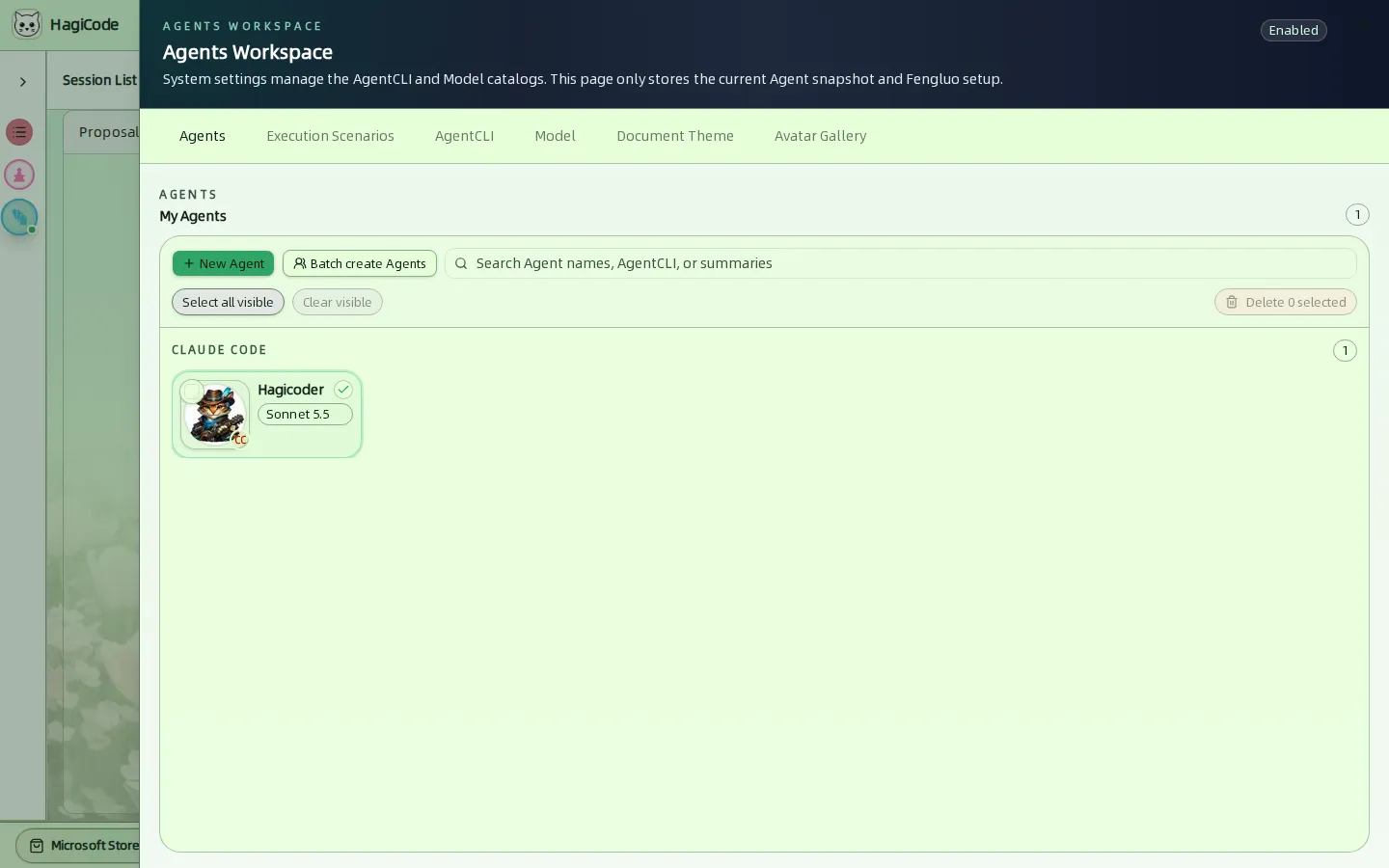
My Agents lists your Agents, grouped by the Agent CLI they use. Each card shows the avatar, the name, the model, and a small badge for the CLI.
- New Agent opens the creation drawer.
- Batch create Agents creates several at once.
- Search filters by Agent name, AgentCLI, or summary.
- Select all visible, Clear visible, and Delete N selected handle bulk removal.
Create an Agent
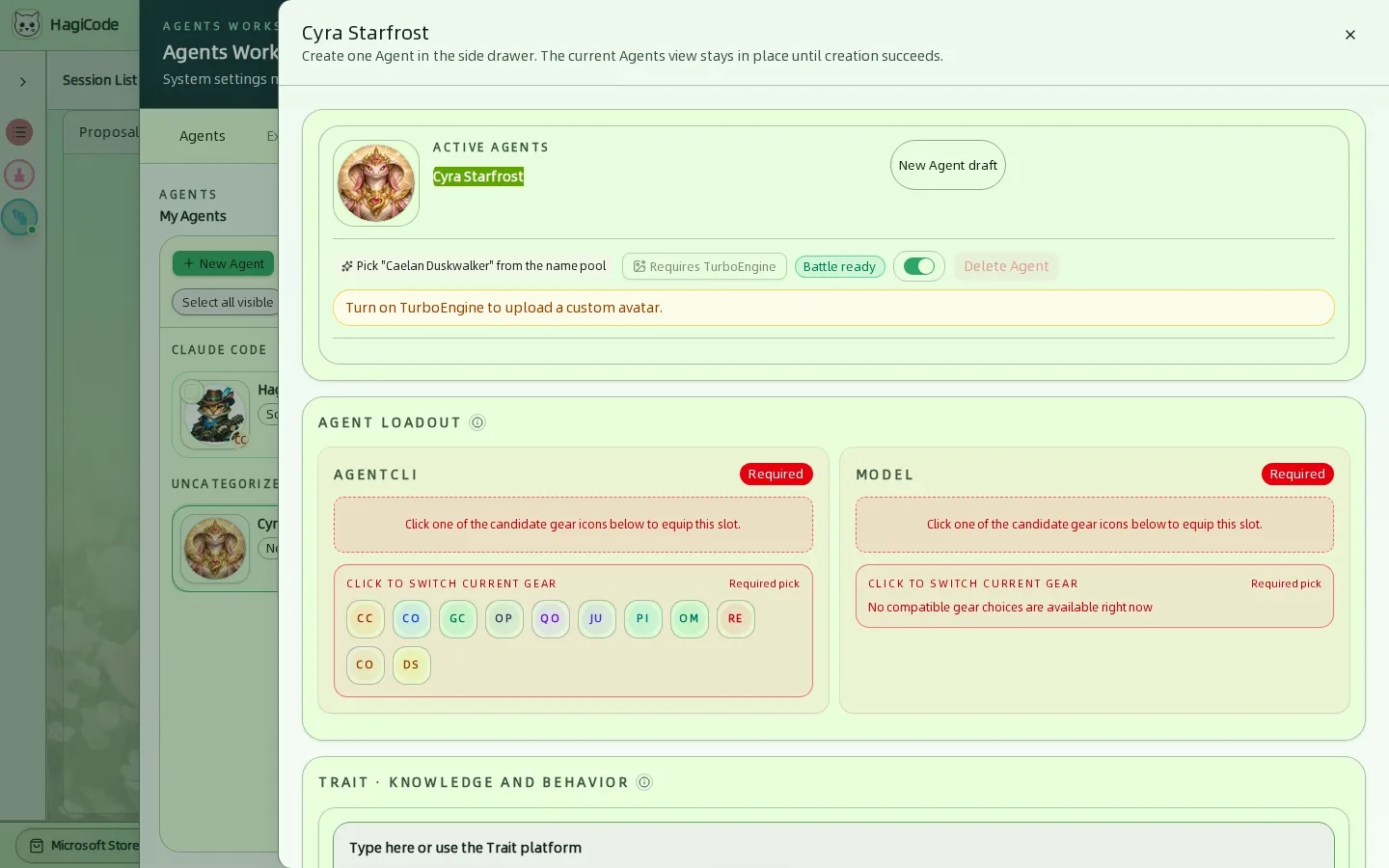
The drawer creates one Agent. The Agents view stays where it is until creation succeeds.
- Name and avatar – a random name is suggested from the name pool. Uploading a custom avatar requires the TurboEngine DLC.
- Agent loadout – two required slots. Click one of the candidate icons to equip it:
- AgentCLI – which command-line tool runs the Agent.
- Model – the model that CLI uses. The list only shows models compatible with the selected CLI.
- Trait · knowledge and behavior – free text, or traits from the Trait platform, that shape how the Agent works.
- Soul · language style – free text, or a soul from the Soul platform, that shapes the Agent’s voice.
- Battle ready toggle – enables or disables the Agent.
Execution Scenarios
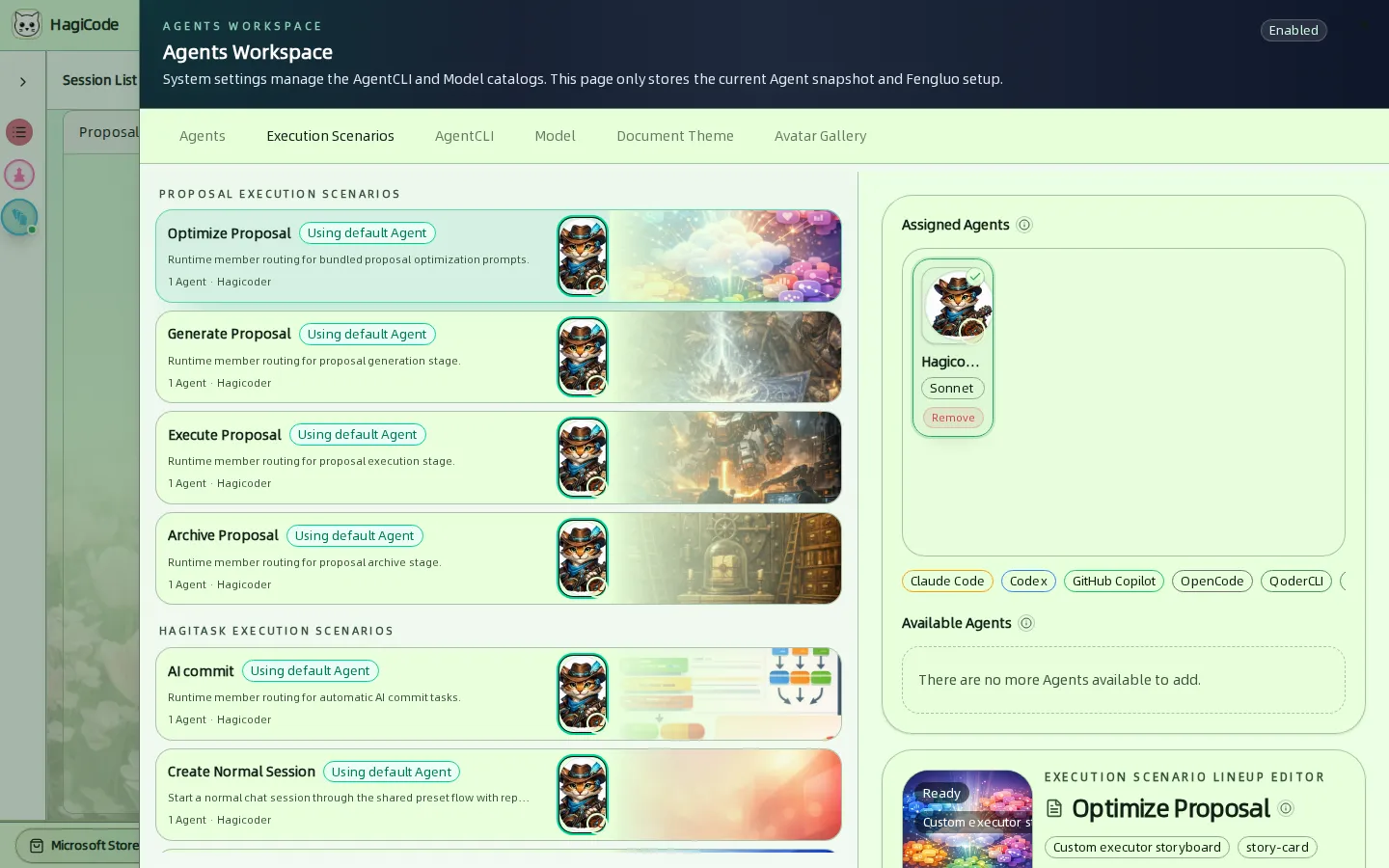
Scenarios decide which Agent is picked for each kind of work. They are grouped by where they occur:
| Group | Scenarios |
|---|---|
| Proposal | Optimize Proposal, Generate Proposal, Execute Proposal, Archive Proposal |
| HagiTask | Super Commit, Create Normal Session, Create Research Investigation Task |
| Chat | Conversation Title Optimization |
The Fallback Crew is the safety net. When a scenario’s own lineup has no suitable Agent, HagiCode randomly tries eligible members of the Fallback Crew. It is required: until the Fallback Crew has at least one enabled Agent, every other scenario stays locked. The initialization wizard adds your first Agent to it for you.
Click a scenario to edit it. Assigned Agents shows who is in the lineup, Available Agents shows who can be added, and the filter chips narrow the list by Agent CLI. The runtime tries eligible members at random, so the visible order does not set priority.
AgentCLI
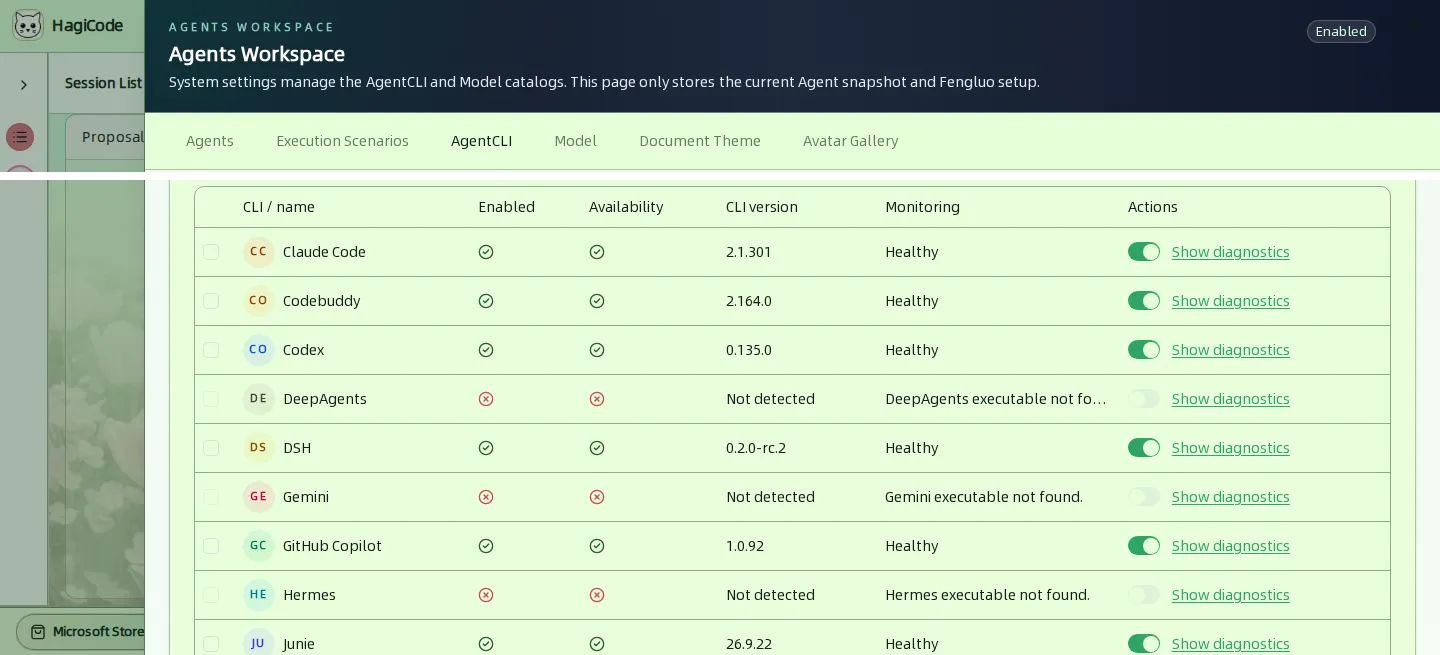
This tab lists every command-line tool HagiCode can drive: Claude Code, Codebuddy, Codex, DeepAgents, DSH, Gemini, GitHub Copilot, Hermes, Junie, Kimi, Kiro, OMP, OpenCode, Pi, QoderCLI, and Reasonix.
For each CLI you see:
- Enabled and Availability – a CLI must be installed on the machine that runs HagiCode to be available.
- CLI version – the detected version, or Not detected when the executable cannot be found.
- Monitoring – the latest health check, such as Healthy.
- Show diagnostics – the details behind a result, useful when a CLI is not detected.
- A switch to enable or disable the CLI. Use the checkboxes with Enable selected and Disable selected to change several at once, and the filter to show Available or Unavailable CLIs only.
If a CLI you installed is not detected, make sure its executable is on the PATH of the process that runs HagiCode, then reload. See AI Agent CLI installation.
Model
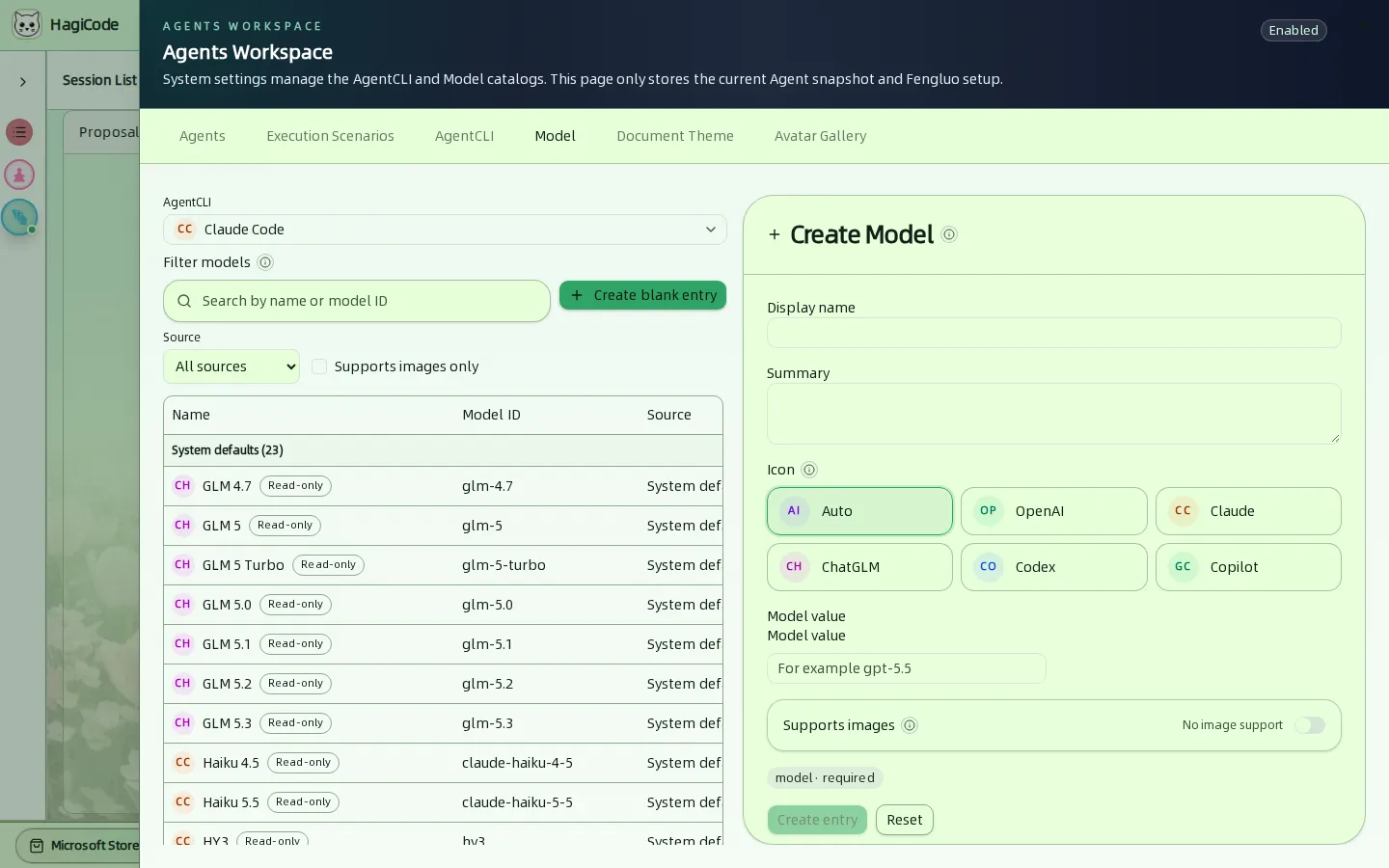
Pick an AgentCLI at the top to see its models. The table shows each model’s name, model ID, source, and whether it supports images.
- System defaults are read-only and maintained by HagiCode.
- Custom entries are yours. Create one with the Create Model form: Display name, Summary, an Icon, the Model value the CLI expects, and whether it Supports images. Create blank entry starts from an empty row.
- Filter by name or model ID, by source (All sources, Custom, System default), or to models that Support images only.
Document Theme
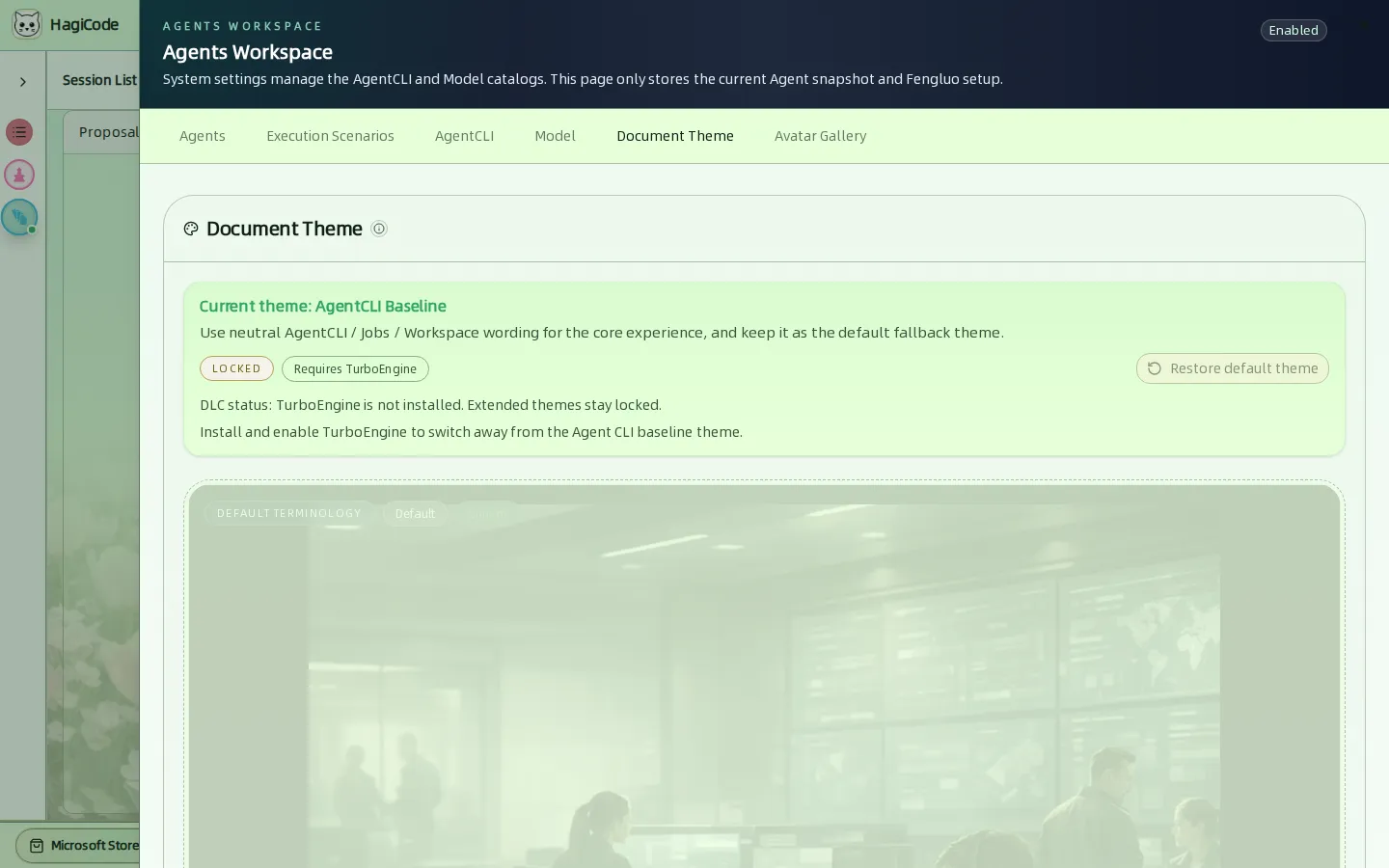
The document theme changes the vocabulary of the interface. AgentCLI Baseline uses neutral wording such as Agents, Jobs, and Workspace and is the default. Other themes, such as the Fantasy Adventure wording, need the TurboEngine DLC; their previews stay visible but locked. Restore default theme goes back to the baseline.
Avatar Gallery
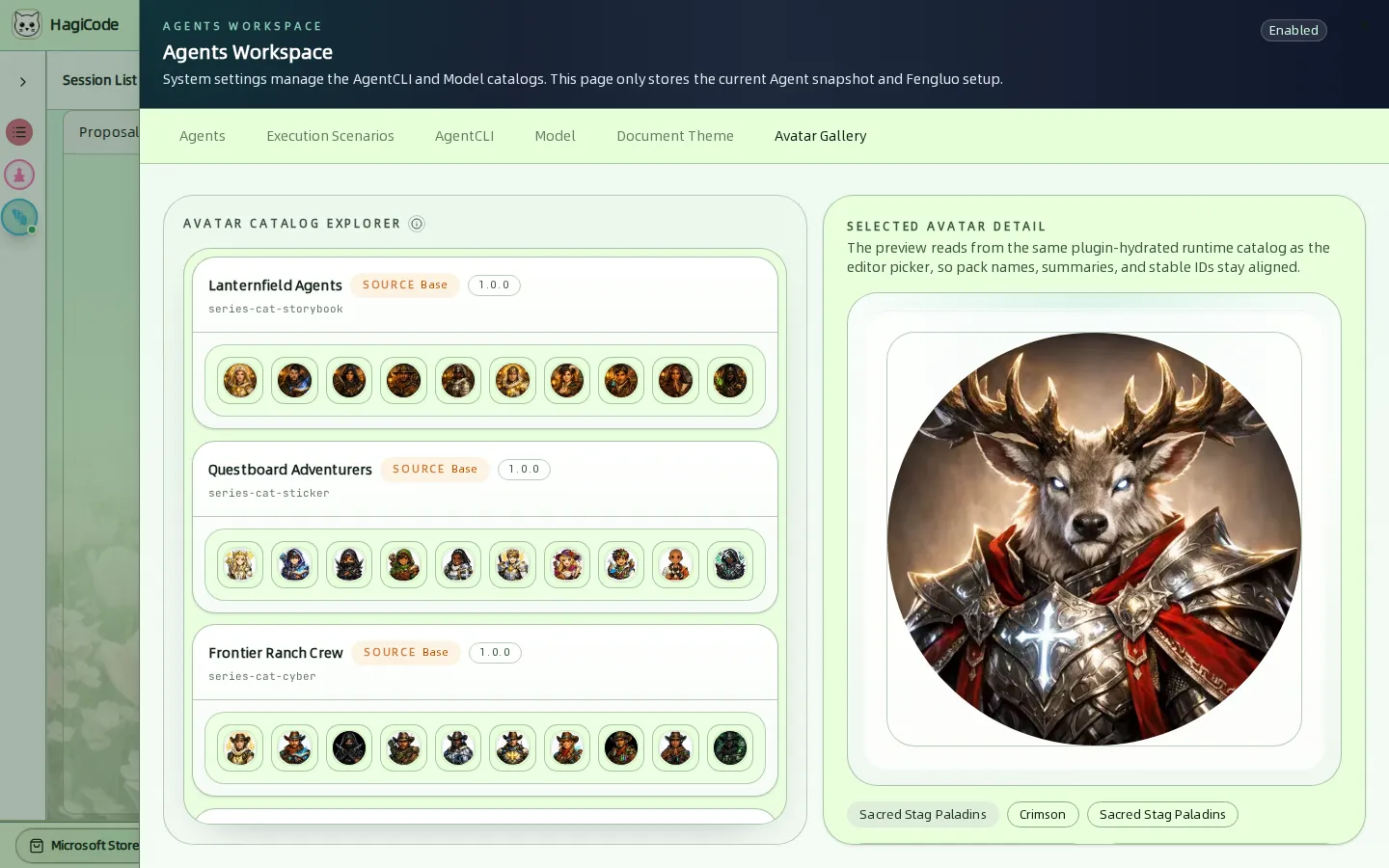
Browse the avatar packs that can be used for Agents. Pick a pack and an avatar to see its preview, plugin source, version, and stable ID.
HagiCode
HagiCode is an agentic coding workspace. OpenSpec workflows plan the change, multi-agent execution carries it out, and Hero Dungeon makes the long run visible, so ideas become shipped software.
Turn ideas into polished, usable software with a smarter, faster, and more enjoyable agentic coding workflow.
- SmartOpenSpec workflows turn intent into an executable path, from proposal to design, tasks, and a shipped change.
- EfficientMulti-agent execution keeps research, implementation, and review moving in parallel, across several repositories and the Agent CLIs you already use.
- FunHero Dungeon turns long coding sessions into a visible, collaborative adventure with heroes, progress, and achievements.
HagiCode at a glance
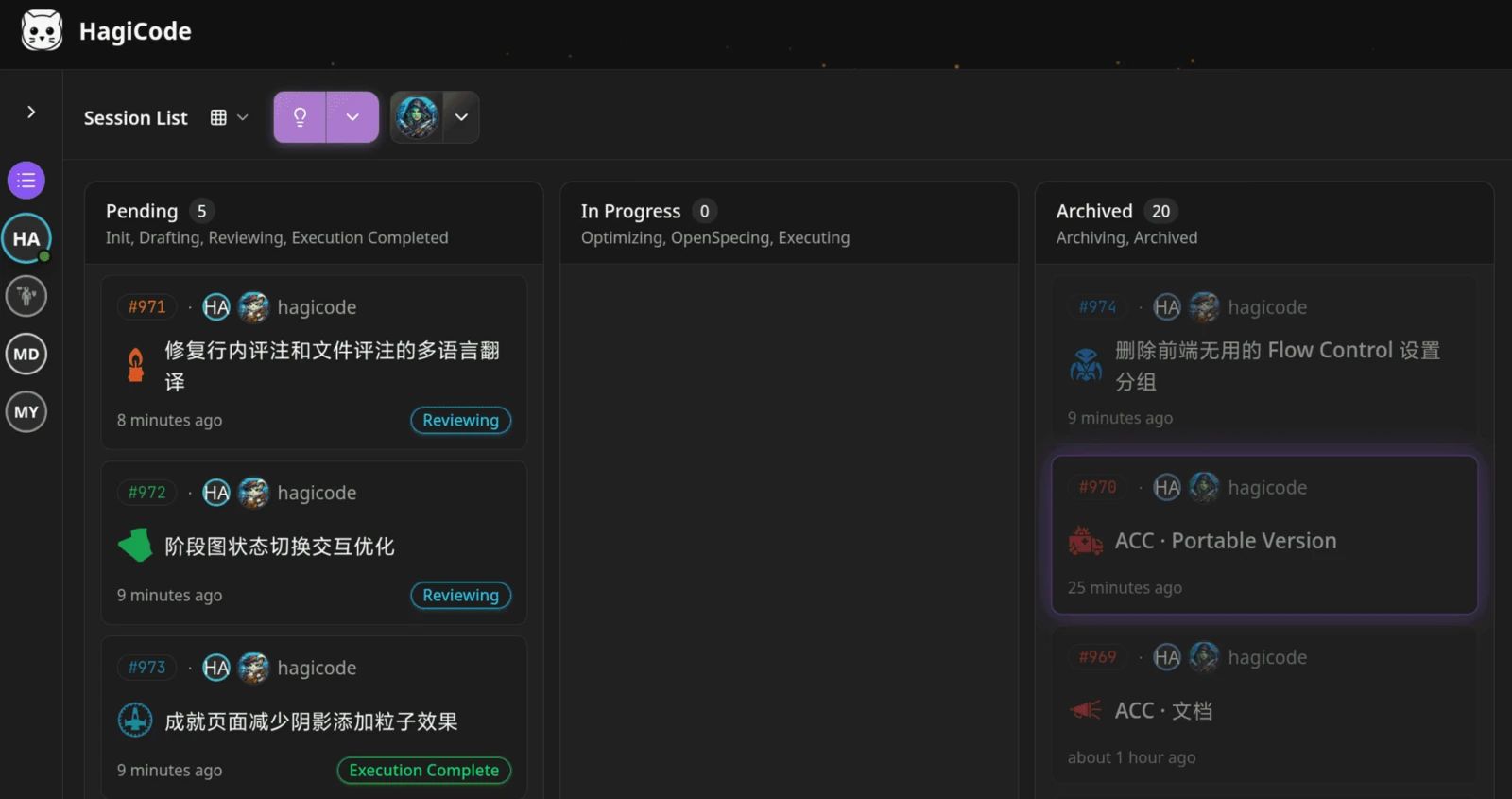
The workbench: every session on one kanban board. 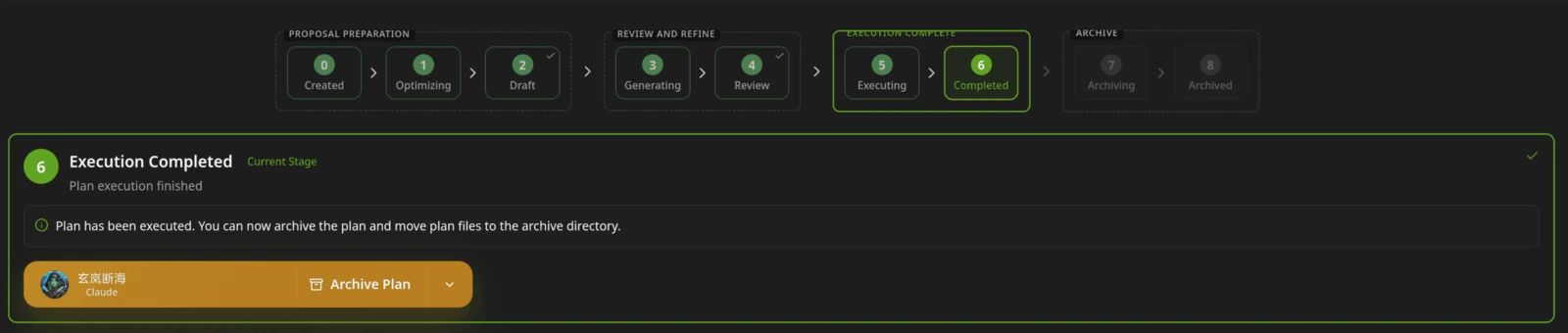
A proposal moves from created to drafted, reviewed, executed, and archived. 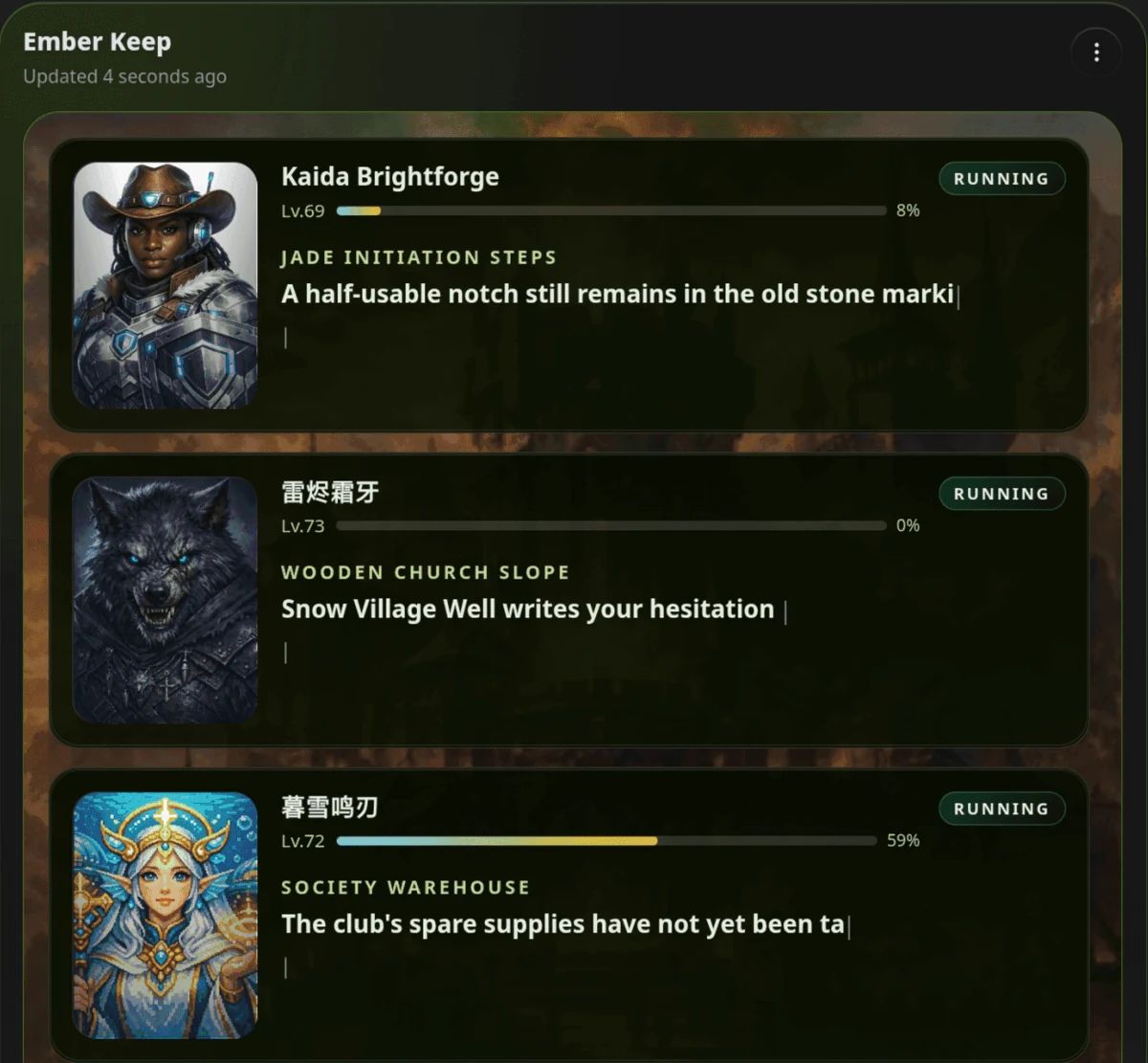
Hero Dungeon: heroes run the work while you follow progress, levels, and story.
Download for Windows
Share HagiCode
Turn ideas into shipped software.
HagiCode is an agentic coding workspace. OpenSpec workflows plan the change, multi-agent execution carries it out, and Hero Dungeon makes the long run visible, so ideas become shipped software.
- Smart
- OpenSpec workflows turn intent into a path from proposal to shipped change.
- Efficient
- Multi-agent execution runs research, build, and review in parallel.
- Fun
- Hero Dungeon makes long sessions visible, with heroes, progress, and achievements.
Ecosystem Sites
Quick Links
Community
© 2026 HagiCode | Powered By hagilight-starlight@0.11.0 | Branch: main | Commit: 934740d | Built: