
Vault
A vault is a folder that HagiCode is allowed to browse and preview outside of your project repositories. Use vaults for reference documents, notes, research output, and anything else you want sessions to read from or write to.
Click Vault in the header to open the Vault Workspace.
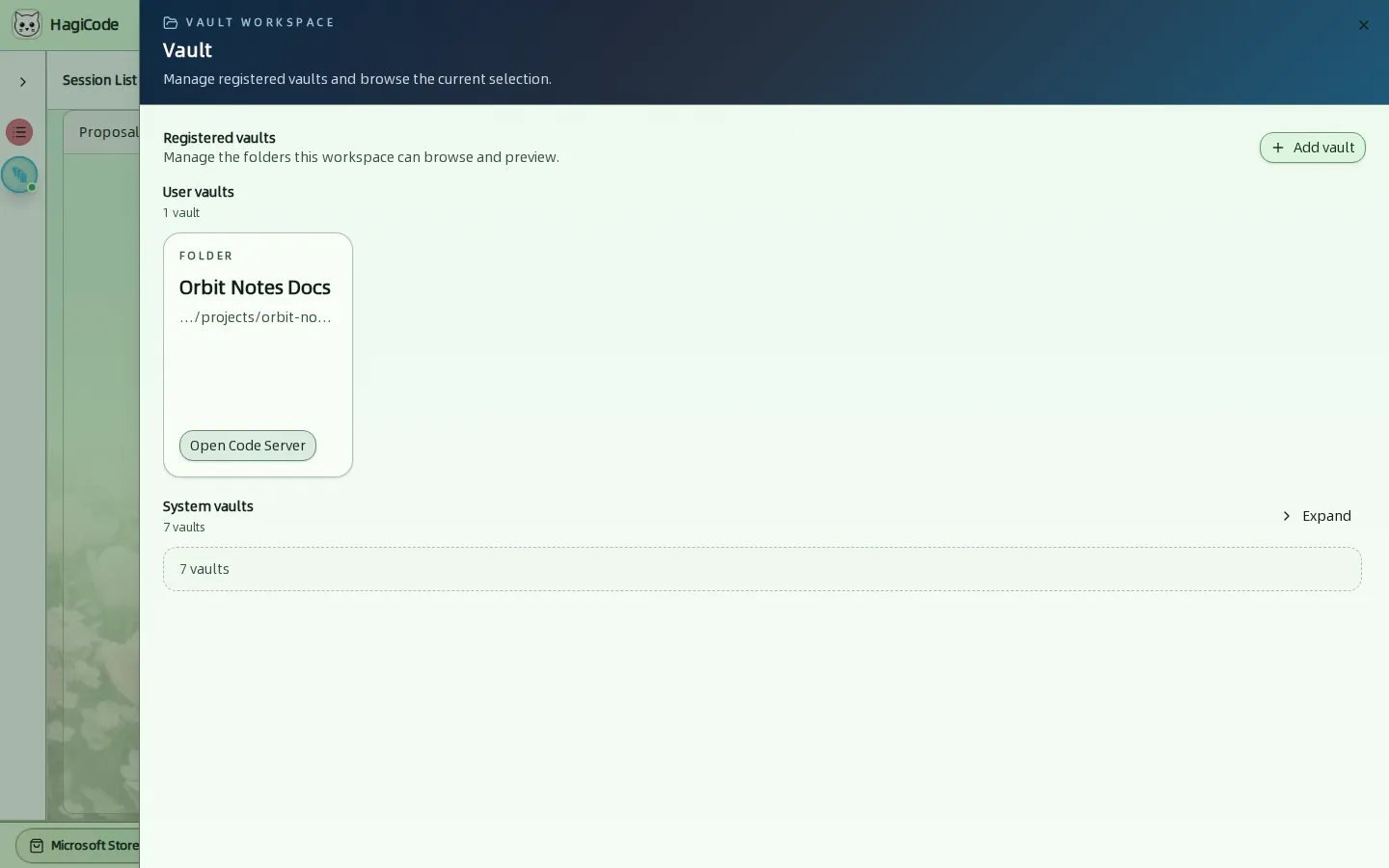
Registered vaults and system vaults
The workspace has two groups:
- Registered vaults are the folders you add. Each card shows the vault type, its name, a shortened path, and an Open Code Server button to edit the folder in the browser editor.
- System vaults are created and maintained by HagiCode. Click Expand to see them.
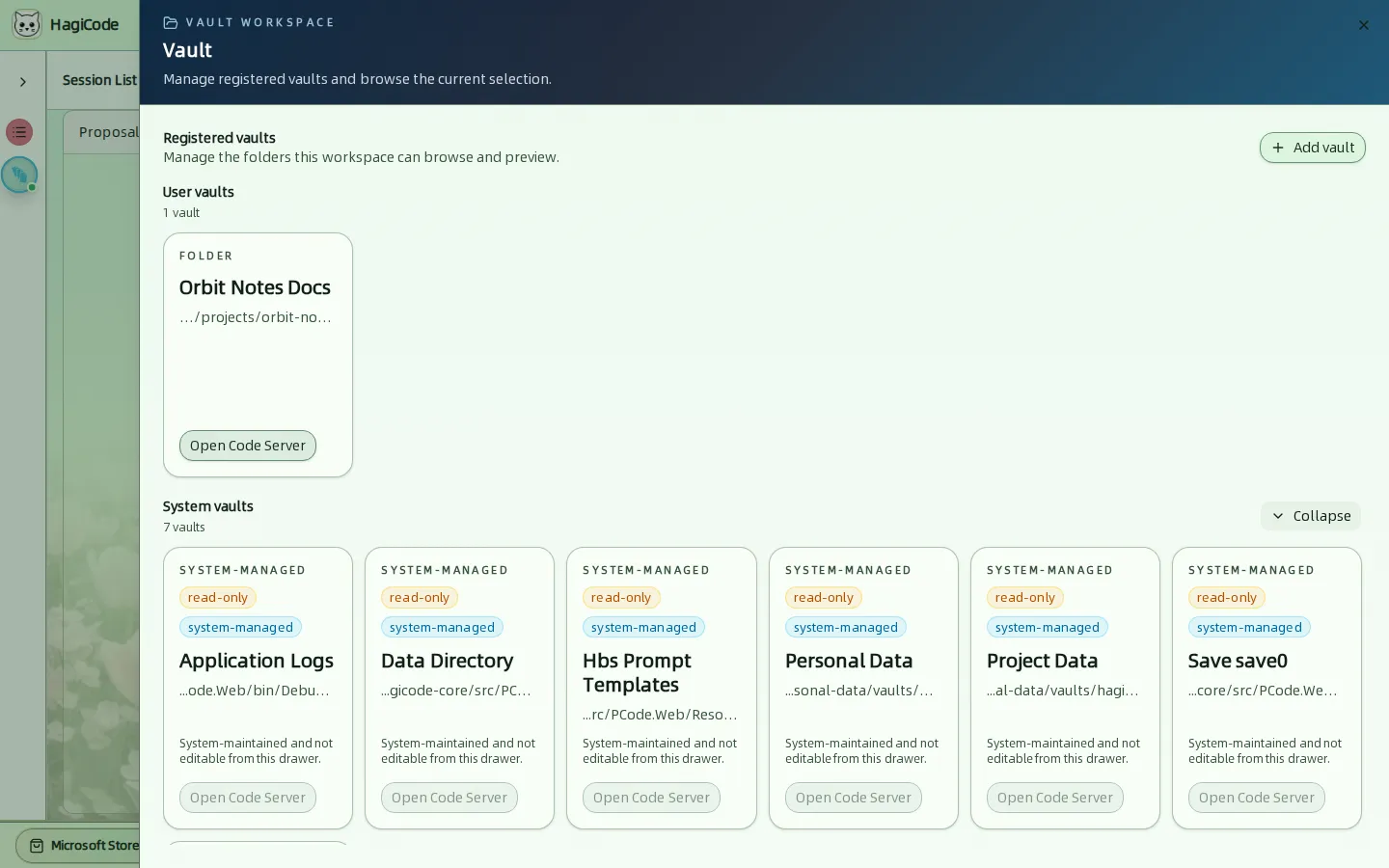
System vaults are read-only from this drawer. They include the application logs, the data directory, prompt templates, personal data, project data, the active save, and system presets. In a session scope they count as reference material only.
Add a vault
Click Add vault, enter a Vault name and the absolute Physical path, choose a Vault type, and click Save vault.
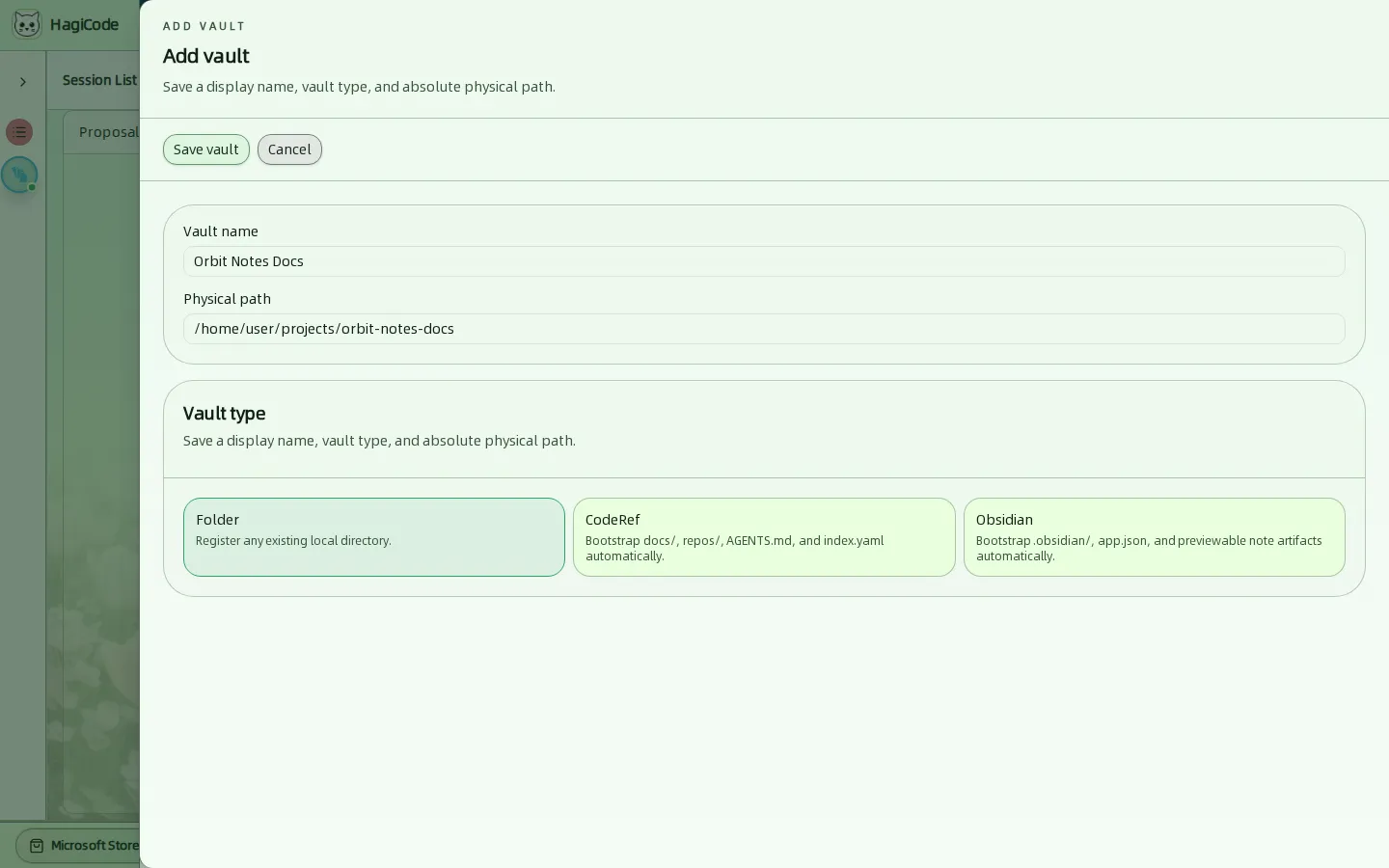
| Vault type | What it does |
|---|---|
| Folder | Registers any existing local directory as it is. |
| CodeRef | Bootstraps docs/, repos/, AGENTS.md, and index.yaml automatically. Use it as the output vault for research tasks. |
| Obsidian | Bootstraps .obsidian/, app.json, and previewable note artifacts so the folder works as an Obsidian vault. |
Choose a type before saving
Select one of the three vault types before you click Save vault. In the version used for this guide, saving without a type fails with an unreadable error instead of a validation message.
Use vaults in sessions
Vaults appear in the Scope of the Create Proposal drawer and the Create Normal Session drawer. Mark a vault as editable if the task should update its files; otherwise the AI treats it as read-only reference material. System-managed vaults are always reference-only.
HagiCode
HagiCode is an agentic coding workspace. OpenSpec workflows plan the change, multi-agent execution carries it out, and Hero Dungeon makes the long run visible, so ideas become shipped software.
Turn ideas into polished, usable software with a smarter, faster, and more enjoyable agentic coding workflow.
- SmartOpenSpec workflows turn intent into an executable path, from proposal to design, tasks, and a shipped change.
- EfficientMulti-agent execution keeps research, implementation, and review moving in parallel, across several repositories and the Agent CLIs you already use.
- FunHero Dungeon turns long coding sessions into a visible, collaborative adventure with heroes, progress, and achievements.
HagiCode at a glance
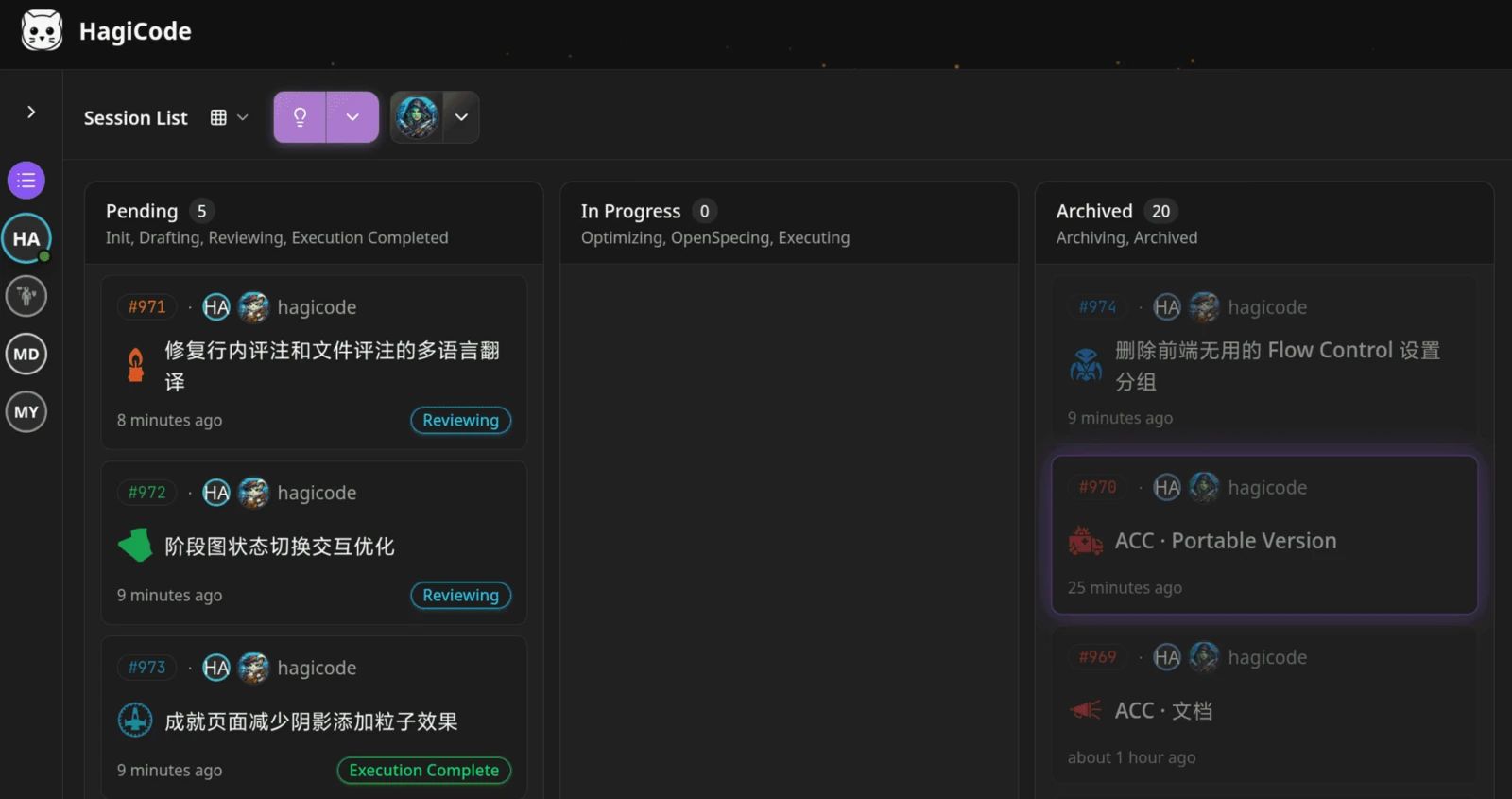
The workbench: every session on one kanban board. 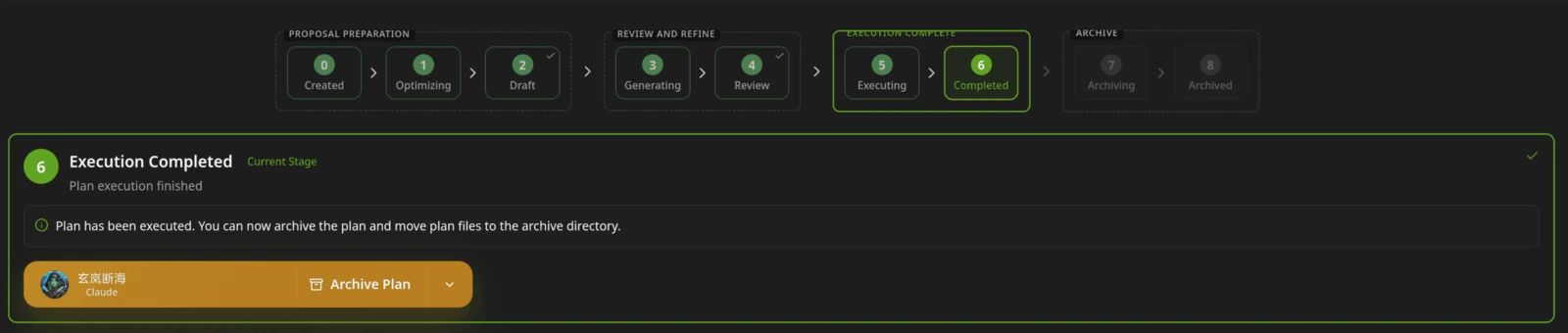
A proposal moves from created to drafted, reviewed, executed, and archived. 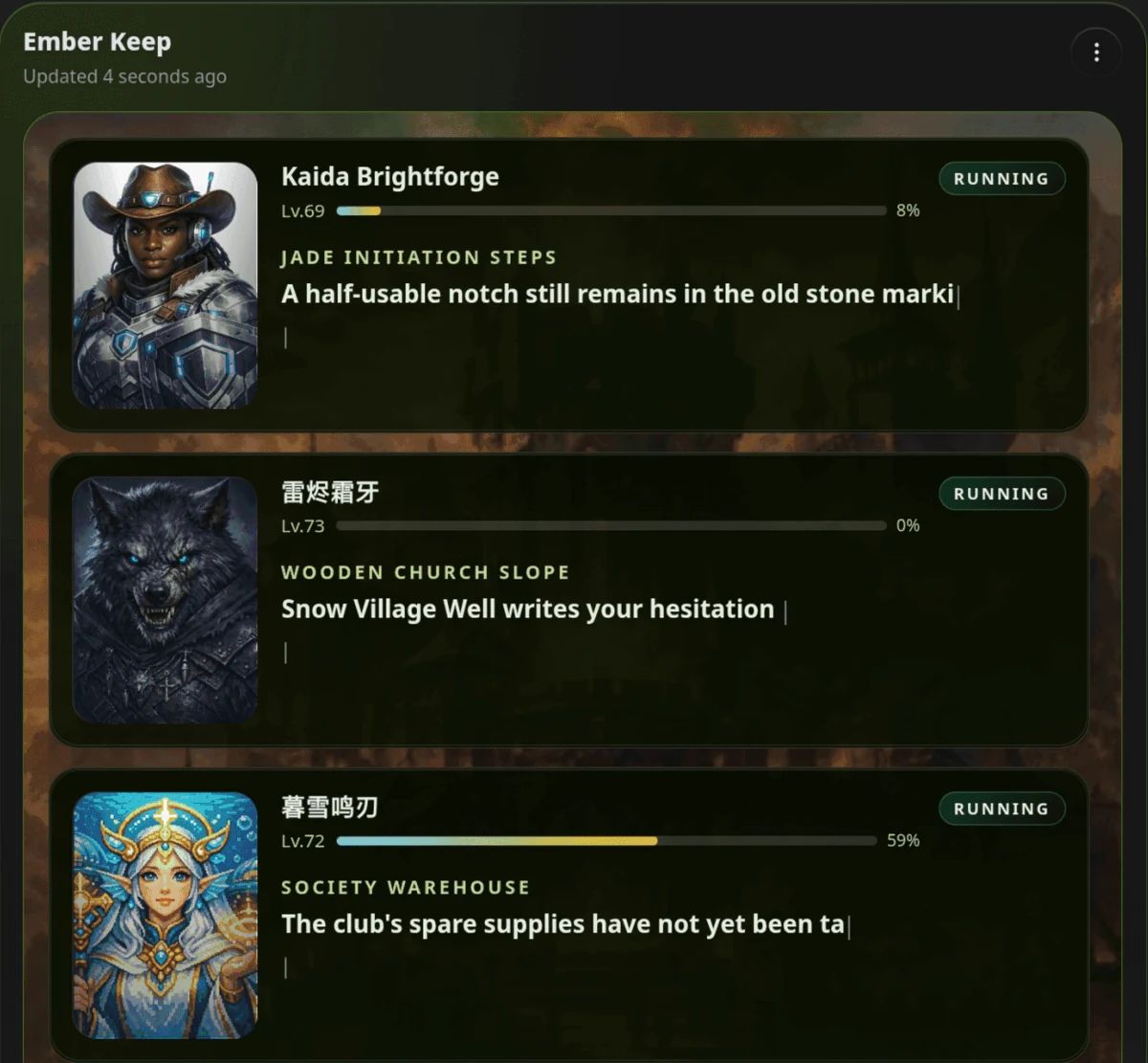
Hero Dungeon: heroes run the work while you follow progress, levels, and story.
Download for Windows
Share HagiCode
Turn ideas into shipped software.
HagiCode is an agentic coding workspace. OpenSpec workflows plan the change, multi-agent execution carries it out, and Hero Dungeon makes the long run visible, so ideas become shipped software.
- Smart
- OpenSpec workflows turn intent into a path from proposal to shipped change.
- Efficient
- Multi-agent execution runs research, build, and review in parallel.
- Fun
- Hero Dungeon makes long sessions visible, with heroes, progress, and achievements.
Ecosystem Sites
Quick Links
Community
© 2026 HagiCode | Powered By hagilight-starlight@0.11.0 | Branch: main | Commit: 934740d | Built: