
Workbench Overview
This section is the hands-on manual for the HagiCode workbench. It follows the interface module by module, so you can open the page for the part of the product you are using right now.
The workbench at a glance
The workbench opens on the session board. The screenshot below uses a small demo project called orbit-notes with one finished session.
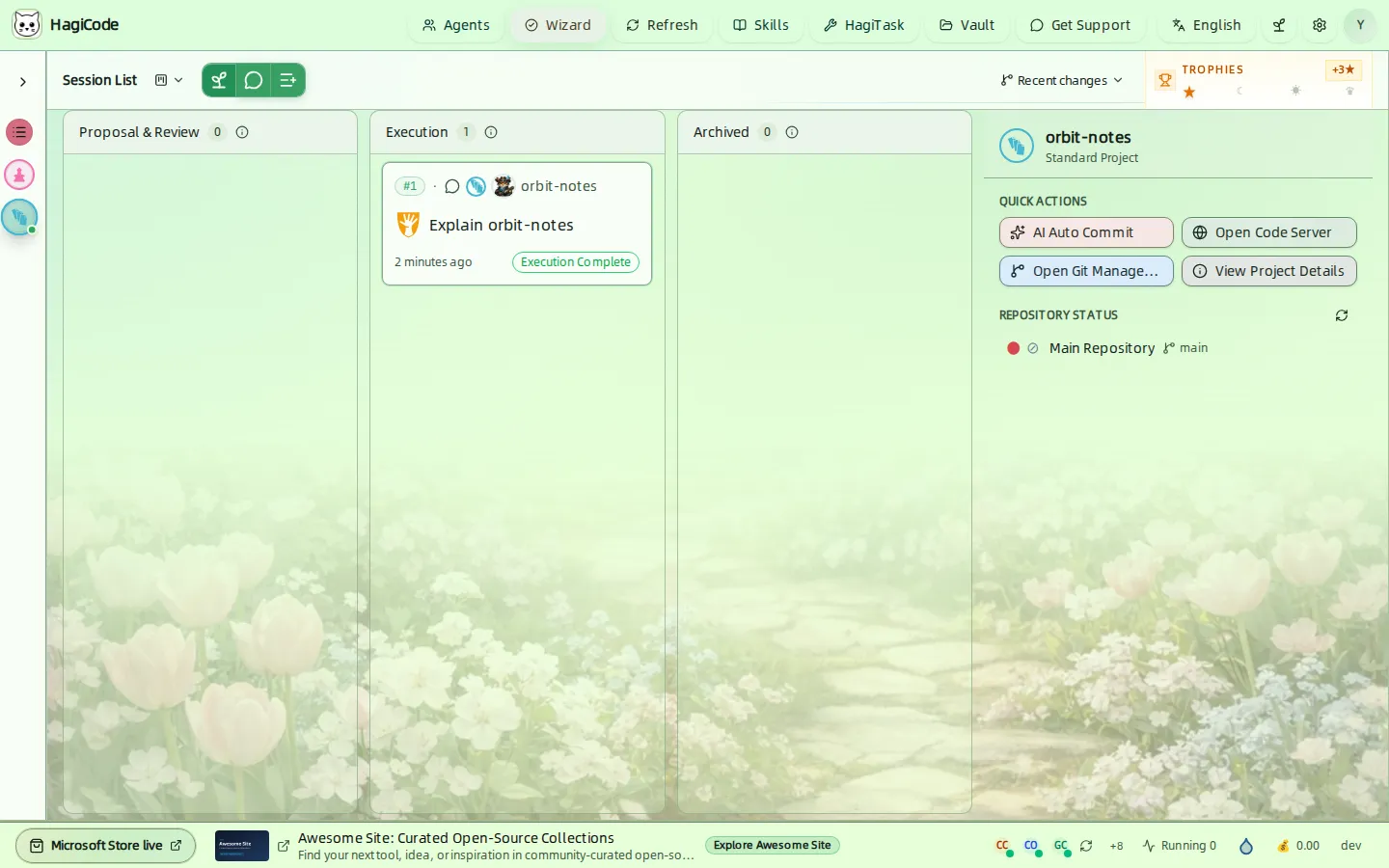
The screen is divided into five regions:
| Region | Where | What it is for | Guide |
|---|---|---|---|
| Header | Top edge | Opens the workspace-level modules: Agents, Wizard, Skills, HagiTask, Vault, settings, language, theme, and your profile | Header |
| Project rail | Left edge | Switches between all projects or a single project and creates new projects | Projects |
| Session board | Center | Shows sessions in lanes and holds the buttons that create new sessions | Sessions |
| Project panel | Right | Quick actions and repository status for the selected project | Projects |
| Status bar | Bottom edge | Tips, Agent CLI health, running sessions, break reminder, salary tracker, and the build version | Status bar and progress |
Header
The header is always visible. Its buttons open drawers and dialogs on top of the current page, so you never lose your place on the board.

| Button | What it opens |
|---|---|
| Agents | The Agents workspace: your Agents, execution scenarios, AgentCLI list, model catalog, document theme, and avatar gallery. See Agents. |
| Wizard | The four-step initialization wizard. See First launch. |
| Refresh | Reloads the content of the current page. |
| Skills | The unified skills module with Local Skills, Gallery, and Trusted Providers. See Skills and HagiTask. |
| HagiTask | HagiTask management for task presets. See Skills and HagiTask. |
| Vault | The vault manager for folders HagiCode can browse and preview. See Vault. |
| Get Support | Opens the community and support page in your browser. |
| Language | Switches the interface language. HagiCode ships ten interface languages, including English. |
| Theme (leaf icon) | Opens the theme chooser. See Appearance. |
| Settings (gear icon) | Opens the settings dialog. See Settings. |
| Profile (round avatar) | Opens your profile drawer with points, history timeline, and quick links. See Status bar and progress. |
First launch: the initialization wizard
On a fresh installation the Initialization wizard opens by itself. You can reopen it any time with the Wizard button in the header. It has four steps and tracks how many of the three required steps are ready.
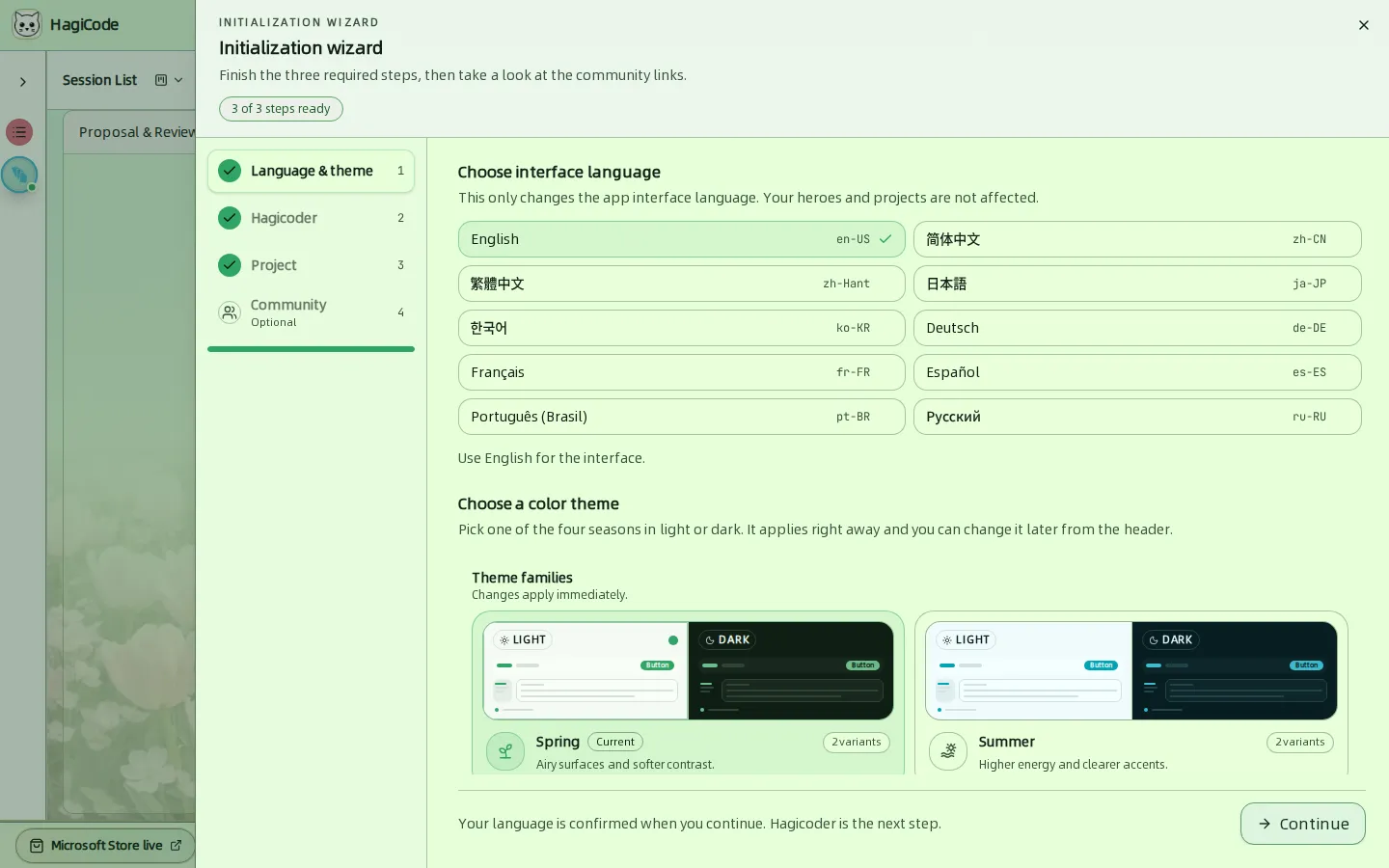
- Language & theme – pick the interface language and a seasonal color theme. Both apply immediately.
- Hagicoder – choose a local Agent CLI and a model, create your first Agent, and add it to the Fallback Crew. A connection test is recommended but optional.
- Project – register the folder of your first project.
- Community (optional) – start your first conversation or open the About page.
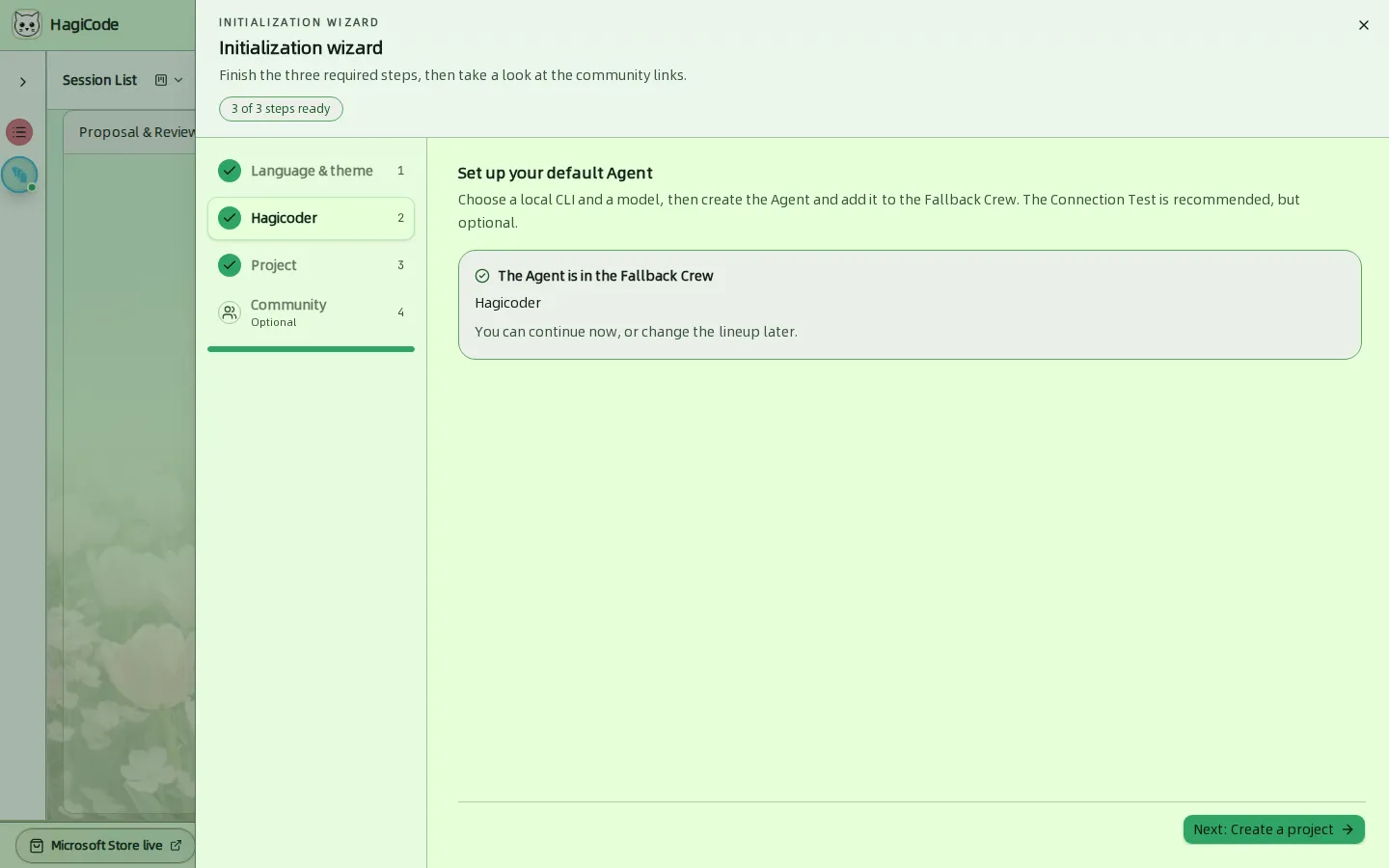
For the full walkthrough, including what each field means, see Wizard Setup.
Where to go next
HagiCode
HagiCode is an agentic coding workspace. OpenSpec workflows plan the change, multi-agent execution carries it out, and Hero Dungeon makes the long run visible, so ideas become shipped software.
Turn ideas into polished, usable software with a smarter, faster, and more enjoyable agentic coding workflow.
- SmartOpenSpec workflows turn intent into an executable path, from proposal to design, tasks, and a shipped change.
- EfficientMulti-agent execution keeps research, implementation, and review moving in parallel, across several repositories and the Agent CLIs you already use.
- FunHero Dungeon turns long coding sessions into a visible, collaborative adventure with heroes, progress, and achievements.
HagiCode at a glance
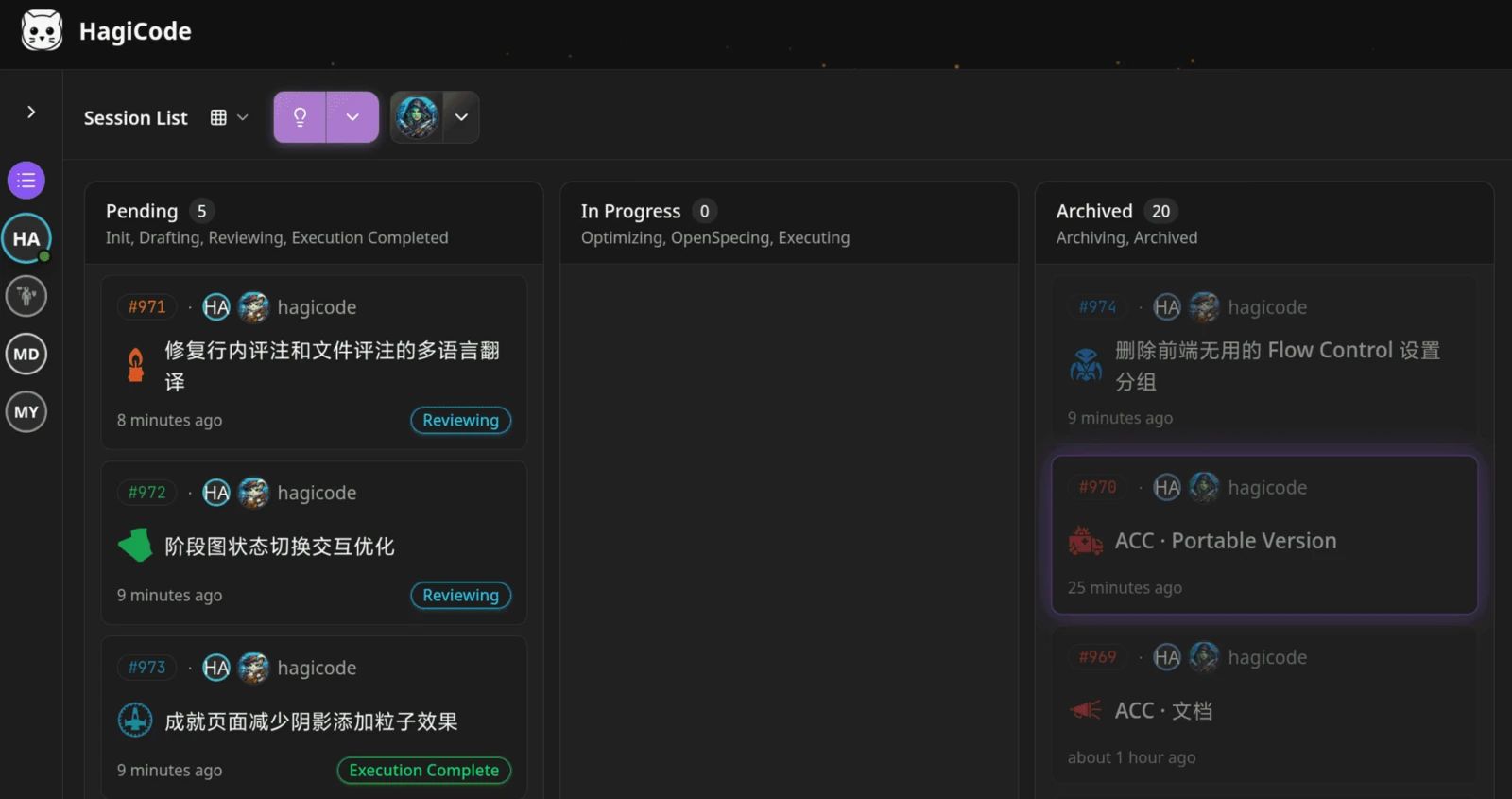
The workbench: every session on one kanban board. 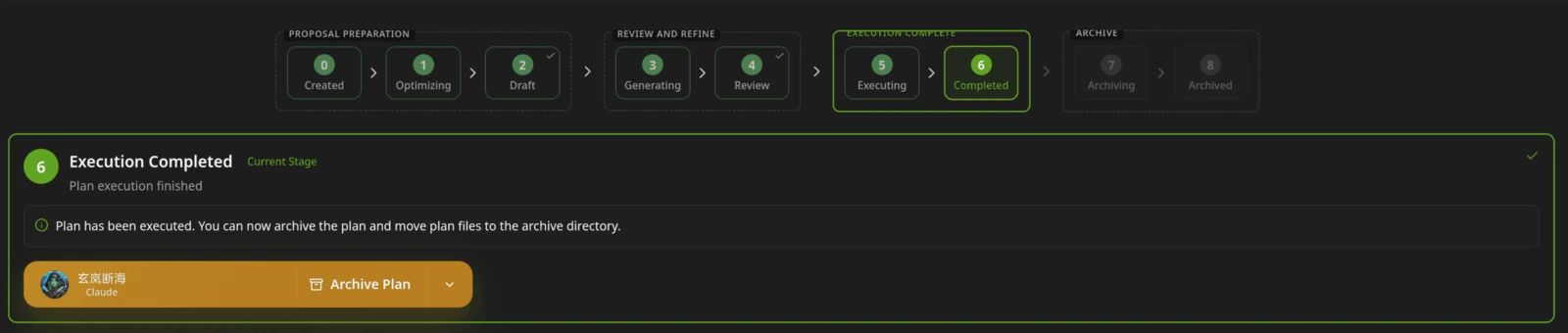
A proposal moves from created to drafted, reviewed, executed, and archived. 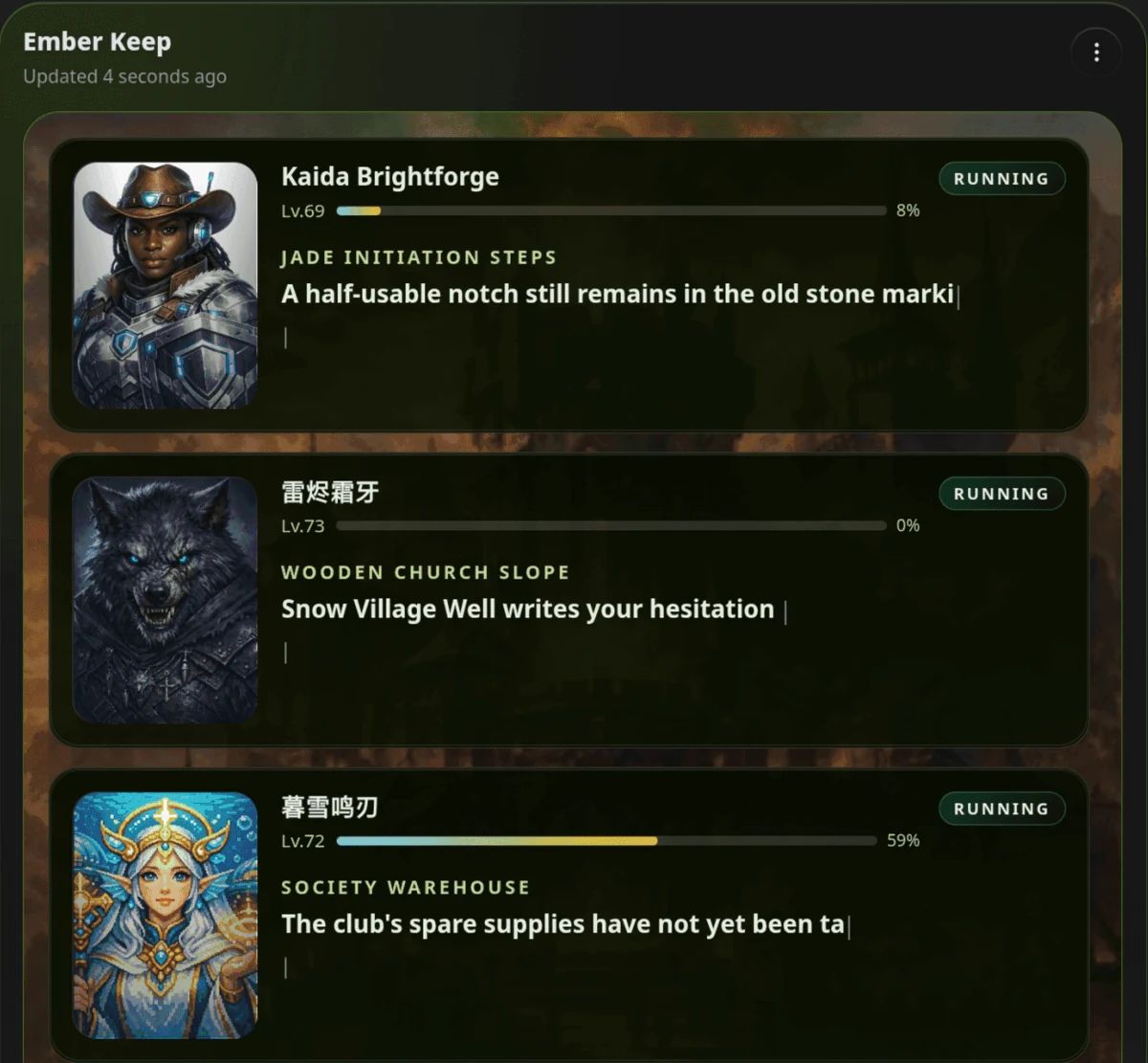
Hero Dungeon: heroes run the work while you follow progress, levels, and story.
Download for Windows
Share HagiCode
Turn ideas into shipped software.
HagiCode is an agentic coding workspace. OpenSpec workflows plan the change, multi-agent execution carries it out, and Hero Dungeon makes the long run visible, so ideas become shipped software.
- Smart
- OpenSpec workflows turn intent into a path from proposal to shipped change.
- Efficient
- Multi-agent execution runs research, build, and review in parallel.
- Fun
- Hero Dungeon makes long sessions visible, with heroes, progress, and achievements.
Ecosystem Sites
Quick Links
Community
© 2026 HagiCode | Powered By hagilight-starlight@0.11.0 | Branch: main | Commit: 934740d | Built: