
Status Bar and Progress
The bottom edge of the workbench and a few widgets at the top keep you informed without getting in the way. This page covers the status bar, the trophies and achievement hall, and your profile.
Status bar

From left to right:
| Item | What it shows |
|---|---|
| Microsoft Store badge | A link to the HagiCode listing in the Microsoft Store. |
| Rotating tips and promotions | One tip or promotion at a time, scrolling. Tips explain how to use HagiCode; promotions link to related projects. You can turn the scroll off or choose its sources in Settings → Integration → Status Bar Scroll. |
| Agent CLI health | Small badges such as CC, CO, and GC for Claude Code, Codex, and GitHub Copilot, each with a green dot when healthy. +N counts additional tools. Click the badges to refresh the health check. |
| Running sessions | The number of sessions running now. Click it for details. |
| Break reminder | A drop icon that shows how much of the current reminder interval remains. |
| Salary tracker | The unit emoji and today’s accumulated amount. Shown while the tracker and its status bar indicator are on. |
| Version | The build version, for example dev in a development build. |
Running sessions
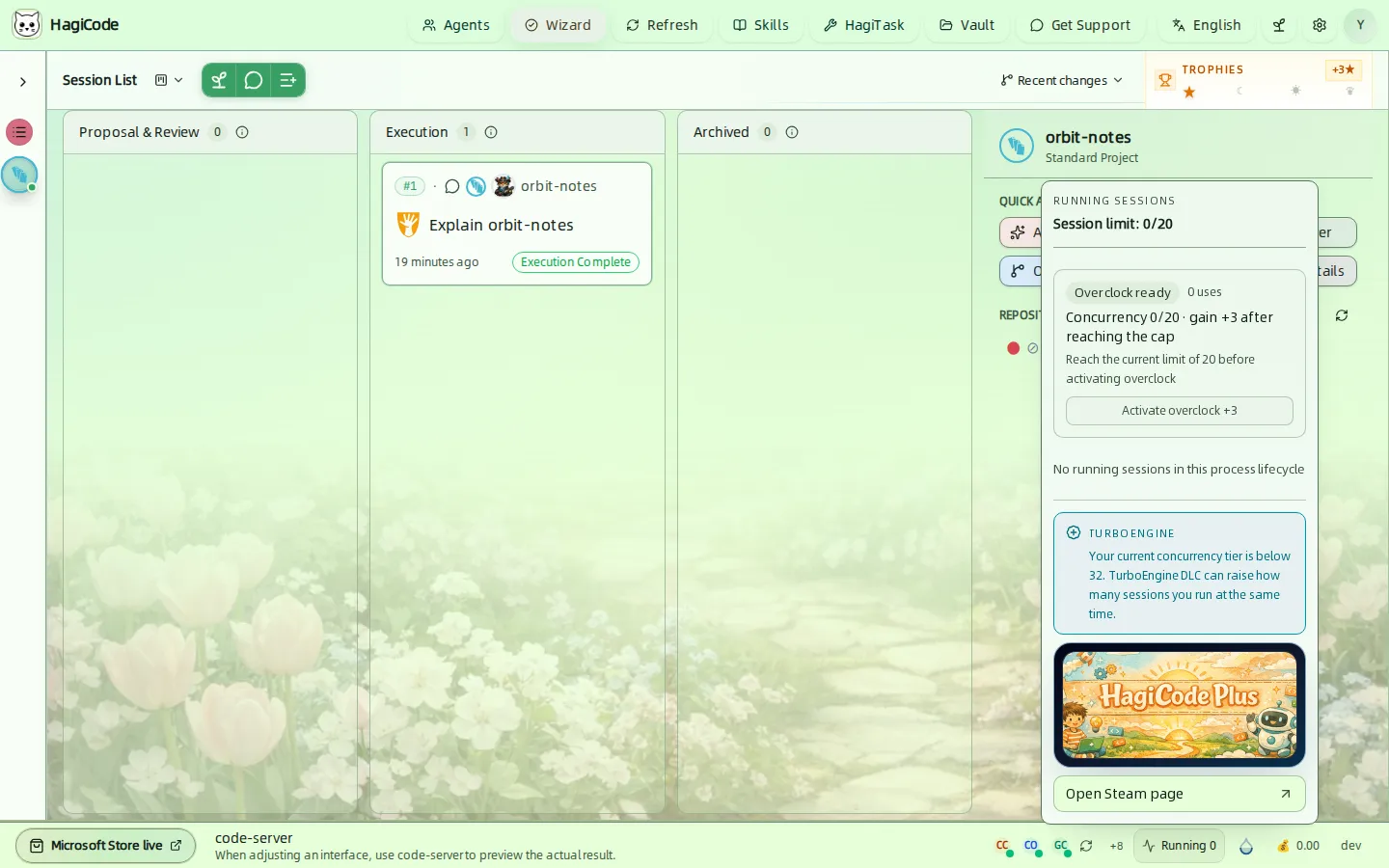
HagiCode limits how many sessions run at the same time, 20 by default. The popover shows the current count against the limit and lists running sessions.
- Overclock raises the limit by 3. It becomes available once you reach the current limit; the popover shows how many times it has been used.
- The TurboEngine DLC can raise the concurrency tier further.
Break reminder
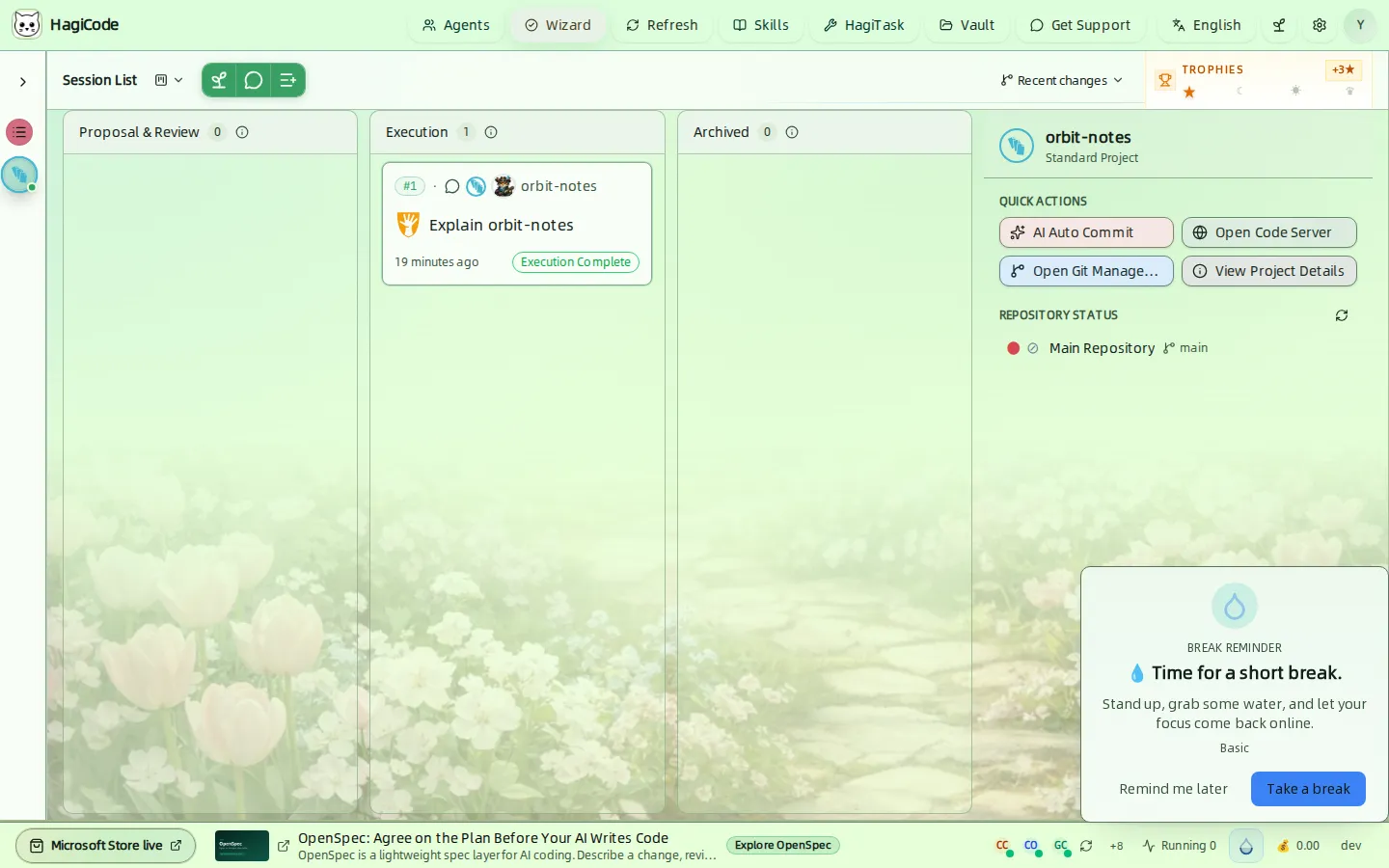
When the timer fires, a card appears with the message of the active reminder theme. Take a break acknowledges it and Remind me later snoozes it. Configure the interval and tone in Settings → Integration → Break Reminder.
Salary tracker
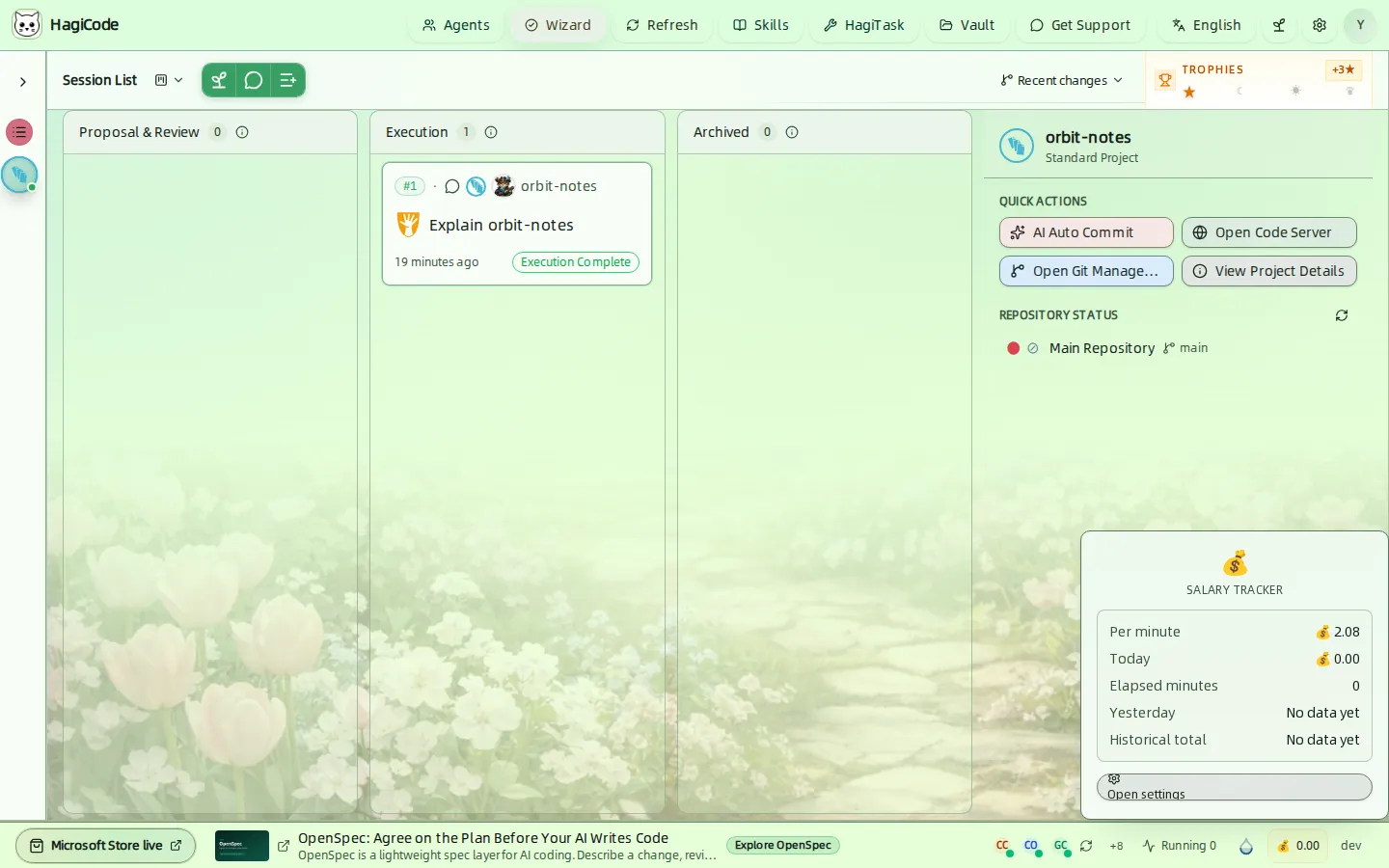
Click the emoji to see the per-minute rate, today’s total, elapsed minutes, yesterday’s total, and the historical total. Open settings jumps to Settings → Integration → Salary Tracker, where you set the daily salary and work hours.
Trophies and the Achievement Hall
The Trophies widget at the top right of the session board shows your progress as stars. Four stars make a moon, four moons make a sun, and four suns make a crown. The number beside the title shows how many stars away the next promotion is.
Click it to open the Achievement Hall.
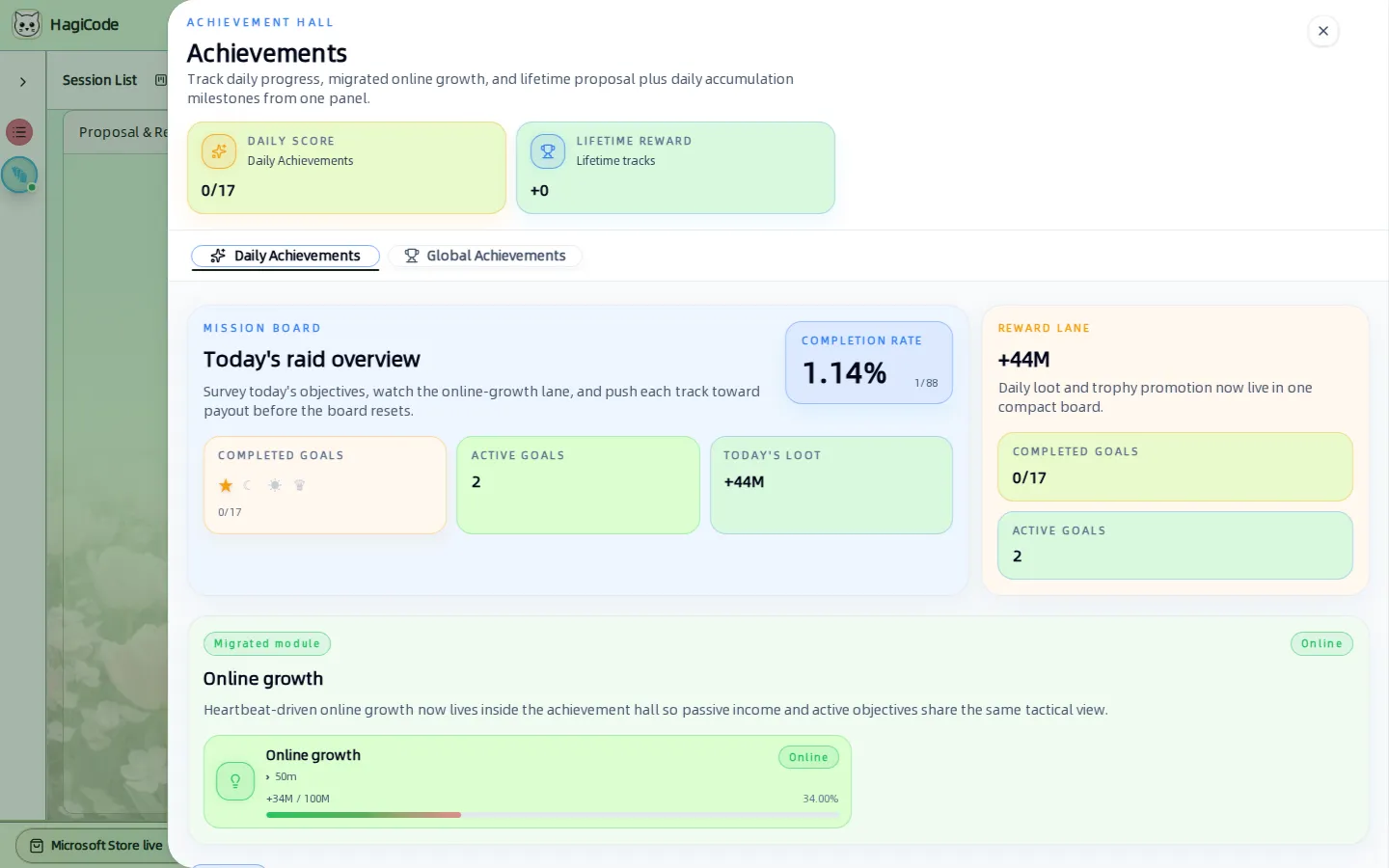
- Daily Achievements are goals that reset each day, such as starting and finishing proposals, agent output, and tool activity. The header shows the daily score, for example
0/17. - Global Achievements are lifetime milestones that accumulate across days.
- The Mission Board summarizes the day: completion rate, active goals, and the reward lane.
- Online growth tracks progress that accrues while HagiCode is running.
Points you earn here and from daily work appear in your profile. Daily progress popovers can be switched off in Settings → Game → Achievements.
Profile
Click the round avatar at the far right of the header to open your profile drawer.
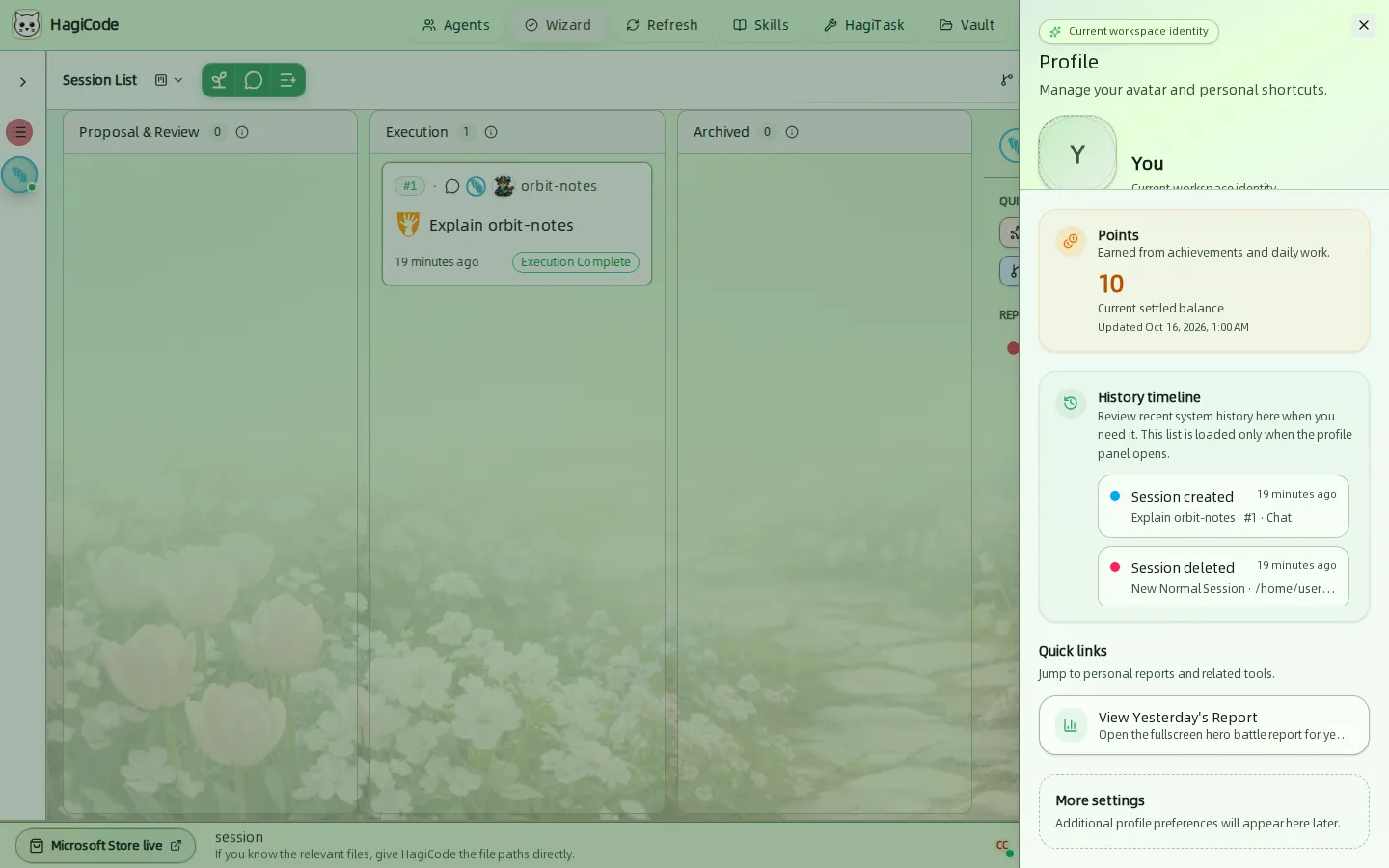
- Avatar – upload a JPEG, PNG, WEBP, or GIF image up to 10 MB.
- Points – your current settled balance, earned from achievements and daily work.
- History timeline – recent system history such as sessions created or deleted. It loads only when the drawer opens.
- Quick links – for example View Yesterday’s Report, which opens the full-screen hero battle report for yesterday.
HagiCode
HagiCode is an agentic coding workspace. OpenSpec workflows plan the change, multi-agent execution carries it out, and Hero Dungeon makes the long run visible, so ideas become shipped software.
Turn ideas into polished, usable software with a smarter, faster, and more enjoyable agentic coding workflow.
- SmartOpenSpec workflows turn intent into an executable path, from proposal to design, tasks, and a shipped change.
- EfficientMulti-agent execution keeps research, implementation, and review moving in parallel, across several repositories and the Agent CLIs you already use.
- FunHero Dungeon turns long coding sessions into a visible, collaborative adventure with heroes, progress, and achievements.
HagiCode at a glance
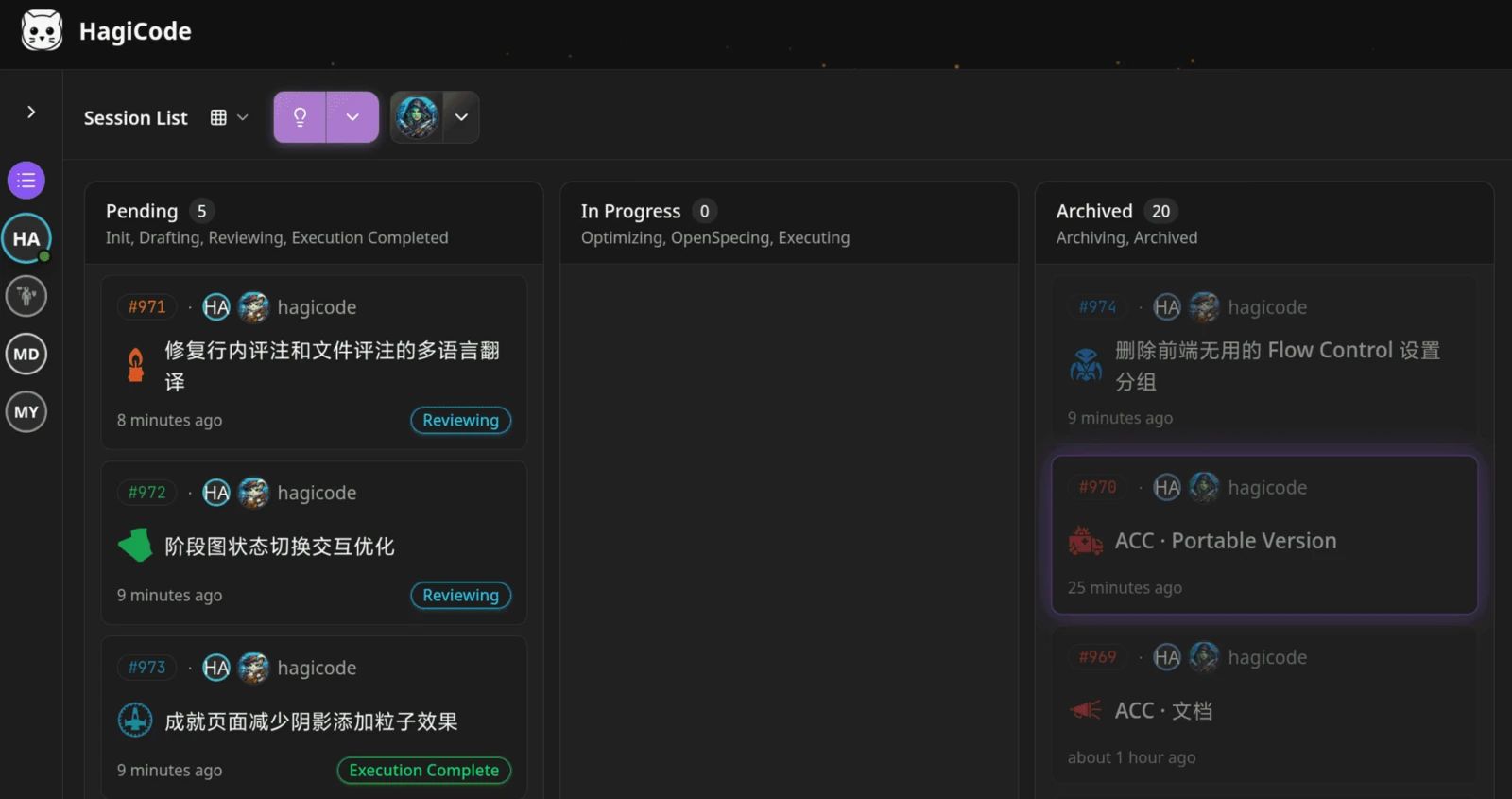
The workbench: every session on one kanban board. 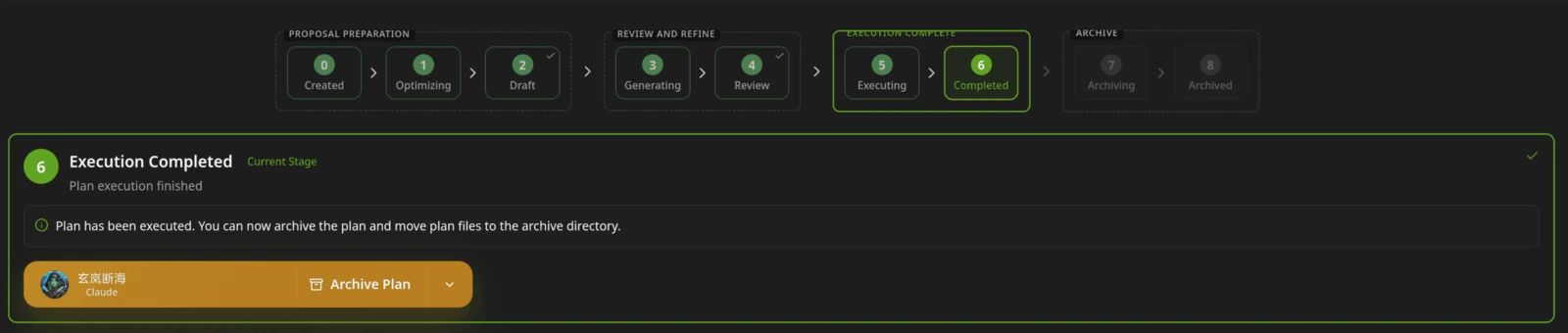
A proposal moves from created to drafted, reviewed, executed, and archived. 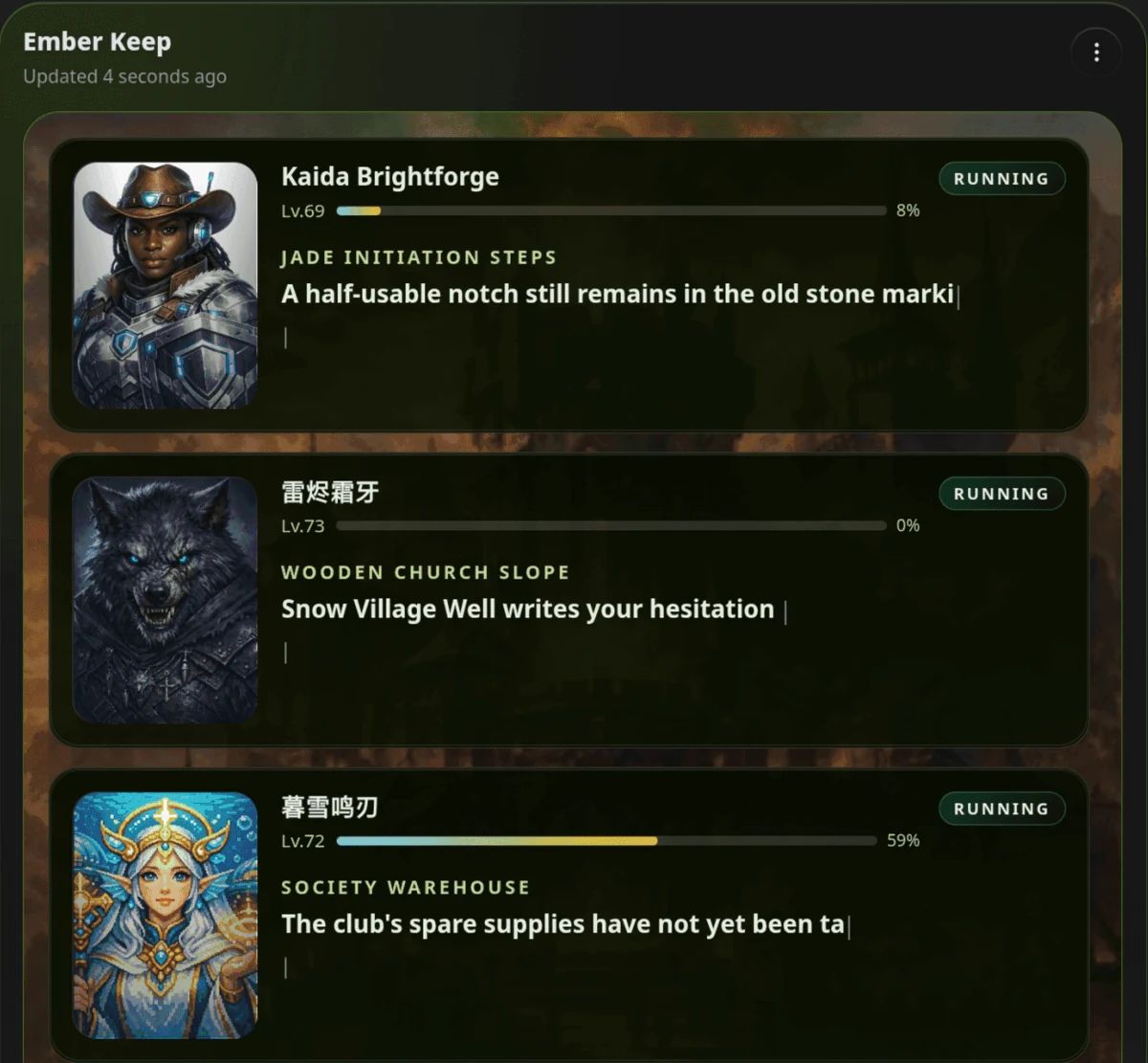
Hero Dungeon: heroes run the work while you follow progress, levels, and story.
Download for Windows
Share HagiCode
Turn ideas into shipped software.
HagiCode is an agentic coding workspace. OpenSpec workflows plan the change, multi-agent execution carries it out, and Hero Dungeon makes the long run visible, so ideas become shipped software.
- Smart
- OpenSpec workflows turn intent into a path from proposal to shipped change.
- Efficient
- Multi-agent execution runs research, build, and review in parallel.
- Fun
- Hero Dungeon makes long sessions visible, with heroes, progress, and achievements.
Ecosystem Sites
Quick Links
Community
© 2026 HagiCode | Powered By hagilight-starlight@0.11.0 | Branch: main | Commit: 934740d | Built: