Aller au contenu

Selectionner la langue

Langue actuelle: Français

DeepSeek Harness (dsh) vs HagiCode: Features and Comparison

DeepSeek Harness (dsh) is DeepSeek AI's open-source agent harness, still in developer preview, and HagiCode is a workbench that runs dsh as one of its executors. Use dsh alone to try its plugin-based harness or script it; add HagiCode for parallel sessions, proposals and managed commits around it.

Short answer

DeepSeek Harness, command dsh, is an open-source agent harness from DeepSeek AI. It runs as a local Web UI, a headless one-shot command, an SDK server or an ACP server, and almost every part of it is a plugin. HagiCode is a desktop and web AI programming workbench that drives agent CLIs, dsh among them, as its executor. It does not replace dsh; HagiCode starts dsh in its ACP mode and adds sessions, proposals and commit handling around it.

dsh is a developer preview whose own safety notice says it is experimental, unaudited and subject to breaking changes. If you want to explore the harness itself, write plugins or script it, stay with dsh alone. If you want to run it next to other agents with proposals and parallel sessions, HagiCode is the layer for that.

DeepSeek Harness vs HagiCode at a glance

DimensionDeepSeek HarnessHagiCode
What it isOpen-source agent harness from DeepSeek AI, built from plugins on the Cordis framework; developer previewWorkbench that runs agent CLIs, dsh included, as executors
Interface and platformsLocal Web UI (dsh web), headless, SDK over stdio JSON-RPC, ACP; needs Node.js 22.19+ or 24+Desktop app (Windows, macOS, Linux), Docker Compose container, Microsoft Store edition
Pricing and licensingMIT-licensed and free to run; you pay your model providerDesktop and Container free; Store edition free with optional one-time TurboEngine purchase
Model and provider accessDeepSeek API key, catalog providers (Anthropic, OpenAI, Moonshot, Z.ai and more), custom OpenAI- or Anthropic-compatible endpointsHosts no models; sends provider and model to dsh; optional OmniRoute routing
Parallel workSessions in the Web UI; the agent can delegate work inside a sessionSeveral sessions at once, each a named Agent with visible status
Spec and planning workflowThe agent maintains a plan inside a session; no proposal lifecycleOpenSpec proposals: propose, validate, apply, archive (3 concurrent free, 32 with TurboEngine)
Git and commit handlingRuns shell commands in the workspace; its docs include a GitHub review guideAI-composed commit messages with the repository locked during the commit; Git and GitHub integration
Setup effortnpx @deepseek-ai/dsh web, then add a model key under Settings, ModelsDesktop install, plus dsh on PATH and a configured model
Best forDevelopers who want an open, hackable harness and accept preview softwarePeople running dsh next to other agents, with traceable specs

What DeepSeek Harness does well

Everything is a plugin

dsh treats the model adapter, agent loop and interface as plugins composed through Cordis. Each profile has its own plugin set and a cordis.patch.yml for overrides, and dsh plugin --profile <name> add <package> installs a plugin into a profile. If you want to change how an agent harness behaves, that is the point of the project.

Four run modes from one binary

dsh web serves the browser UI. dsh headless "run the tests" answers one task and exits, reads a task from stdin, can emit newline-delimited JSON events and can resume a session by id. The sdk profile serves JSON-RPC over stdio, with a Python SDK guide, and the acp profile serves editors and automation clients.

Model flexibility without a rebuild

In Settings, Models you enter a DeepSeek API key, pick a catalog provider, or define a custom endpoint speaking OpenAI Chat Completions, OpenAI Responses or Anthropic Messages. Model changes apply on the next request, and keys are write-only after saving, stored in $DSH_HOME/.credentials.yaml.

Open about its maturity

The README warns of compatibility-breaking changes, SAFETY.md calls the software experimental and not production-ready, and releases are alpha tags. The repository was created in August 2026, so expect fast change; that candor is useful when you decide where to run it.

When to choose DeepSeek Harness, and when to choose HagiCode

Choisissez DeepSeek Harness quand

  • you want to try DeepSeek's own harness, or build and test dsh plugins;
  • you want a local Web UI over an agent without installing another app;
  • you script one-shot tasks with dsh headless or build on the SDK or ACP profiles;
  • you are comfortable with preview software and breaking changes between releases;
  • you only ever use DeepSeek models or one gateway.

Choisissez HagiCode quand

  • you want to run dsh next to Claude Code, Codex or other agent CLIs in one workspace;
  • you want several dsh sessions at once, each tracked as a named Agent;
  • you want each change to start as an OpenSpec proposal with validation and archive;
  • you want AI-composed commit messages and an embedded Code Server editor;
  • you want what dsh learns saved to a Vault, and multi-repository changes described once in Monospecs.

Using DeepSeek Harness together with HagiCode

HagiCode runs dsh as a subprocess in its ACP profile, in the repository you open, and passes the provider and model you choose. HagiCode exposes no credential fields for dsh, so sign-in and model keys stay in dsh.

Nothing is locked in: dsh remains a normal install that you can run with dsh web or dsh headless at any time.

  1. Install Node.js 22.19+ or 24+, then npm install -g @deepseek-ai/dsh, so a dsh command is on your PATH.
  2. Configure at least one model provider in dsh, for example a DeepSeek API key in its Web UI under Settings, Models.
  3. Install HagiCode Desktop (Windows, macOS or Linux; free) and choose DeepSeek Harness as the Agent CLI.
  4. Set the provider and model together, with the model id exactly as dsh lists it; HagiCode forwards it unsplit.
  5. Open a repository and start a session or proposal. HagiCode always boots dsh --profile acp and rejects a --profile in extra arguments; the startup timeout defaults to 45 seconds.
  6. To go back to plain dsh, run it directly in the same directory.

What HagiCode adds on top of any agent

Parallel sessions and Agents management

Run several dsh sessions at once, each with its own context, and see which is running, waiting or done. dsh's own sub-agent delegation stays inside a session; HagiCode adds the layer above.

OpenSpec proposals

Start each task as a proposal, discuss the approach with dsh inside it, then let dsh implement within that scope. Because dsh is a preview, the written proposal also records what you changed when a later release behaves differently.

AI commit and Code Server

HagiCode writes the commit message from the diff and locks the repository during the commit, so dsh output ends up as a clean history. Code Server opens the files dsh touched in a browser editor.

Monospecs and Vault

Monospecs lists your sub-repositories in .hagicode/monospecs.yaml, so a cross-repo change reaches dsh as one proposal. Vault stores reference projects and notes you register once and reuse.

OmniRoute, tool-call view and usage

OmniRoute centralises model routing across agents. dsh tool calls show in the same typed view as every other agent's, and optional TokenMonitor puts today's tokens and cost in the status bar.

The bottom line

  • dsh is an open-source, plugin-based harness from DeepSeek AI, still in developer preview.
  • HagiCode does not compete with it: it runs dsh and adds parallel Agents, proposals, commits and a knowledge base, at the cost of an extra install.
  • Use dsh alone to explore, script or build plugins; use HagiCode plus dsh when it is one of several agents in real project work.

Questions fréquentes

Is DeepSeek Harness (dsh) free?
dsh is MIT-licensed and free to run. You pay your model provider, for example through a DeepSeek API key; see the provider's pricing page for rates.
How do I install dsh?
The official README runs it with npx @deepseek-ai/dsh web, which starts a Web UI at http://127.0.0.1:3080, and needs Node.js 22.19+ or 24+. For HagiCode, install it globally with npm install -g @deepseek-ai/dsh so dsh is on your PATH.
Is dsh ready for production?
No, by its own statement. The README says dsh is a developer preview with compatibility-breaking changes, and SAFETY.md says it is experimental, unaudited and not production-ready.
Can I use dsh with HagiCode?
Yes. HagiCode starts dsh in its ACP profile, passes the provider and model you choose, and checks that dsh --help identifies DeepSeek Harness. Install dsh and configure a model first.
Does HagiCode replace dsh?
No. dsh is the executor; HagiCode is the workbench around it, and you can still run dsh directly.
dsh vs HagiCode: which should I pick?
Pick dsh alone to explore the harness, write plugins or script one-shot tasks. Add HagiCode when dsh is one of several agents and you want parallel sessions, proposals and managed commits.

HagiCode

HagiCode est un espace de développement agentique : les workflows OpenSpec planifient le changement, l’exécution multi-agent le réalise et Hero Dungeon rend le long parcours visible, pour transformer vos idées en logiciels livrés.

Transformez vos idées en logiciels utiles grâce à un workflow agentique plus intelligent, rapide et agréable.

Visiter HagiCodeLire la documentation
  • IntelligentLes workflows OpenSpec transforment une intention en parcours exécutable, de la proposition à la livraison en passant par la conception et les tâches.
  • EfficaceL’exécution multi-agent fait avancer recherche, réalisation et revue en parallèle, sur plusieurs dépôts et avec les Agent CLI que vous utilisez déjà.
  • LudiqueHero Dungeon transforme les longues sessions de code en une aventure visible, avec héros, progression et succès.

HagiCode en un coup d’œil

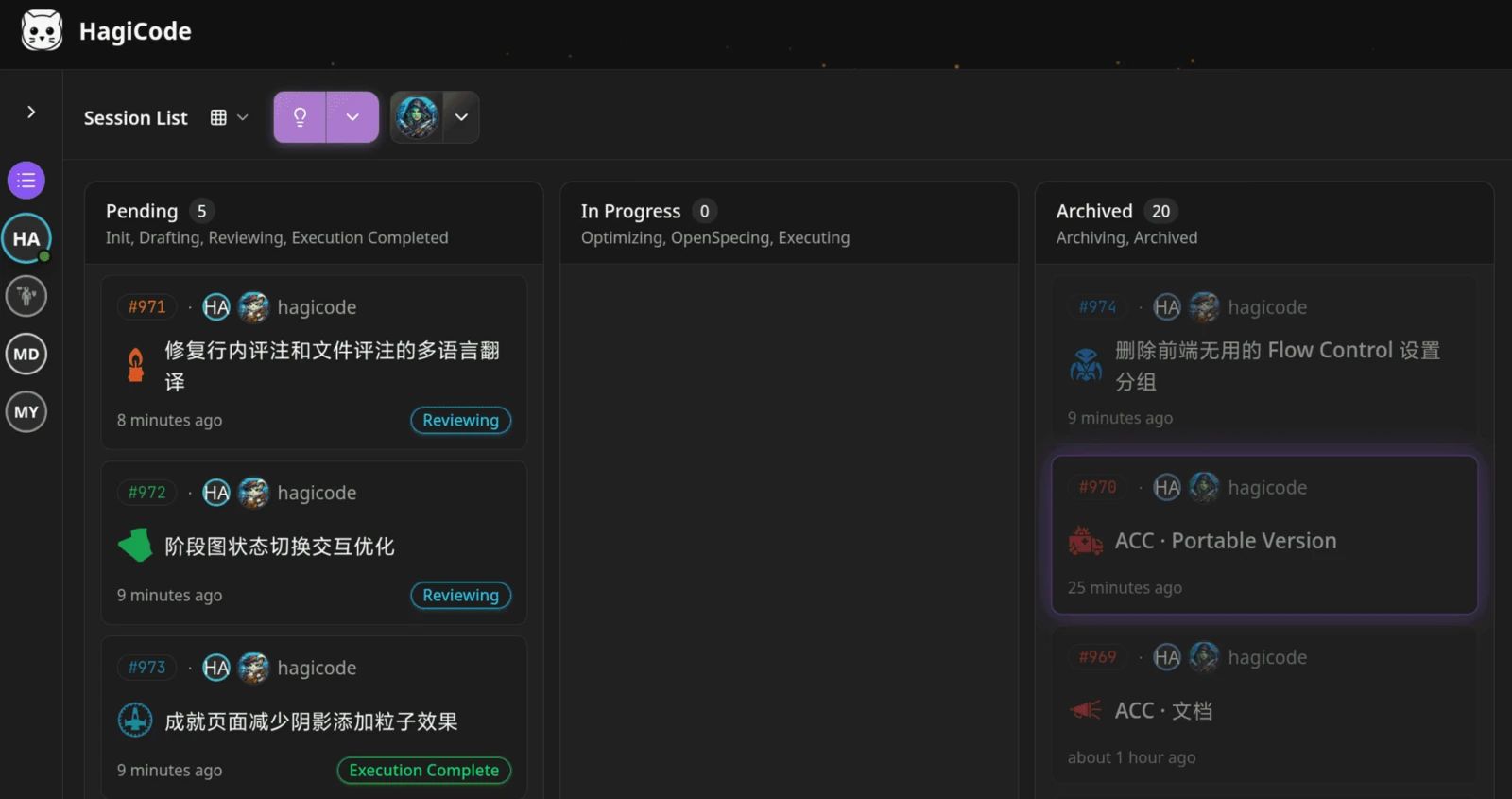
  • Établi HagiCode affichant un tableau kanban des sessions avec les colonnes En attente, En cours et Archivé.
    L’établi : toutes les sessions sur un seul tableau kanban.
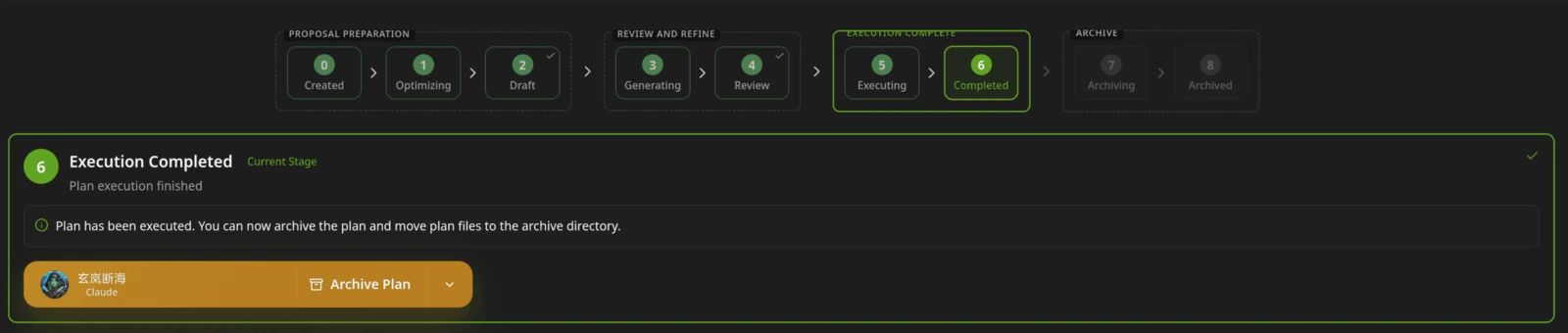
  • Barre d’étapes d’une proposition HagiCode, de Créée à Archivée, avec l’étape Exécution terminée mise en évidence et un bouton Archiver le plan.
    Une proposition passe de créée à rédigée, revue, exécutée puis archivée.
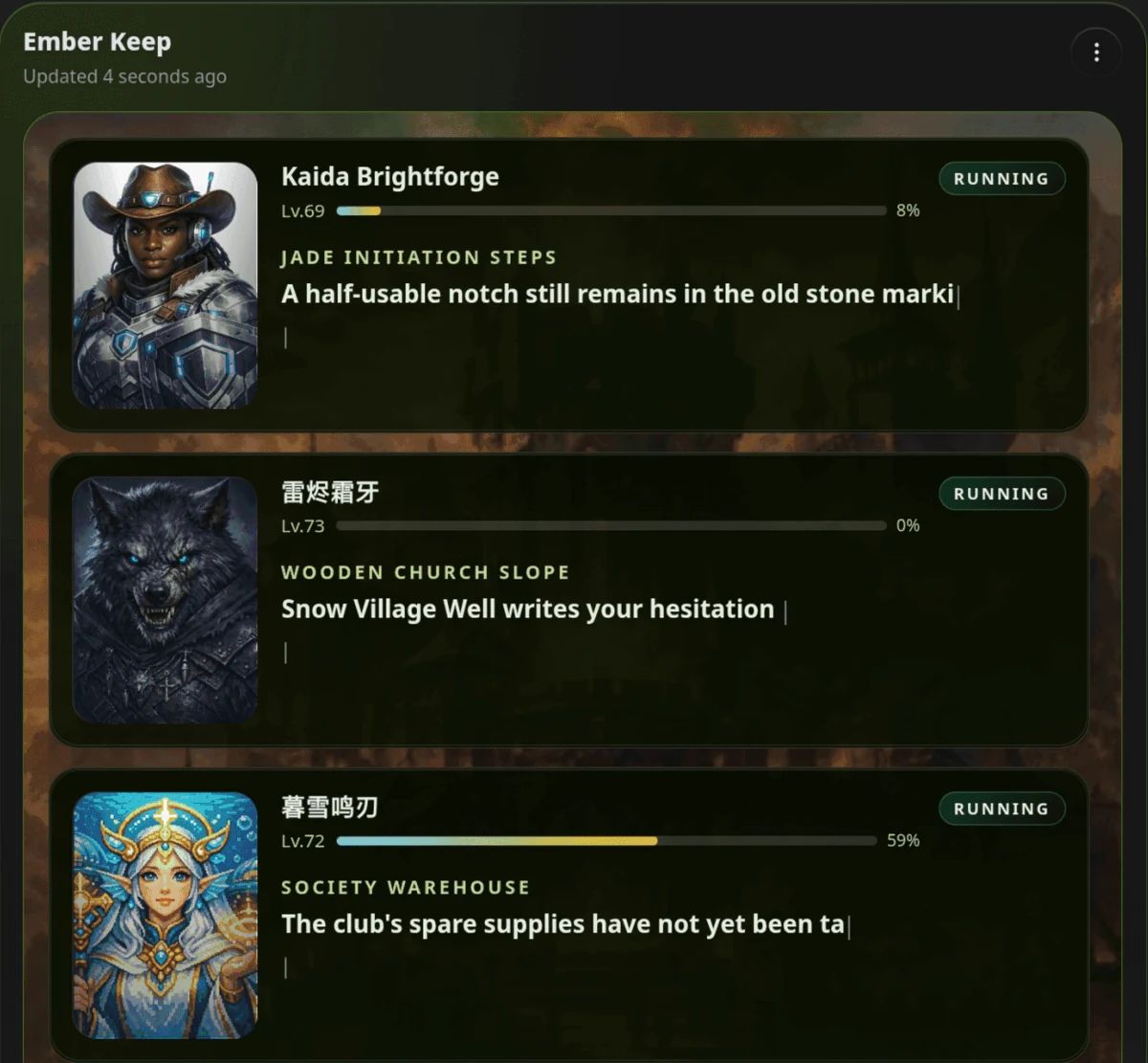
  • Panneau Hero Dungeon de HagiCode nommé Ember Keep, listant trois héros en cours avec leur niveau, leur progression et le texte du récit.
    Hero Dungeon : les héros avancent le travail pendant que vous suivez progression, niveaux et récit.

Télécharger pour Windows

Obtenir sur le Microsoft StoreTous les téléchargements

Transformez vos idées en logiciels livrés.

HagiCode est un espace de développement agentique : les workflows OpenSpec planifient le changement, l’exécution multi-agent le réalise et Hero Dungeon rend le long parcours visible, pour transformer vos idées en logiciels livrés.

Intelligent
Les workflows OpenSpec transforment une intention en parcours, de la proposition à la livraison.
Efficace
L’exécution multi-agent mène recherche, réalisation et revue en parallèle.
Ludique
Hero Dungeon rend les longues sessions visibles : héros, progression et succès.