
Hagicode Product Overview on YouTube
This is the primary English-language product introduction, so readers can understand Hagicode's workflow, product scope, and multi-agent angle before leaving the docs page.
Open on YouTubeHello, fellow creators. I’m Kun Yu, the creator of HagiCode.
On this page, I want to explain more directly what I am actually trying to build with HagiCode.
When you first hear HagiCode, a few questions usually come to mind.
Is HagiCode an AI coding tool?
Is HagiCode a game?
Is HagiCode an IDE?
Maybe the answer to all of them is yes.
HagiCode was never meant to be another chat box that can only talk about code. What it wants to do is bring AI into the full software development process. You can use it to understand repositories, write proposals, break down tasks, modify code, organize commits, manage multiple repositories, and build a reusable knowledge base. In the same workspace, you can also see achievements, daily reports, efficiency multipliers, token throughput, and a themed interface.
So if you really want one short definition, it is closer to this:
HagiCode is a product that combines an AI coding tool, a gamified feedback system, and a full development workspace into one platform.
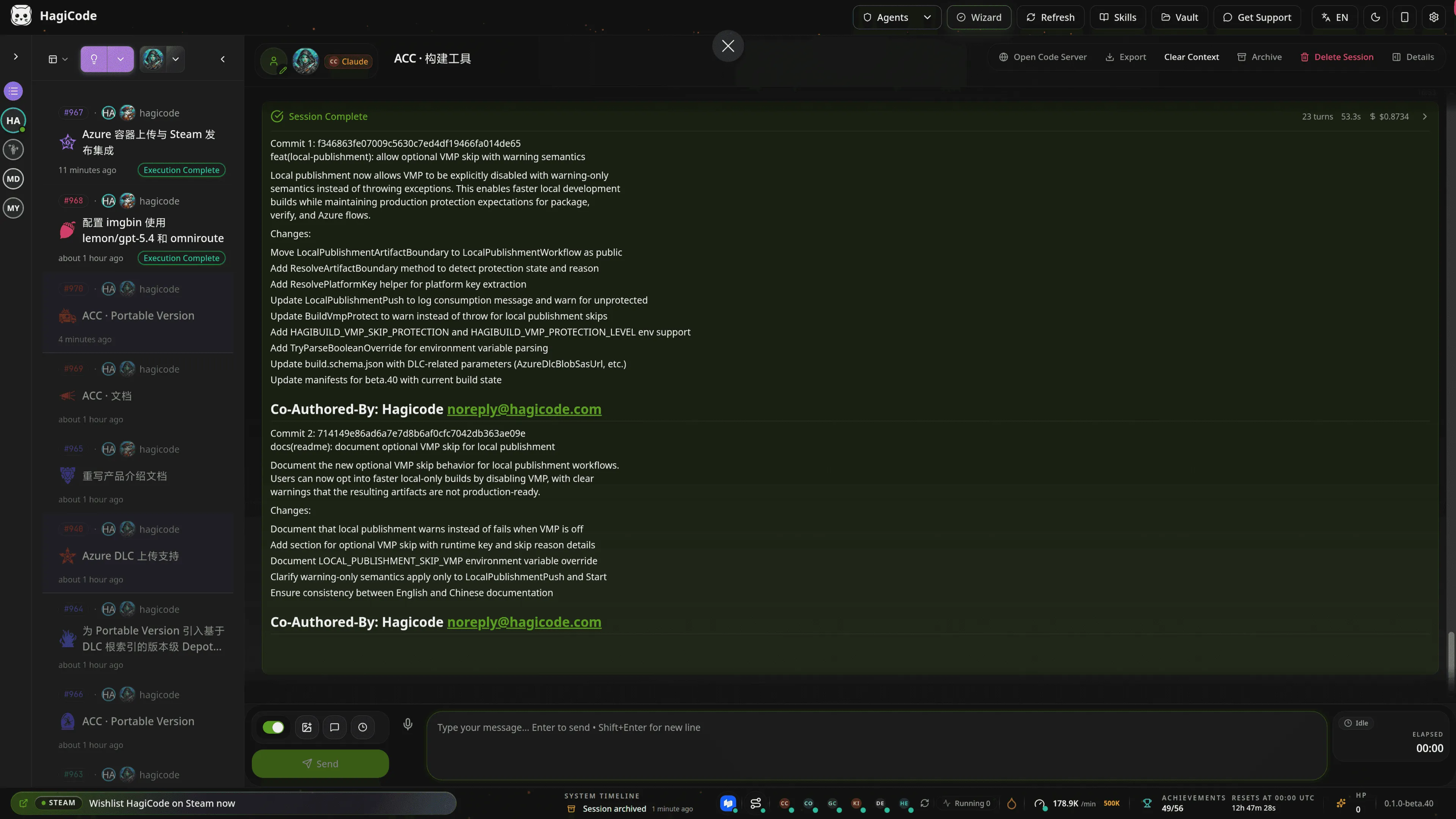
That screenshot already says a lot. HagiCode does not leave “conversation” stranded in the middle of a page. It brings sessions, status, workflows, metrics, and actions into the same workspace. You do not open it just to ask, “Can you write some code for me?” You open it to move an entire stretch of development work forward.
Traditional AI coding tools often focus on generation. HagiCode cares more about drifting less, shipping reliably, and being reviewable afterward.
That means its design leans toward real software development workflows instead of one-off question-and-answer interactions:
That is also the foundation for HagiCode’s three identities that follow. It is an AI coding tool, a gamified workspace, and a platform that brings multiple development capabilities together.
If you look only at the “AI coding” layer, HagiCode is not trying to make AI write flashier code. It is trying to make AI write more reliably.
HagiCode has the OpenSpec workflow built in. For anything slightly more complex, the AI does not jump straight into editing files. It first turns the request into a proposal, tasks, impact scope, and validation steps.
That point matters. Many AI coding tools feel risky not because they cannot generate code, but because they start changing things too quickly when context is incomplete. HagiCode tries to reverse that:
The direct result is that AI is less likely to make random, intuition-driven edits in complex projects. Put differently, HagiCode is not chasing the shortest path. It is chasing the more reliable path.
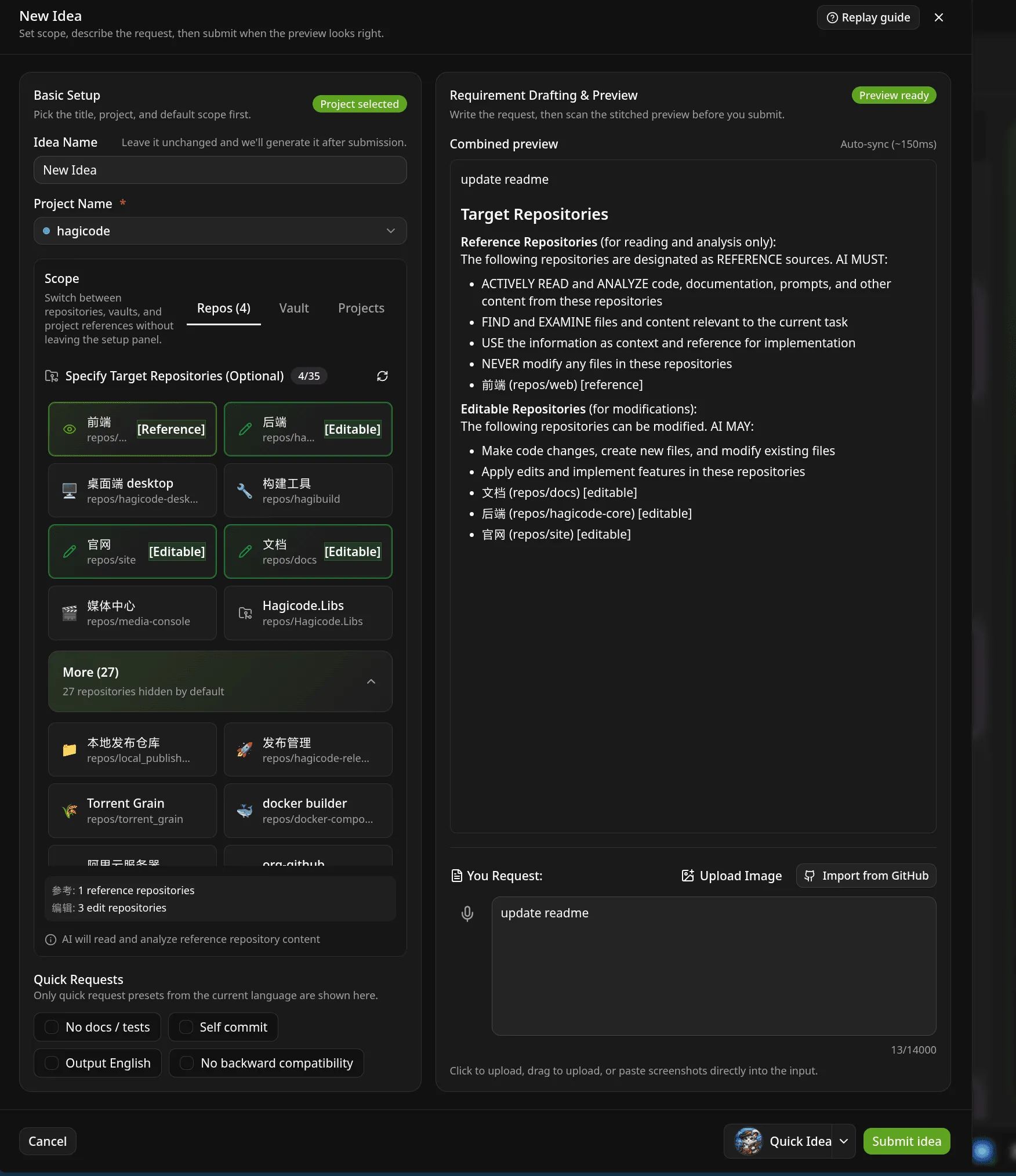
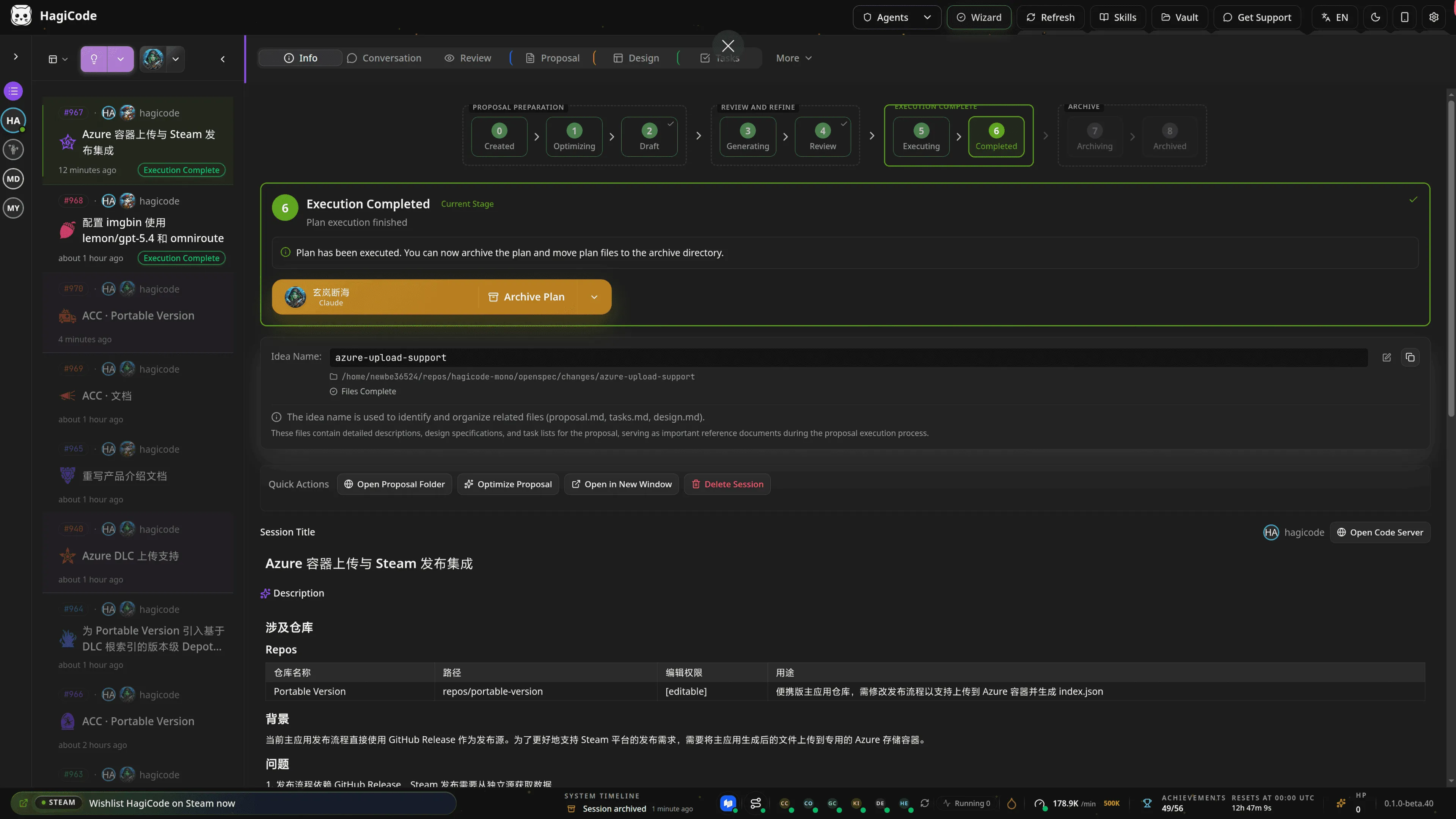
Many IDEs can already edit multiple files, and some can even change multiple directories in a single session. So HagiCode’s advantage can no longer be summarized as simply “it is not single-file autocomplete.”
What I want to emphasize instead is that HagiCode aims for a whole-project perspective.
It does not care only about “which files need to change for this task.” It also cares about the higher-level questions:
In other words, HagiCode is not just trying to complete one task for you. It is trying to pull AI into the perspective of participating in a project over the long term.
From that perspective, a single task is only the visible surface. What matters more is that the following capabilities can be connected naturally:
That is why I designed HagiCode as a workspace rather than a simple chat window. I want AI to see not an isolated request, but where the entire project is going.
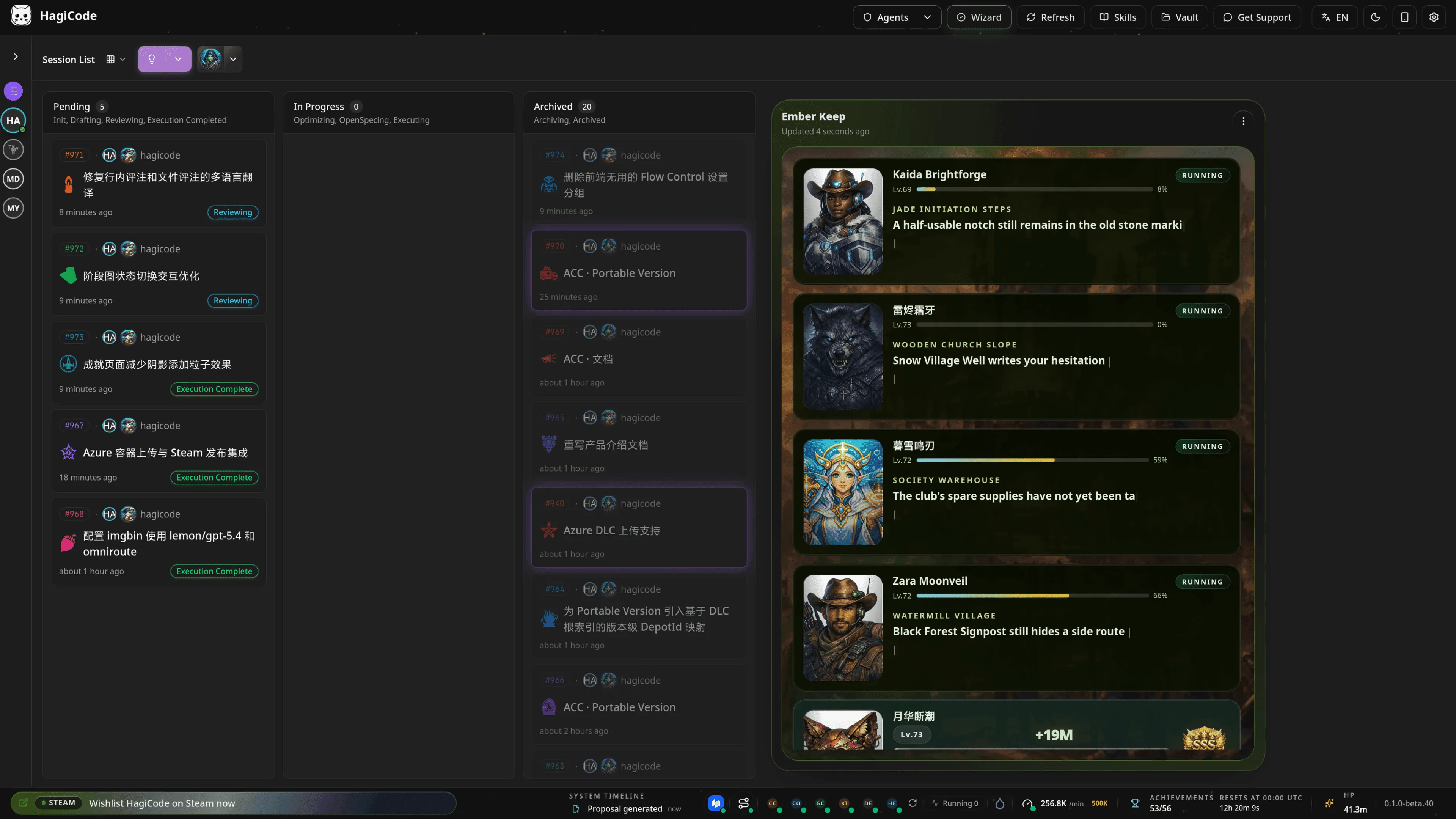
From this angle, HagiCode feels more like “an AI that thinks from the perspective of the whole project” than “an AI that helps you finish one temporary edit.”
HagiCode’s current active support range covers multiple mainstream Agent CLIs, including:
There is one important point I want to make clear here: the CLI and the model are not hard-bound to each other.
Many products treat “which CLI you are using” and “which model subscription you are using” as the same decision. HagiCode does not want to do that.
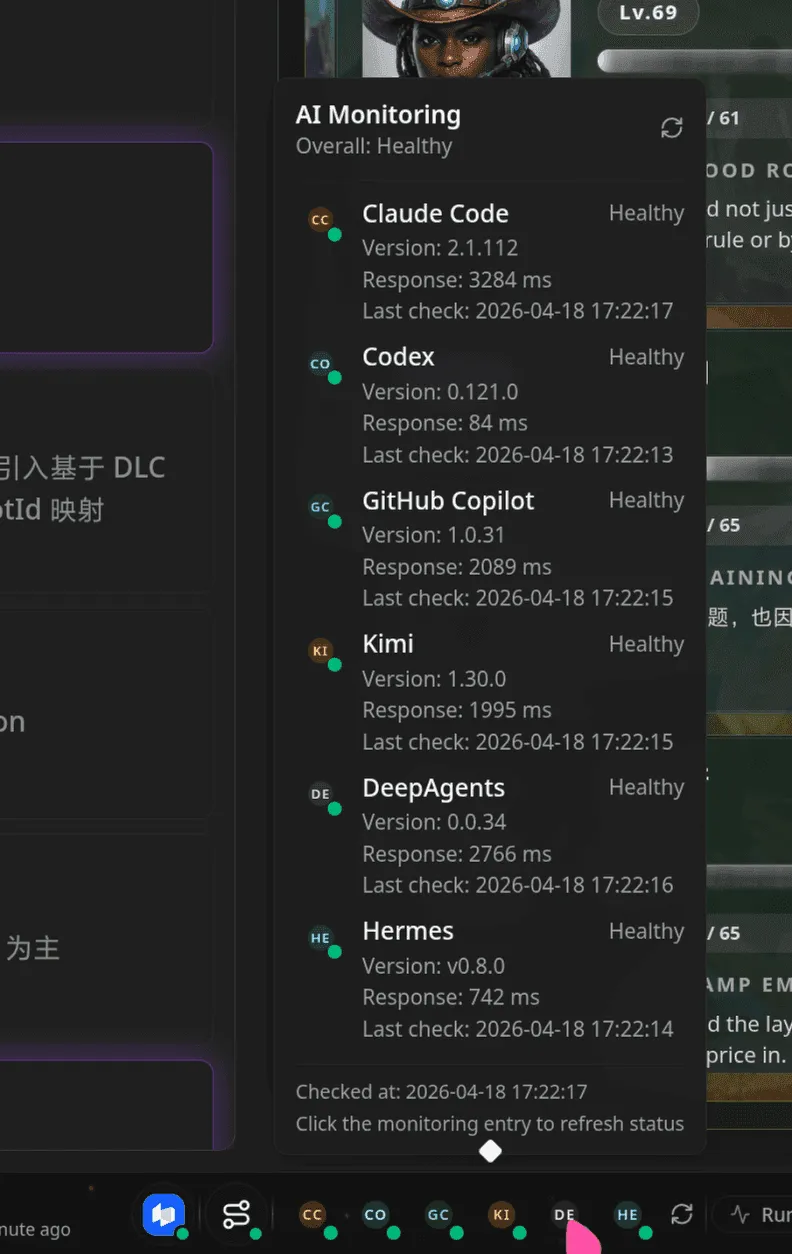
HagiCode integrates OmniRoute so that model access becomes its own infrastructure layer. That way, the CLI handles the interaction style you prefer, while models and subscriptions can be selected through a unified routing layer.
The value of that is straightforward:
In other words, even if you want to use Claude Code as the CLI, you can still connect it to other model sources and subscriptions through OmniRoute. For example, if you want to use the subscription capacity of GitHub Copilot instead of hard-binding the CLI to its default subscription path, that can work in HagiCode.
What I want is simple: you should choose a CLI because you like how it feels to use, and choose a model or subscription because you trust its cost, capability, and availability. Those should not be forced into a single bundled choice.
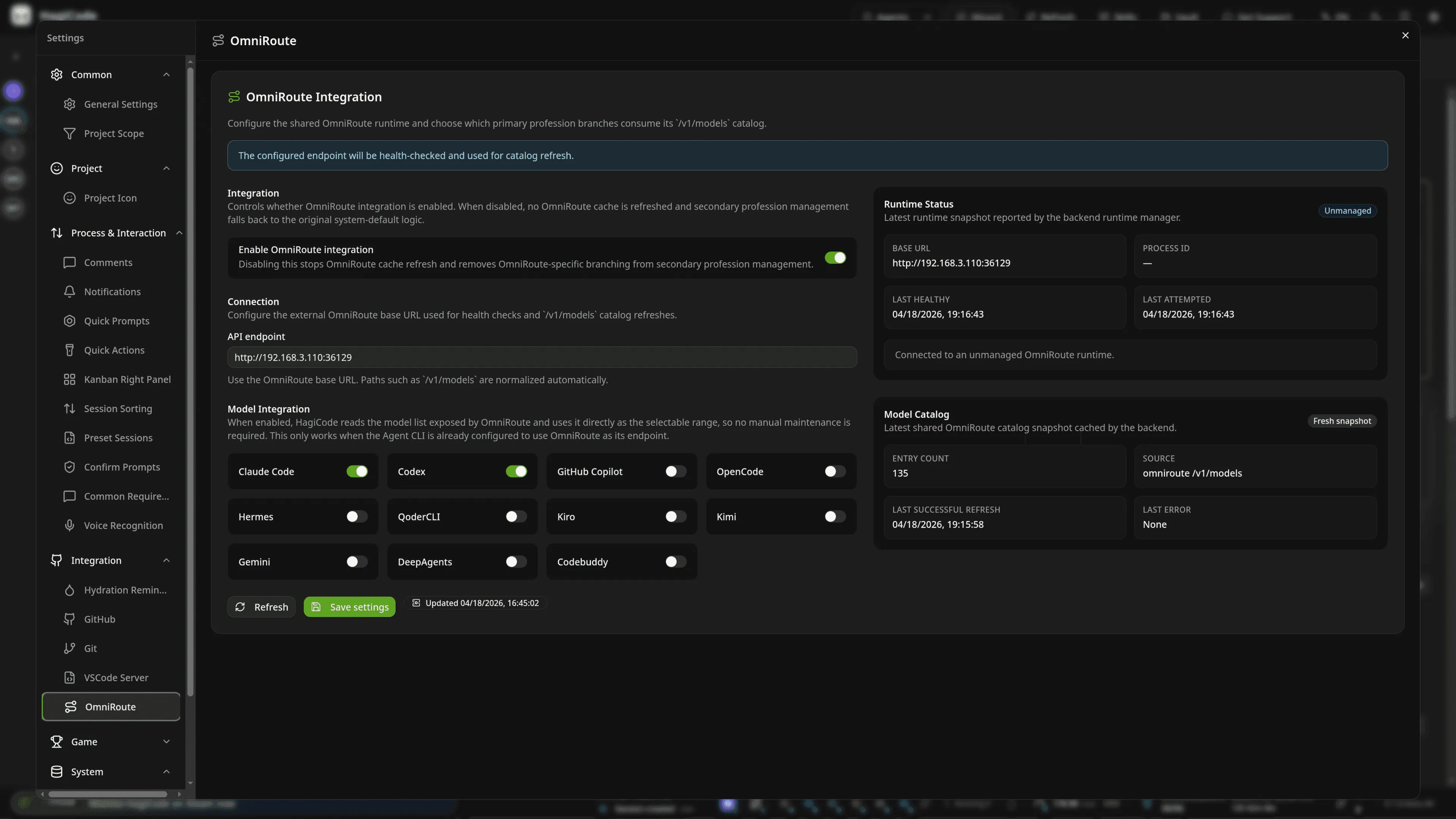
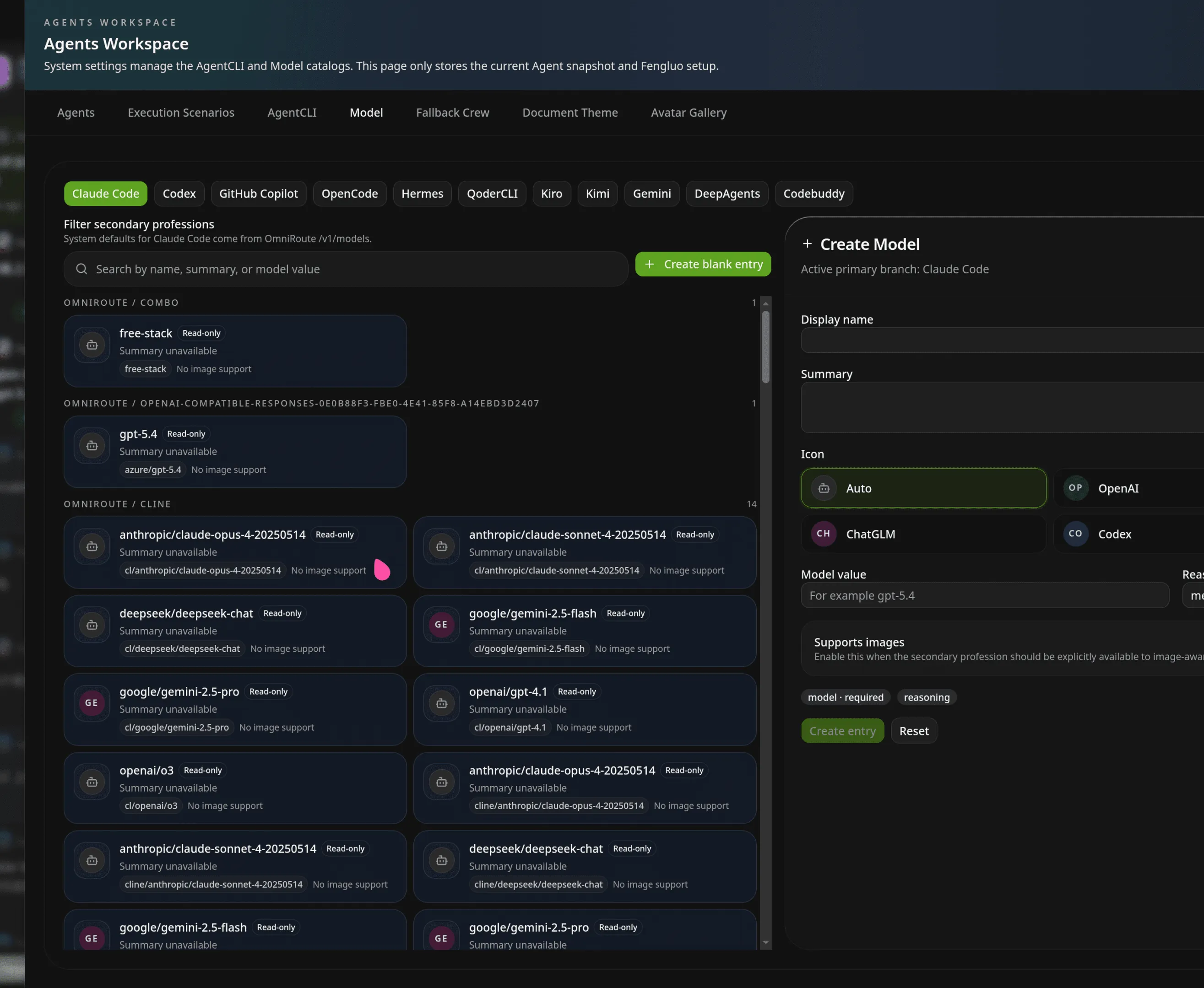
If the first section answers “Can it handle coding?”, then this section answers a different question: why does it feel like an IDE, and in some ways more like a complete platform than a traditional IDE?
The answer is that HagiCode does not stop at chat, and it does not stop at proposals either. It pulls together capabilities that would normally be scattered across different tools and turns them into one continuous system.
For real teams, a requirement rarely lands in just one repository. The frontend, backend, documentation, scripts, and deployment configuration may all need to change together.
HagiCode introduces MonoSpecs to bring that kind of cross-repository collaboration back under one view. In a single project, you can maintain a repository inventory, proposal scope, and archive strategy. You can also let AI understand more clearly which boundaries a change really crosses.
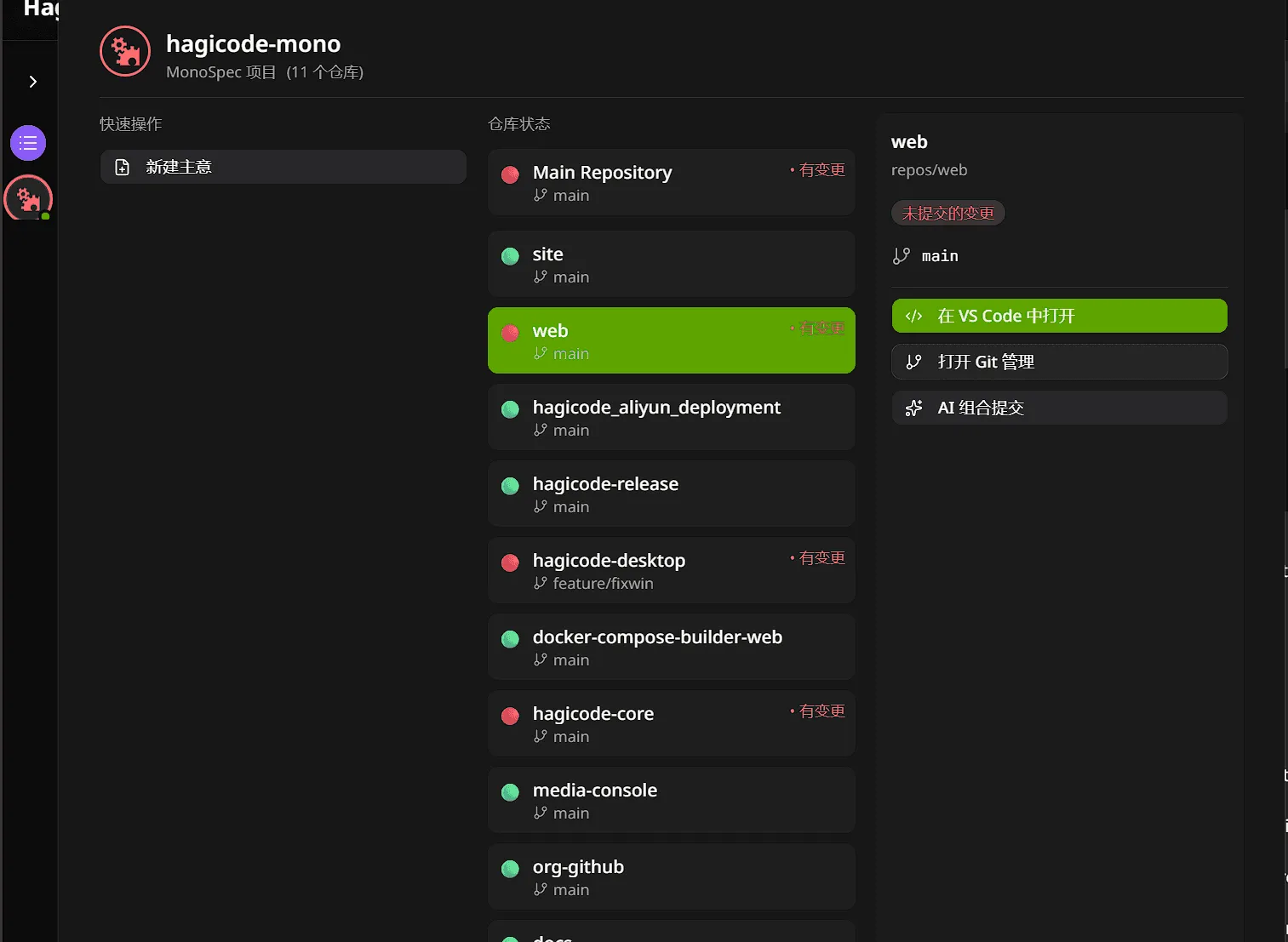
For single-repository users, this may not be the first capability they touch. But once you start dealing with frontend-backend coordination, keeping documentation aligned with the product, or maintaining multiple subprojects, its value becomes obvious.
Many AI products extend themselves in a rough way: either you wait for official features, or you make users tinker in the terminal on their own. HagiCode turns Skills into a formal product module instead.
Inside HagiCode, you can:
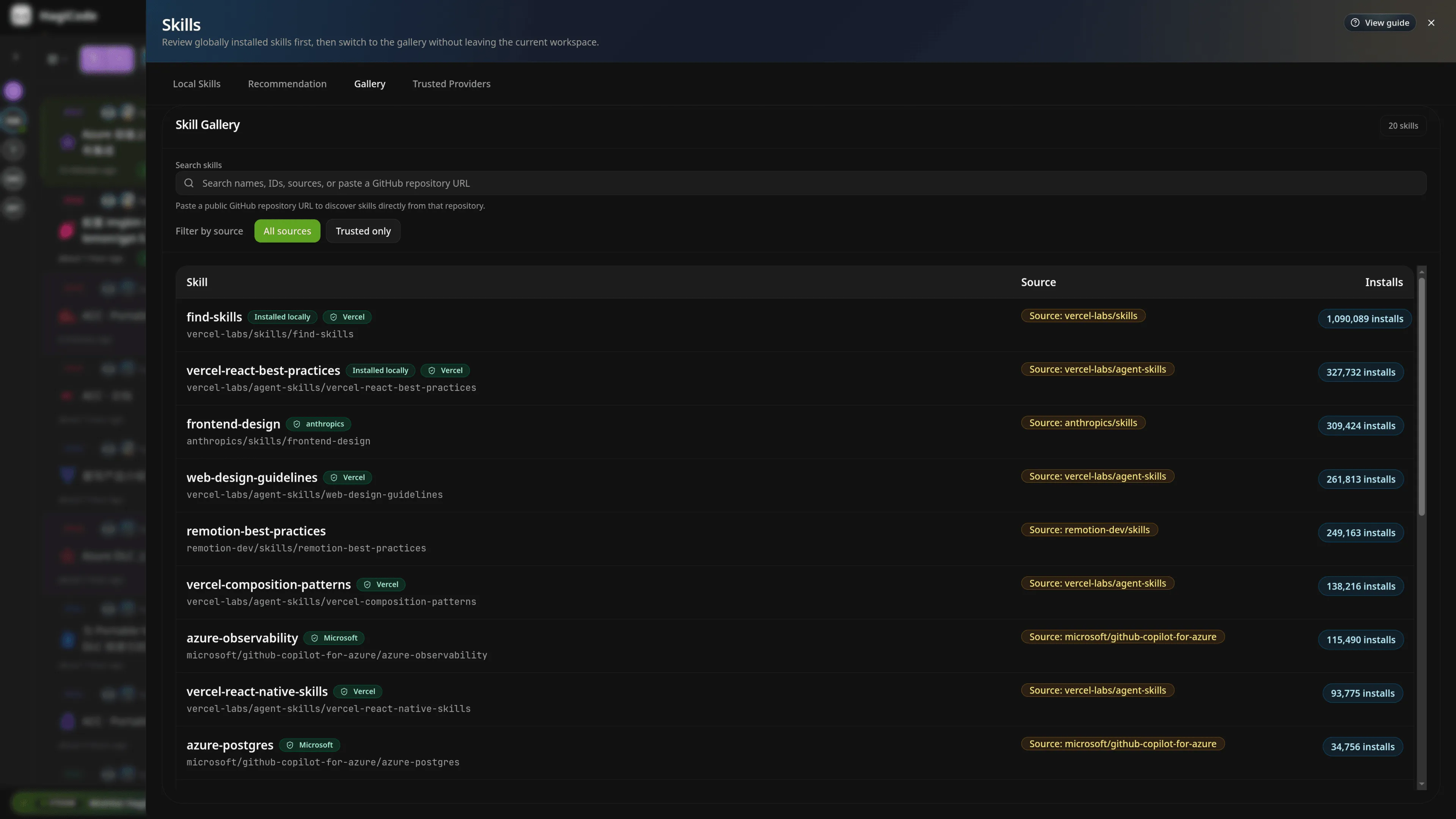
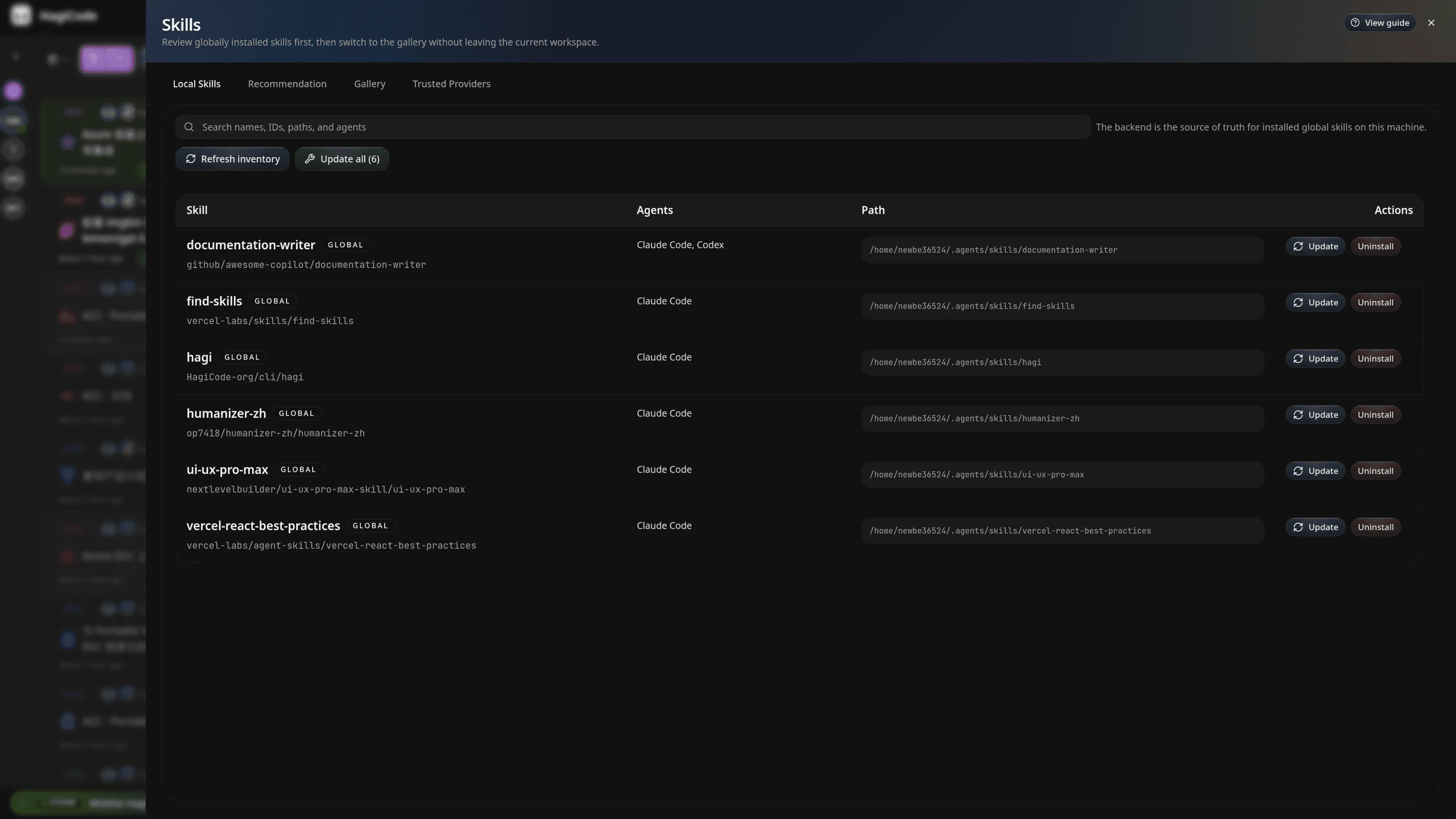
That means HagiCode is not a sealed product. It is more like a shell that can keep taking in new skills, capabilities, and workflows.
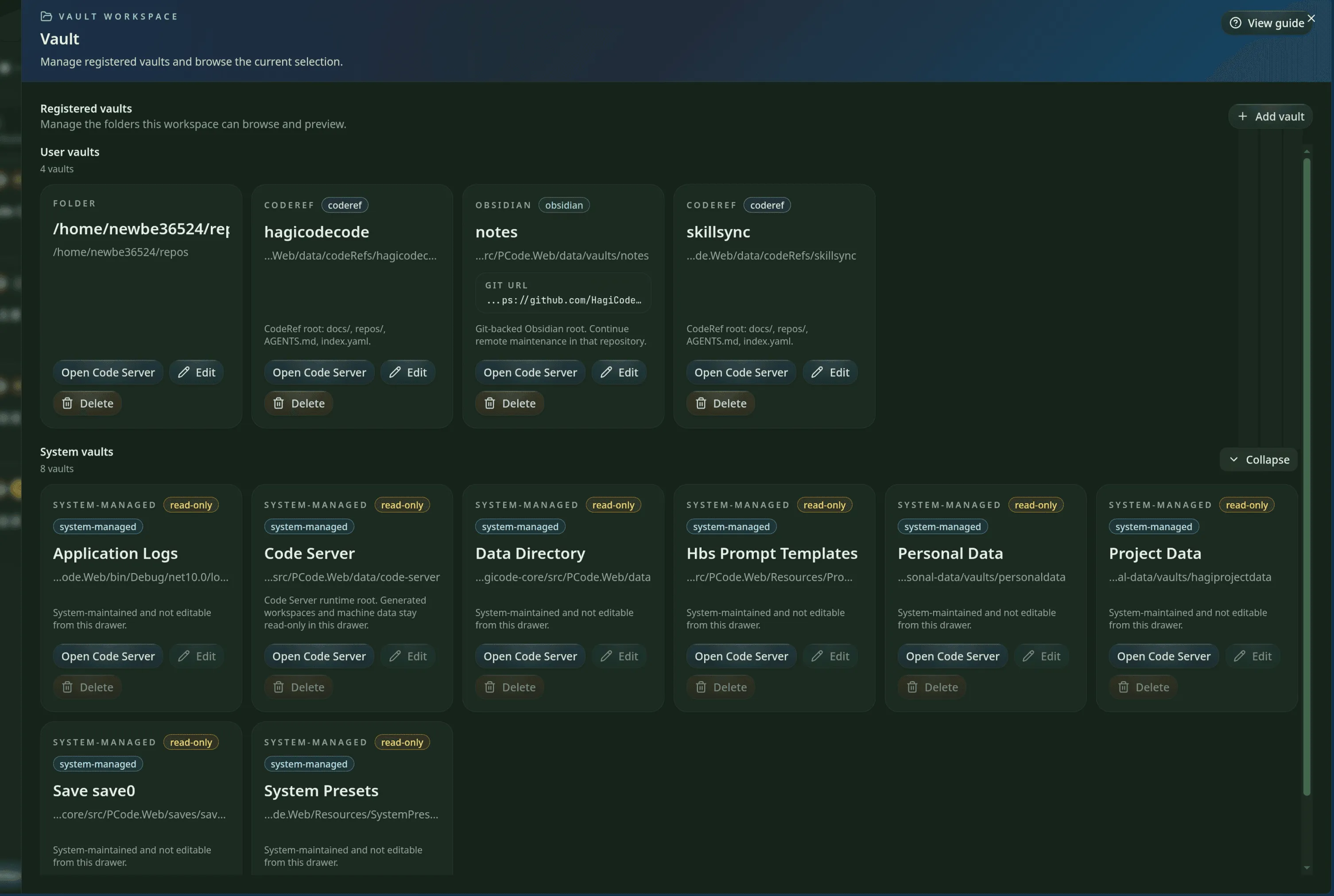
You can think of Vault as HagiCode’s knowledge storage layer.
It supports bringing different types of material into the platform, including:
That way, analysis notes, reference code, and design records collected in one project do not remain trapped inside a single session. They can be cited again, organized further, and reused as context in future work.
For many teams, this matters a lot. AI becomes truly valuable not because it “answered once,” but because it can continue working from a body of knowledge that has already been organized.
For many teams, the real pain point is not the coding itself, but the final step: the code is done, but nobody wants to write the commit message carefully.
HagiCode provides AI Compose Commit, which brings commit message generation into the workflow as well.
Co-Authored-By signature and let repository-level config override your global default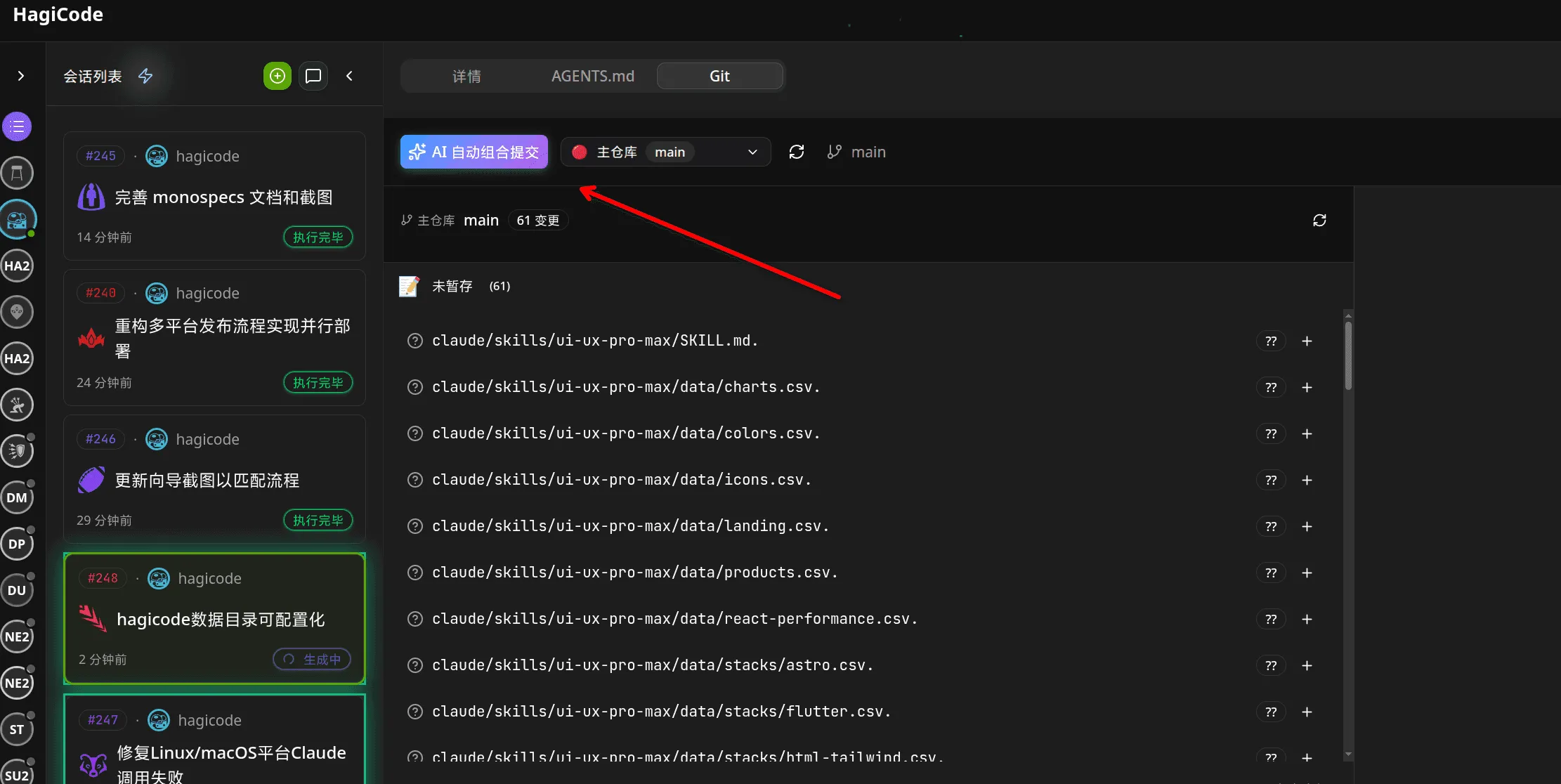
Its value is not just saving a few dozen seconds. It is that “commit” finally stops being detached from the rest of the context. For teams, that also means AI-generated commits can keep using the bot name, company email domain, and repository convention they already rely on instead of being locked to one fixed signature.
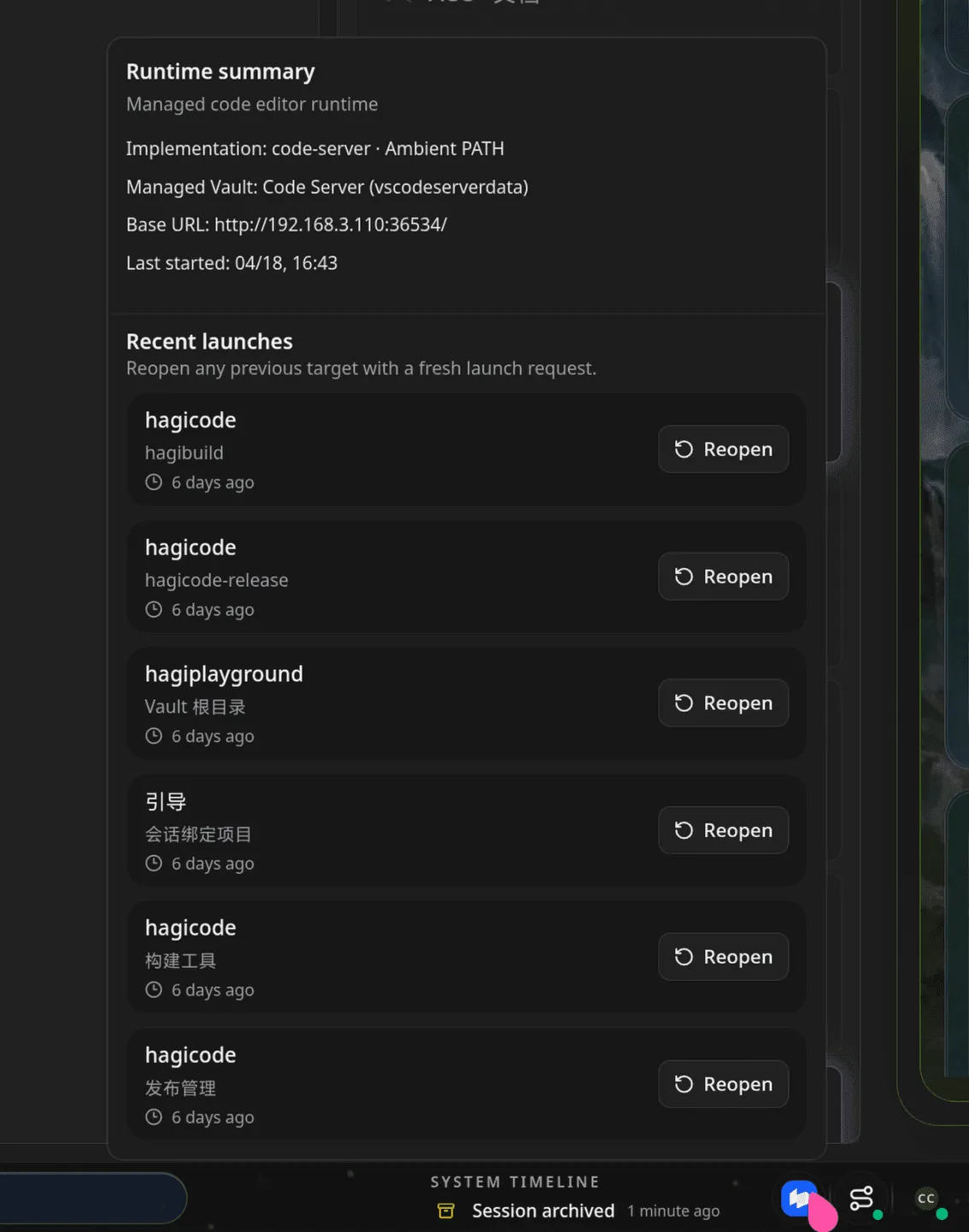
HagiCode also integrates browser-based editing through code-server. Whether your project lives locally, on a server, in a container, or in a remote runtime, you can open the project or Vault more easily and jump straight into editing.
That makes HagiCode feel more like a real development platform instead of only a front-end surface that analyzes code. Many times, the AI has already traced the problem down to a specific file. If you still have to jump back into another tool and relocate everything yourself, the workflow loses momentum. Code Server integration solves that break.
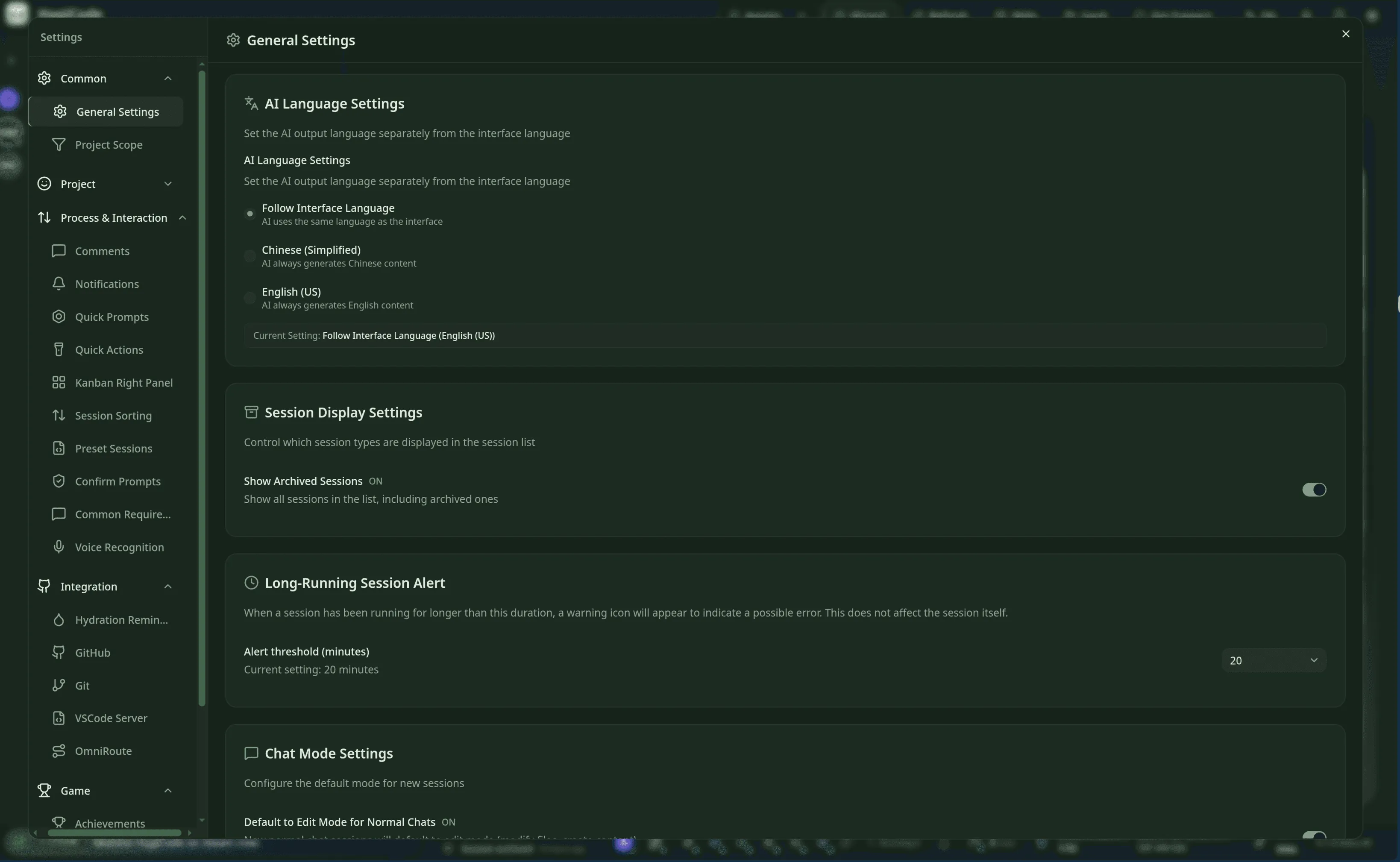
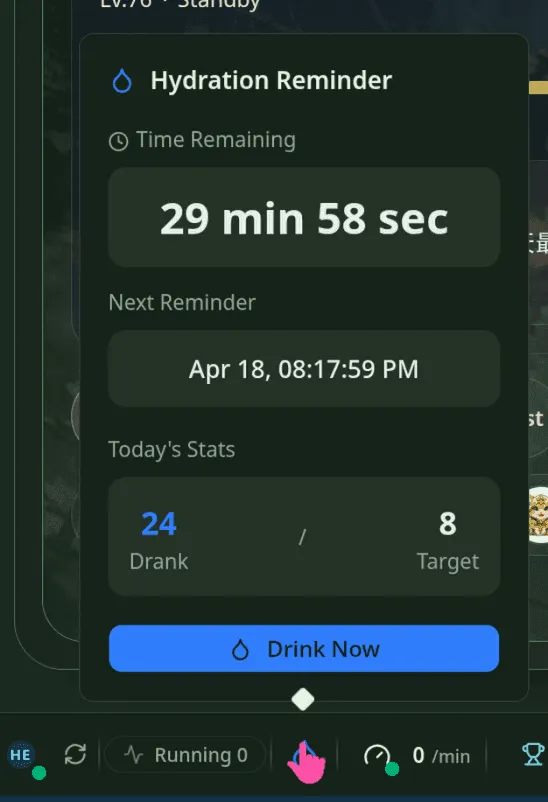
Beyond proposals, execution, skills, and knowledge management, HagiCode also includes quite a few features that genuinely affect day-to-day experience:
These may look like “small features,” but they decide whether a platform is something people want to keep open over time. HagiCode does not hide them at the edges. It tries to make them visible, complete, and configurable parts of the product.
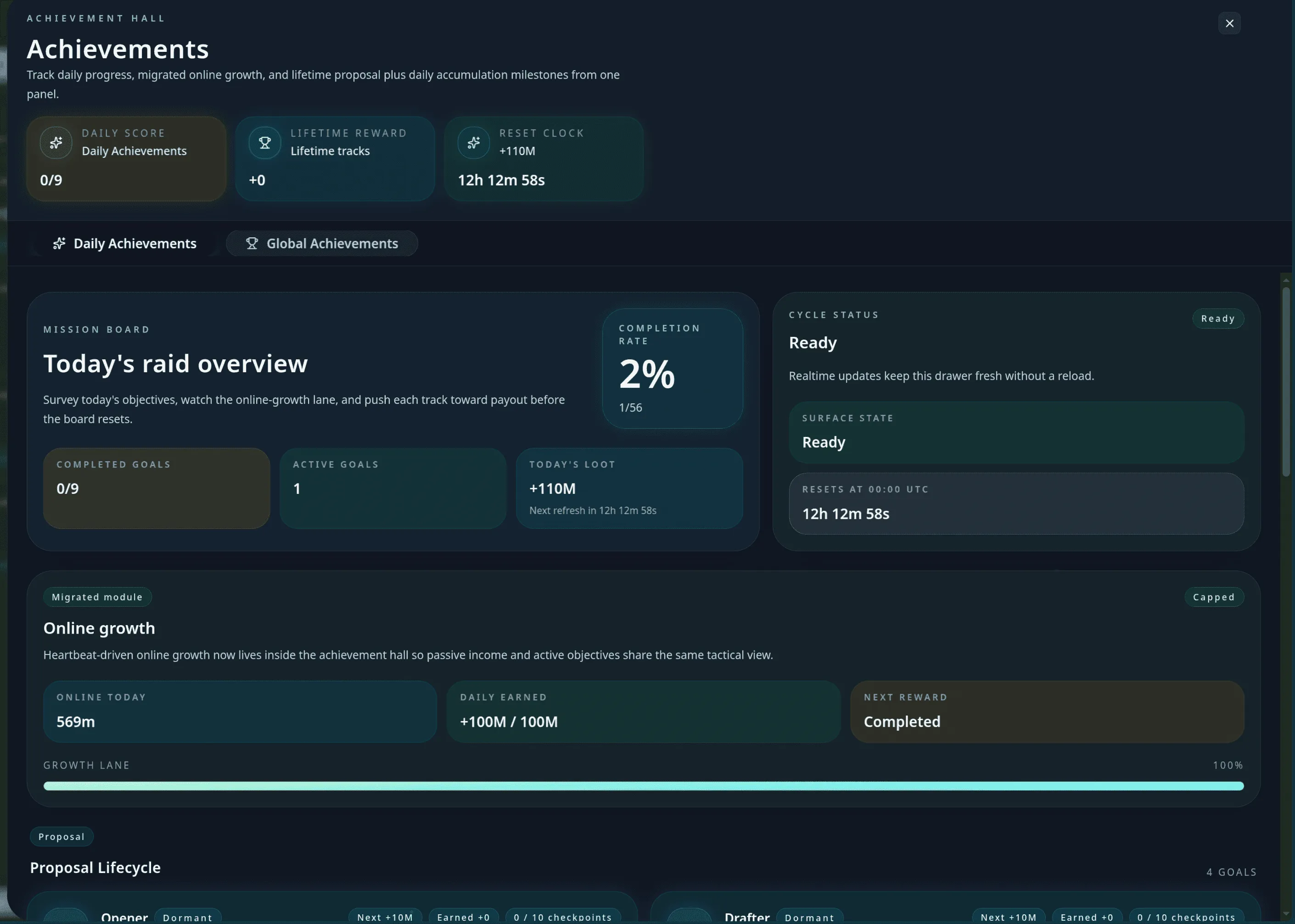
The gamification inside HagiCode is not there as decoration. It exists to make long-term use of an AI development platform feel more responsive, more rhythmic, and easier to stick with.
In HagiCode, many actions are turned into explicit progress feedback. Creating sessions, sending messages, executing plans, switching projects, and submitting annotations no longer disappear as one-off actions. They accumulate into daily achievements, milestone progress, and completion records.
The point of this design is not just “fun.” It is that it becomes easier to feel what you actually moved forward in a day. For many long-term developers, the exhausting part is not the workload itself. It is the lack of feedback. HagiCode is trying to fill that gap.
Beyond achievements, HagiCode also uses daily reports to show what you really got done yesterday, where the points came from, and how your streak is progressing.
That means the platform does not just record what you did. It reorganizes those actions into a review surface with actual rhythm. You can tell more easily whether you are blocked on session progress, tool usage, code execution, or simply active time and task continuity.
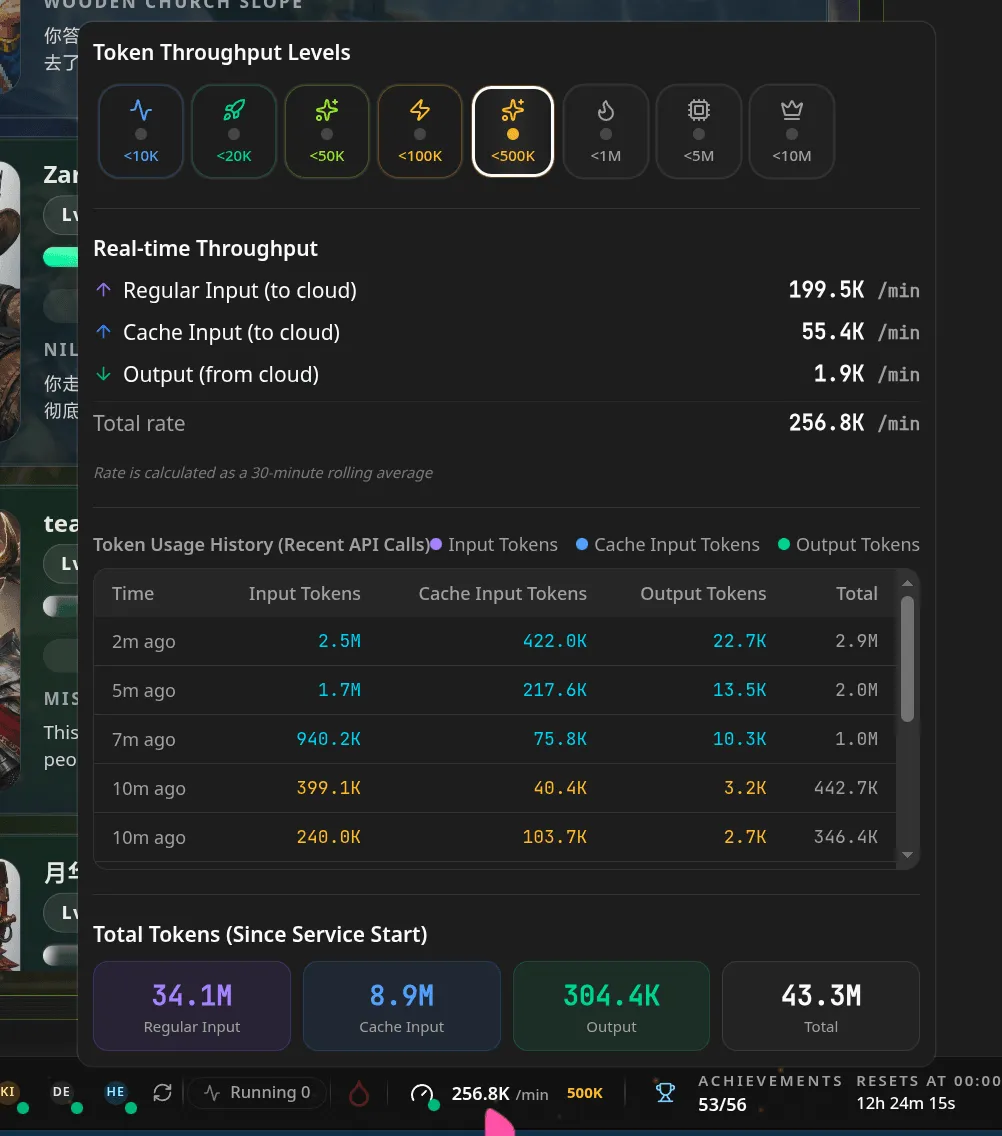
Many products tell you “AI makes you more productive,” but cannot explain how much more productive. HagiCode would rather express that with visible data.
In these productivity reports, you can see runtime duration, AI time spent, efficiency uplift, and concurrency distribution. It is not mythologizing AI. It is trying to turn “productivity” from a slogan into concrete feedback.
If you are a heavy user, the value of this design becomes obvious. In many cases, the cost and performance issues of AI do not reveal themselves at the end of the month. They show up while a session is already in progress.
HagiCode shows input tokens, output tokens, total token counts, and throughput tiers directly in the product. That gives you a more immediate sense of how heavy a session really is, whether the current model is under high load, and whether the conversation has become too bloated.
HagiCode includes a full presentation layer built around heroes, professions, load, and level progression. This is not just a cosmetic rename. It maps different agents, responsibilities, and work states into interface language that is easier to understand and manage.
That makes multi-agent collaboration, role switching, and multi-model management feel less abstract. What you see is not just “a configuration item,” but “what this hero is doing right now, what the primary and secondary professions are, and how the state is progressing.”
If you fit one of the roles below, HagiCode’s value usually becomes easy to understand:
| Role | What you are likely to value |
|---|---|
| New engineers | Faster understanding of repositories, workflows, and context instead of getting only fragmented answers |
| Everyday developers | A continuous workflow that brings proposals, coding, commits, and metrics together |
| Technical leads | Better traceability for decisions and knowledge through OpenSpec, MonoSpecs, and Vault |
| Multi-repository teams | A single system for coordinating linked changes across frontend, backend, docs, and scripts |
| Heavy AI users | Clearer management of models, throughput, productivity, achievements, and long-term usage rhythm |
Is HagiCode an AI coding tool?
Yes, and it puts more emphasis on reducing hallucinations, avoiding drift, and producing changes that really land.
Is HagiCode a game?
Yes as well, because it takes achievements, daily reports, multipliers, heroes, professions, and feedback loops seriously inside the workspace.
Is HagiCode an IDE?
In some ways, it is even closer to a platform. It does not only cover the editor surface. It connects proposals, sessions, skills, the knowledge base, cross-repository collaboration, commit organization, and browser-based editing into one complete flow.
So what HagiCode ultimately wants to promote is not one isolated feature, but a new way of working:
Upgrade AI development from “ask once, answer once” into a full chain of understanding, planning, execution, knowledge capture, and feedback.
Once you understand what HagiCode is trying to be, the next practical question is usually simple: which edition should you start with, and what do the DLC packages actually change?
In the table below, ✅ means supported and ❌ means not supported.
| Item | Desktop | Container | Steam | Hagicode Plus |
|---|---|---|---|---|
| Entry point | Desktop Installation | Container Deployment | View on Steam | View on Steam |
| Pricing | Free | Free | View on Steam | View on Steam |
| All free features included | ✅ | ✅ | ✅ | ✅ |
| Vault | ✅ | ✅ | ✅ | ✅ |
| Skills | ✅ | ✅ | ✅ | ✅ |
| Proposal workflow | ✅ | ✅ | ✅ | ✅ |
| Local achievements | ✅ | ✅ | ✅ | ✅ |
| All Agent CLI integrations | ✅ | ✅ | ✅ | ✅ |
| Speech recognition | ✅ | ✅ | ✅ | ✅ |
| OmniRoute integration | ✅ | ✅ | ✅ | ✅ |
| GitHub integration | ✅ | ✅ | ✅ | ✅ |
| Git management | ✅ | ✅ | ✅ | ✅ |
| Maximum concurrent proposals | 3 | 3 | 3 | 32 |
| Copy switching support | ❌ | ❌ | ❌ | ✅ |
| Turbo Engine avatar packs | ❌ | ❌ | ❌ | ✅ |
| Custom avatar uploads | ❌ | ❌ | ❌ | ✅ |
| Custom logo | ❌ | ❌ | ❌ | ✅ |
| Custom title | ❌ | ❌ | ❌ | ✅ |
| Custom Co-Authored-By info | ❌ | ❌ | ❌ | ✅ |
| Steam cloud achievements | ❌ | ❌ | ✅ | ✅ |
| Free DLC support | ❌ | ❌ | ✅ | ✅ |
| Steam Workshop support | ❌ | ❌ | ✅ | ✅ |
| Cloud save support | ❌ | ❌ | ✅ | ✅ |
Proposal concurrency rule. The free editions and the base Steam edition both start with a 3-proposal concurrency cap. Proposals that are generating, executing, and archiving all count toward that same limit. Turbo Engine DLC expands the cap to 32.
What Hagicode Plus means. Hagicode Plus is the official Steam bundle that combines the Steam main edition with Turbo Engine DLC in one purchase path. In direct user terms, it is the bundled entry for “Steam edition + higher concurrency and enhanced capabilities.”
Turbo Engine avatar options. Turbo Engine DLC also includes five standalone avatar packs with 10 selectable avatars in each pack, and it supports custom avatar uploads. So the upgrade is not only about concurrency. It also gives the Steam workspace much more room for identity and personalization.
If you are ready to use it for real, I recommend starting with this path:
Product Hunt
If you want a faster external snapshot before going deeper into the docs, this official Product Hunt featured badge gives you a quick way in.
 View on Product Hunt
 If you would rather understand the product through video first, the section below now gives the English page its own clearest entry point: the primary recommendation stays on YouTube, and the title, summary, and CTA all spell the platform out. Even before you open a new tab, the section explains why that video is the right place to start.
Start with the English YouTube overview embedded below, then compare two supporting Bilibili demos without losing the product story or the direct watch links.
This is the primary English-language product introduction, so readers can understand Hagicode's workflow, product scope, and multi-agent angle before leaving the docs page.
Open on YouTubeA supporting Bilibili demo that shows the product feeling playful and alive during real coding sessions instead of behaving like a dry code generator.
Open on BilibiliA narrower validation run that helps readers judge how GPT Codex behaves inside the actual Hagicode product after the main YouTube introduction.
Open on BilibiliIf this is your first time meeting HagiCode, it helps to think of it as a complete platform rather than a single-purpose tool. Once you do that, capabilities like OpenSpec, MonoSpecs, Skills, Vault, Code Server, and gamified feedback make much more sense as parts of the same product.