
Turn Ideas into Code with Proposal Sessions
Edit pageProposal sessions are the right entry point when a request is too important to handle as a single free-form prompt. Instead of editing immediately, HagiCode first turns the request into goals, scope, tasks, and validation criteria, then moves into execution.
Prerequisites
Section titled “Prerequisites”Before you start a proposal session, make sure you have:
- completed Desktop Installation
- completed Wizard Setup and created at least one project
- enough project context to describe the change; if not, start with Create a Conversation Session
What proposal sessions are for
Section titled “What proposal sessions are for”Proposal sessions work best when:
- the change needs a clear scope before editing starts
- multiple repositories, modules, or deliverables are involved
- the work should be broken into reviewable steps
- you want the reasoning and execution trail to remain visible later
If you only need repository understanding or lightweight discussion, a conversation session is faster. If you need structure and traceability, continue here.
Workflow overview
Section titled “Workflow overview”The current proposal flow can be summarized like this:
| Stage | User action | System result |
|---|---|---|
| Create the proposal | Open the New Idea drawer and describe the request | The proposal starts with explicit project and repository scope |
| Confirm the structure | Review the session detail view and workflow state | AI explains goals, steps, and status before deeper execution |
| Track progress | Use the session board to monitor pending, active, and archived items | Multiple proposals stay easier to manage |
| Review the outcome | Return to the completed session view | You can reuse commit notes and session history instead of starting over |
Step 1: Define the change in the New Idea drawer
Section titled “Step 1: Define the change in the New Idea drawer”The current proposal entry point is the New Idea drawer. It does more than accept a short text request. It also forces the request into a concrete project and repository scope.
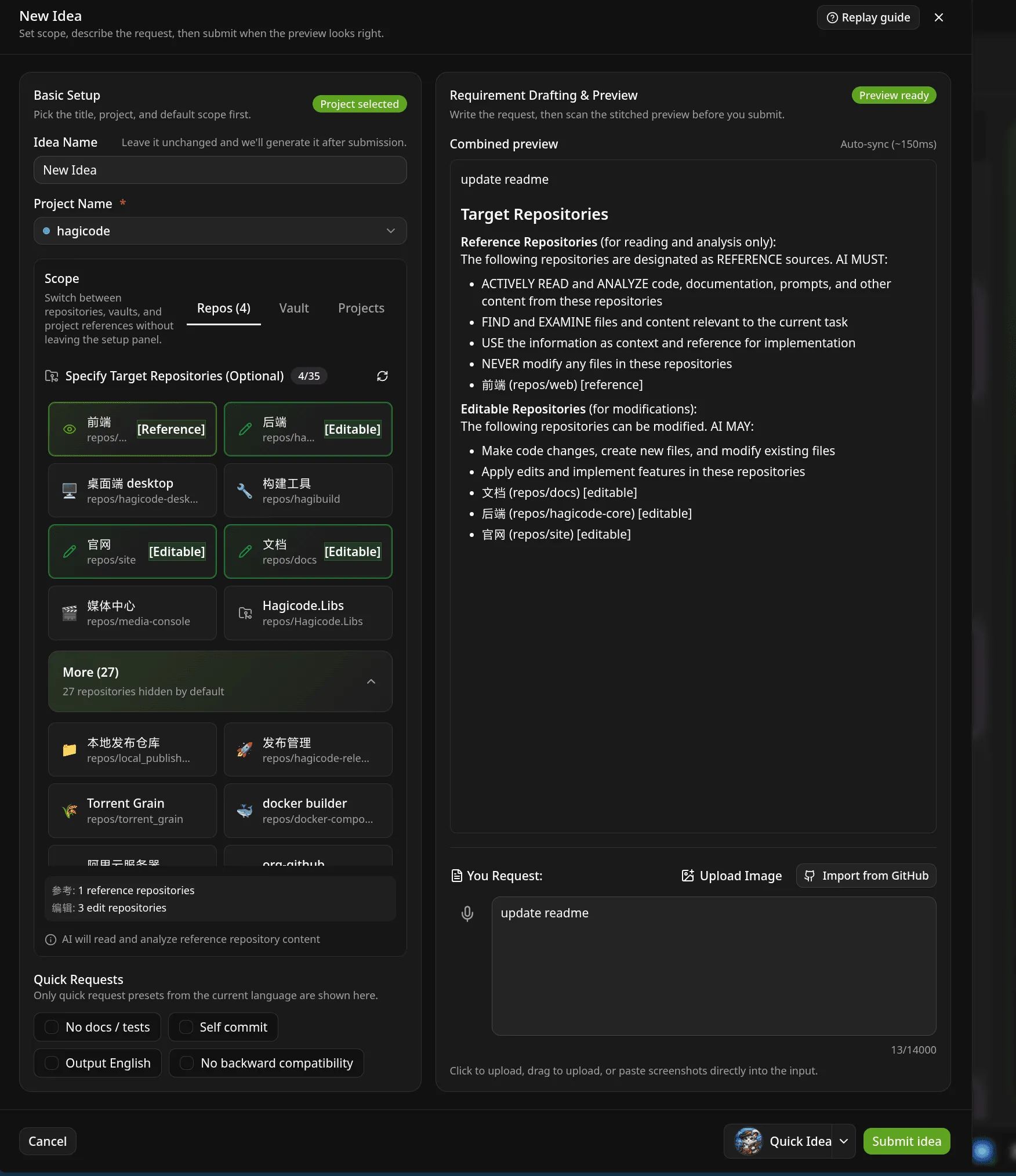
Start by reviewing these areas:
- project selector: confirm which project owns the request
- repository scope: choose which repositories are in bounds
- preview area: verify what the system will treat as the target scope
- request box: describe the actual change in natural language
If the work touches docs, frontend, and backend together, define that boundary here instead of adding it late during execution.
Step 2: Review goals, steps, and status in the proposal detail view
Section titled “Step 2: Review goals, steps, and status in the proposal detail view”After creation, HagiCode does not jump straight into editing. It first opens a detail view that keeps workflow state, proposal content, and session context together.
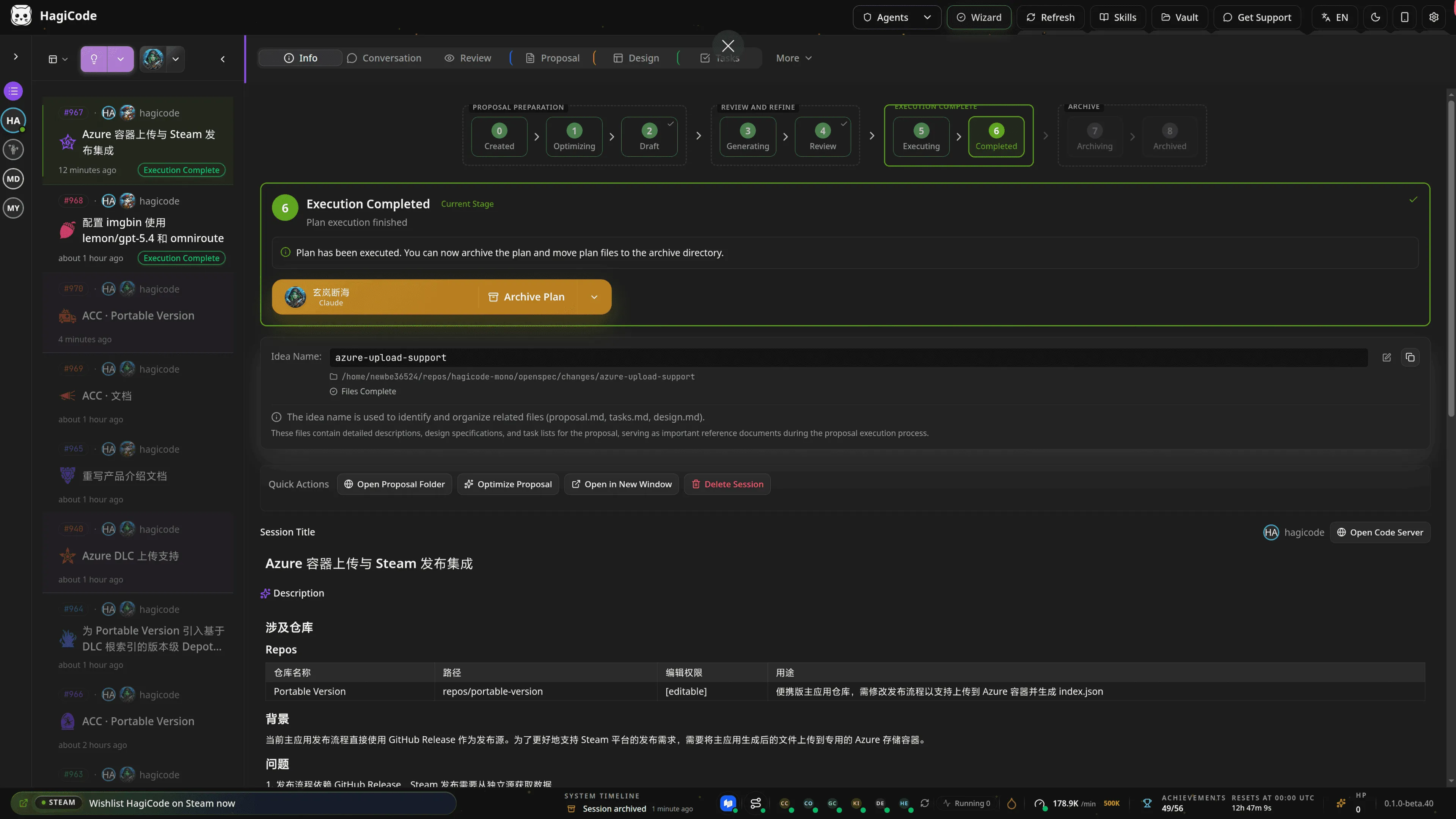
This screen shows why proposal sessions are different from regular conversation sessions:
- the center panel is not only chat; it keeps proposal-related content visible
- the workflow stepper makes the current state explicit
- the session list and detail area preserve context for longer-running work
If the goal, scope, or task breakdown still looks wrong here, fix the proposal before moving on. That is the point of this workflow.
Step 3: Track multiple proposals in the session board
Section titled “Step 3: Track multiple proposals in the session board”When a project has several proposals, multiple execution rounds, or a mix of pending and completed work, the session board becomes the clearest overview.
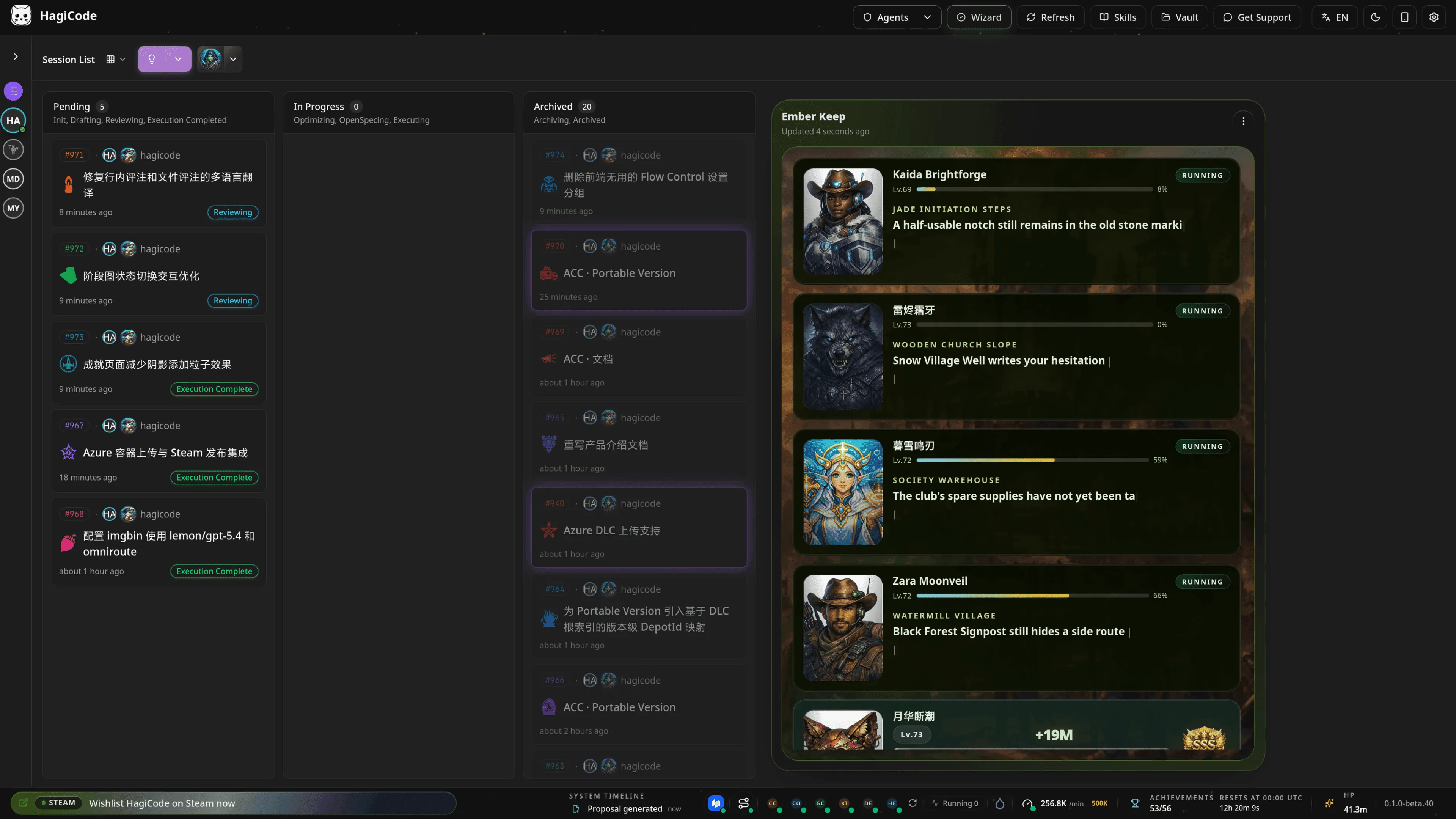
This view is especially useful for three things:
- spotting which proposals have not started yet
- comparing the pace of multiple active sessions
- archiving completed work so the workspace stays readable
If your day-to-day flow involves several parallel threads, the board view is often better than opening one detail view at a time.
Step 4: Revisit the finished execution state
Section titled “Step 4: Revisit the finished execution state”By the end of a proposal, you usually need more than a simple “done” marker. You also need to review what changed, how the commit summary was organized, and whether the same context can continue into the next round.
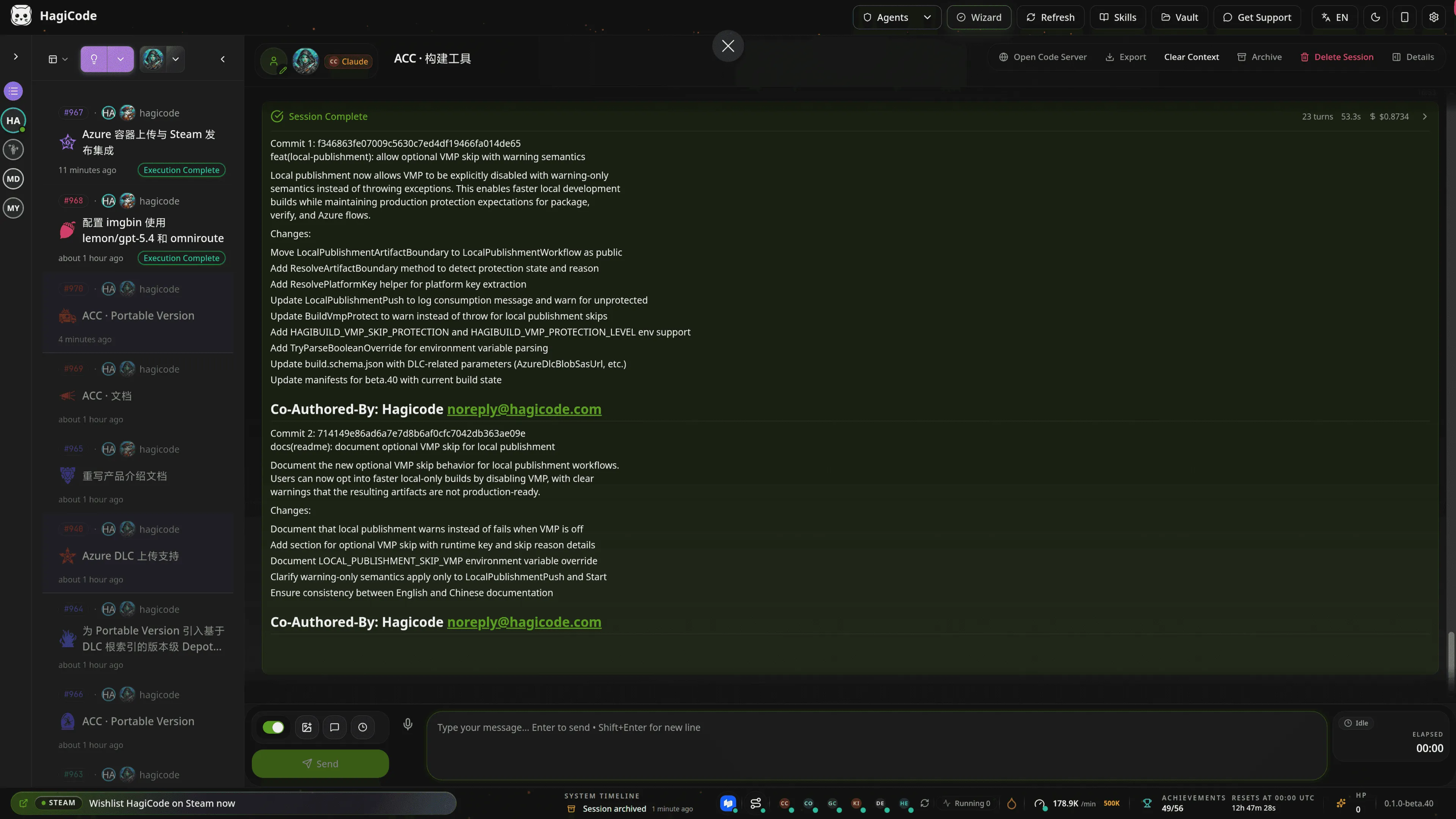
This completed-state view is useful for two follow-up tasks:
- reviewing the generated commit notes and the main execution result
- continuing from the same session context instead of rebuilding everything from scratch
In other words, a proposal session is not a one-off generator. It is a durable workflow record.
When to prefer a proposal session
Section titled “When to prefer a proposal session”Choose a proposal session first when:
- the change is complex and you do not want the AI to improvise too early
- the work will be reviewed or shared with others later
- multiple repositories, modules, or roles are involved
- you want the execution history and rationale to stay reusable
If the task is still small and exploratory, a conversation session is usually the lighter path.